66
4.CHECKING AND CANCELING THE COMMUNICATIONS
4
1. CHECKING TRANSMISSION RESULTS
Checking Reserved Transmissions
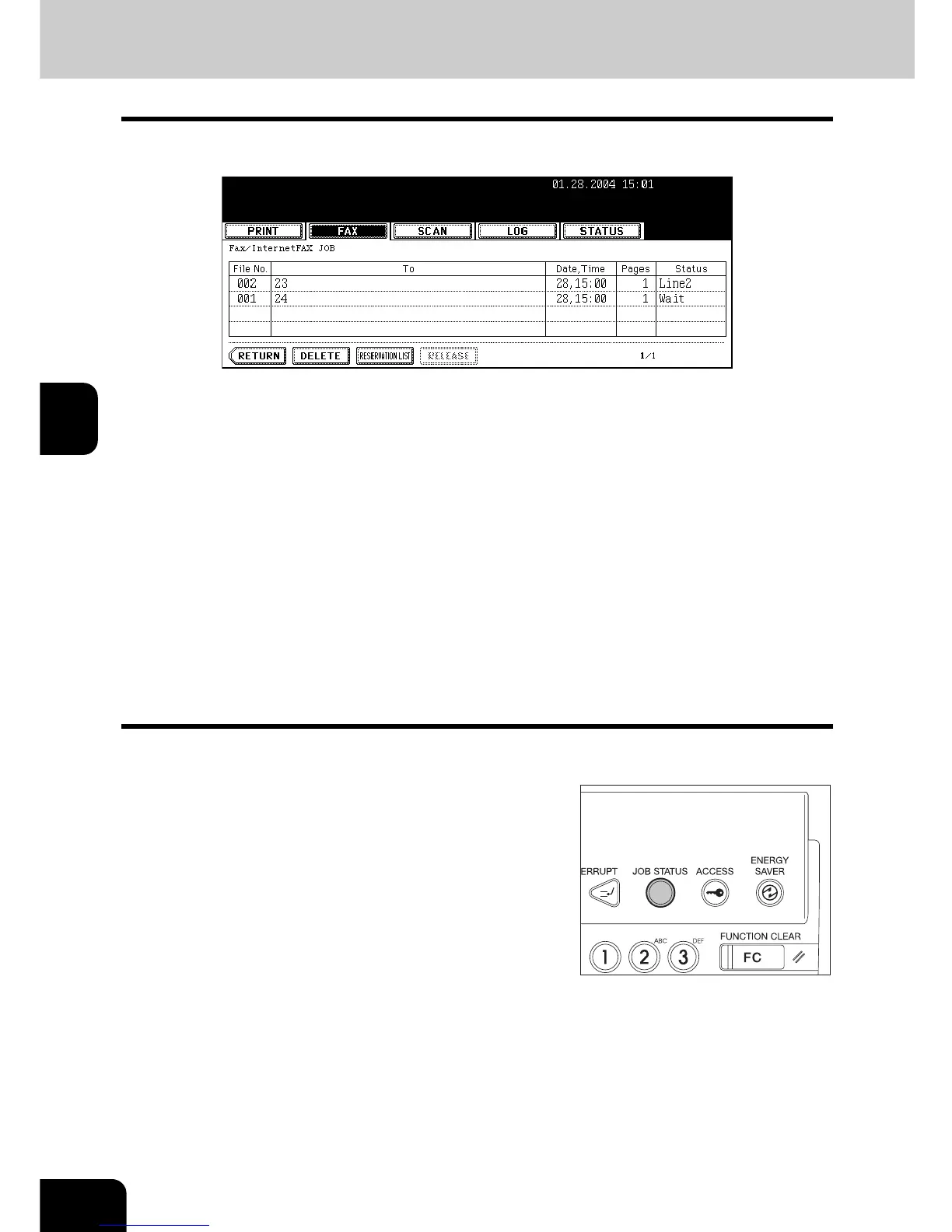
You can check the following information of the transmission status (job) in the list on the touch panel.
- File number
- Receiver
- Accepted date
- Number of originals
- Transmission status
Line1: Sending on line 1
Line2: Sending on line 2
Network: Sending via Internet Fax
Delayed: Sending via Delayed Transmission Reservation
Wait: Communication is in the standby queue.
Invalid: Under standby due to an invalid department code (N/W-Fax). For N/W-Fax function, see the
[Network Fax Guide].
4 jobs are listed on each screen (page). The job display for 100 jobs (25 pages) are available.
* Executing, reservation, or recovery standby files can also be canceled. "2.CANCELING
TRANSMISSIONS" Page 72
1
Press the [JOB STATUS] button on the
control panel.



 To Next Page
 Loading...




