51
2
Direct Transmission
In the Direct Transmission mode, the remote Fax is immediately dialed, and the originals are sent after a
successful connection with the remote Fax that has been completed.
- Users can check immediately if the original has been sent to the remote Fax.
- Once scanned, the originals are not stored in the memory.
- Users can specify only one remote Fax at a time.
- After a page has been sent, the next page is scanned. It takes longer to scan all pages.
- If an original is placed on the original glass, the scanning conditions can be changed for each page.
"Setting the Scanning Conditions for Each Page" Page 37
* Memory Transmission is set as the initial setting. Changing the initial setting to Direct Transmission
"1.SETTING THE INITIAL TRANSMISSION MODE" Page 140
Direct Transmission by Optional Setting
1
Place the original.
- "Setting Originals" Page 29
2
Press the [FAX] button on the control
panel.
3
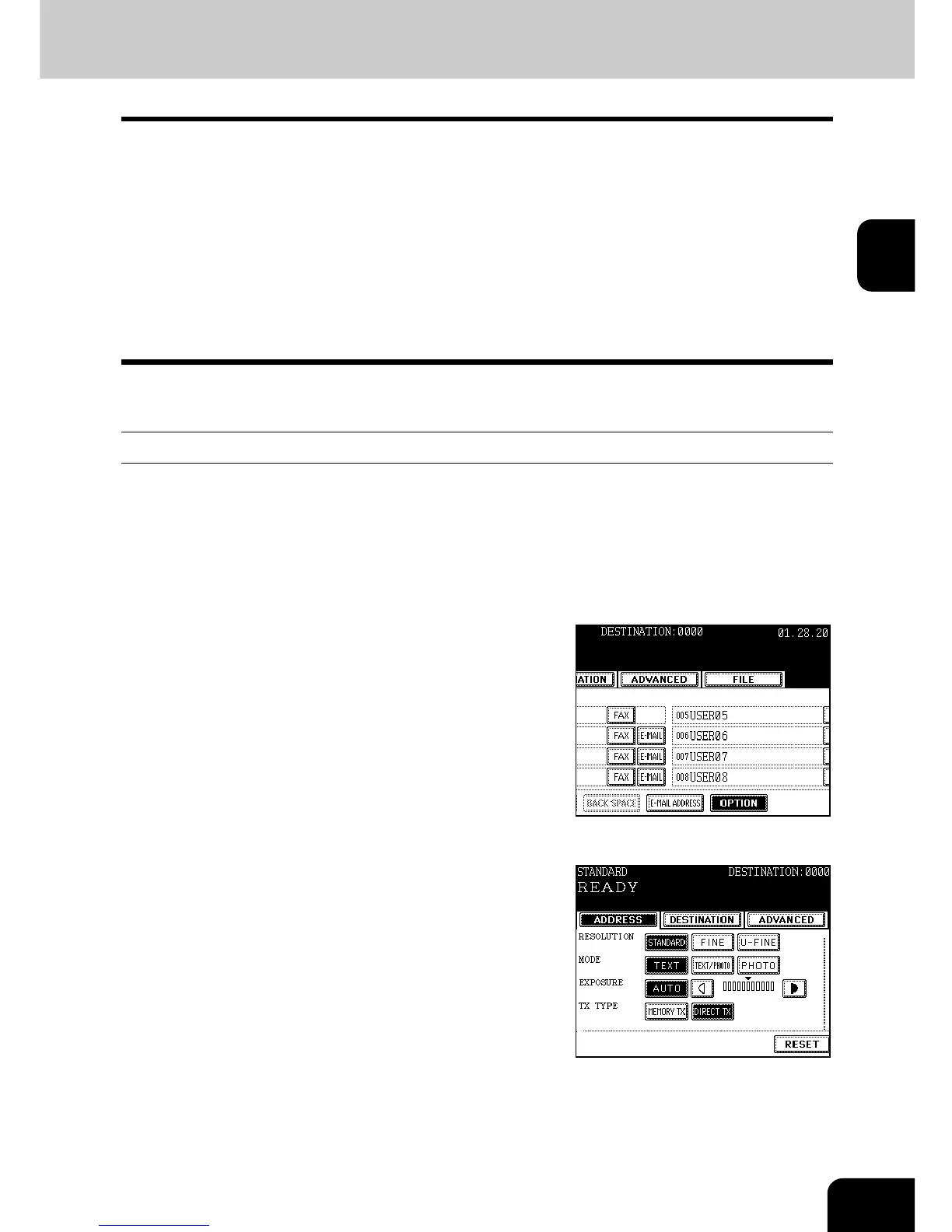
Press the [ADDRESS] button to enter the
address menu, and then press the
[OPTION] button.
4
Press the [DIRECT TX] button, set the
other transmission conditions, then press
the [ENTER] button.
- "4.SETTING THE TRANSMISSION CONDITIONS" Page 32
5
Specify the remote Fax.
- Specifying by digital keys "Direct Entry with Digital Keys" Page
39
- Specifying by address book "Address Book Entry" Page 40



 To Next Page
 Loading...




