72
4.CHECKING AND CANCELING THE COMMUNICATIONS
4
2. CANCELING TRANSMISSIONS
Canceling Transmissions (during Scanning)
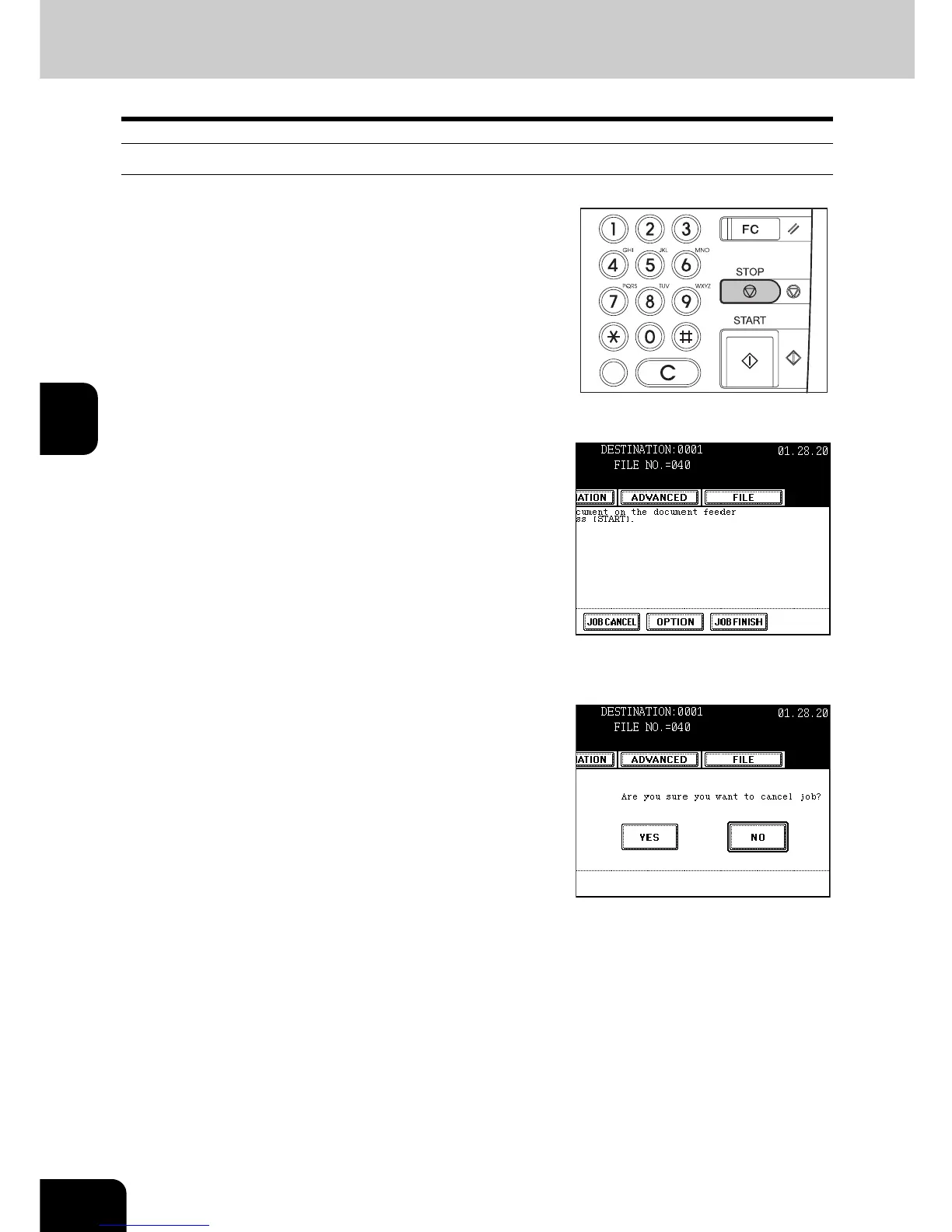
1
Press the [STOP] button while the original
is being scanned. Scanning (storing into
memory) is paused.
2
To cancel the job during the scanning
pause, press the [JOB CANCEL] button.
- To resume scanning, press the [START] button on the control
panel.
- When the [JOB FINISH] button is pressed, the scanned data of
the original(s) start to be transmitted.
- To change the setting of the scanning conditions, press the
[OPTION] button. "Setting the Scanning Conditions for Each
Page" Page 37
- If you do nothing for about 45 seconds after the pause of the
transmission, the transmission that is currently being scanned is
cleared from the memory.
3
Press the [YES] button.



 To Next Page
 Loading...




