15
1
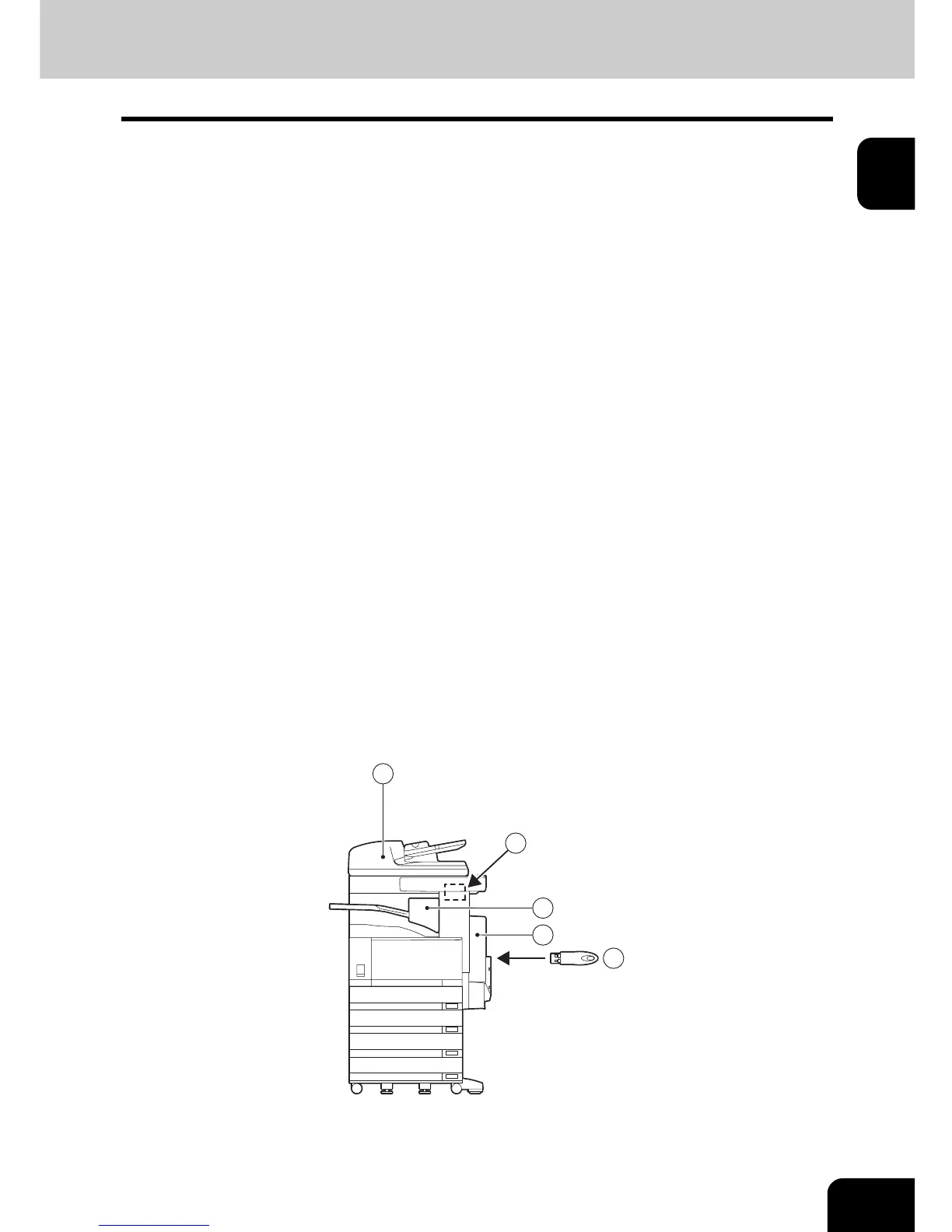
Optional Equipment
1 : Reversing Automatic Document Feeder (e-STUDIO3511/4511/350/450: MR-3015, e-STUDIO200L/
230/230L/280: MR-3016)
(Necessary equipment when the facsimile function is installed)
Automatically feeds a placed stack of originals one by one to have them copied.
2 : Automatic Duplex Unit (MD-0102)
Enables the duplex printing of the received original.
* This is included as standard equipment depending on the product markets.
3 : 2nd Line for Fax Board (GD-1160)
Enables the 2nd line.
4 : Job Separator (MJ-5004)
(for e-STUDIO350/450/200L/230/230L/280)
Enables Fax output on the upper tray, Copy output on the lower tray separately.
5 : ‘Printer kit and Scanner upgrade kit’ or ‘Printer/Scanner kit’
Enables Internet Fax function and Save as File function for e-STUDIO350/450/200L/230/230L/280.
e-STUDIO350/450:
‘Printer kit (GM-1010) and Scanner upgrade kit (GM-3010)’ or ‘Printer/Scanner kit (GM-2010)’
e-STUDIO230/230L/280:
‘Printer kit (GM-1020) and Scanner upgrade kit (GM-3020)’ or ‘Printer/Scanner kit (GM-2020)’
e-STUDIO200L
‘Printer kit (GM-1030) and Scanner upgrade kit (GM-3030)’ or ‘Printer/Scanner kit (GM-2030)’
* To use the function via Network, NIC board is required.
6 : NIC board (GF-1150)
Enables function via Network such as Onramp gateway or Offramp gateway, etc.
* This is included as standard equipment depending on the product markets.
* To use the function through Network, ‘Printer kit + Scanner upgrade kit’ or ‘Printer/Scanner kit’ is
required as additional options.
* This illustration is based on e-STUDIO350/450.
3
1
4
2
5



 To Next Page
 Loading...




