88
5.ADVANCED FUNCTIONS
4.MAILBOX (ITU-T COMPATIBLE) (Cont.)
5
Deleting a Mailbox
1
Press the [FAX] button on the control
panel.
2
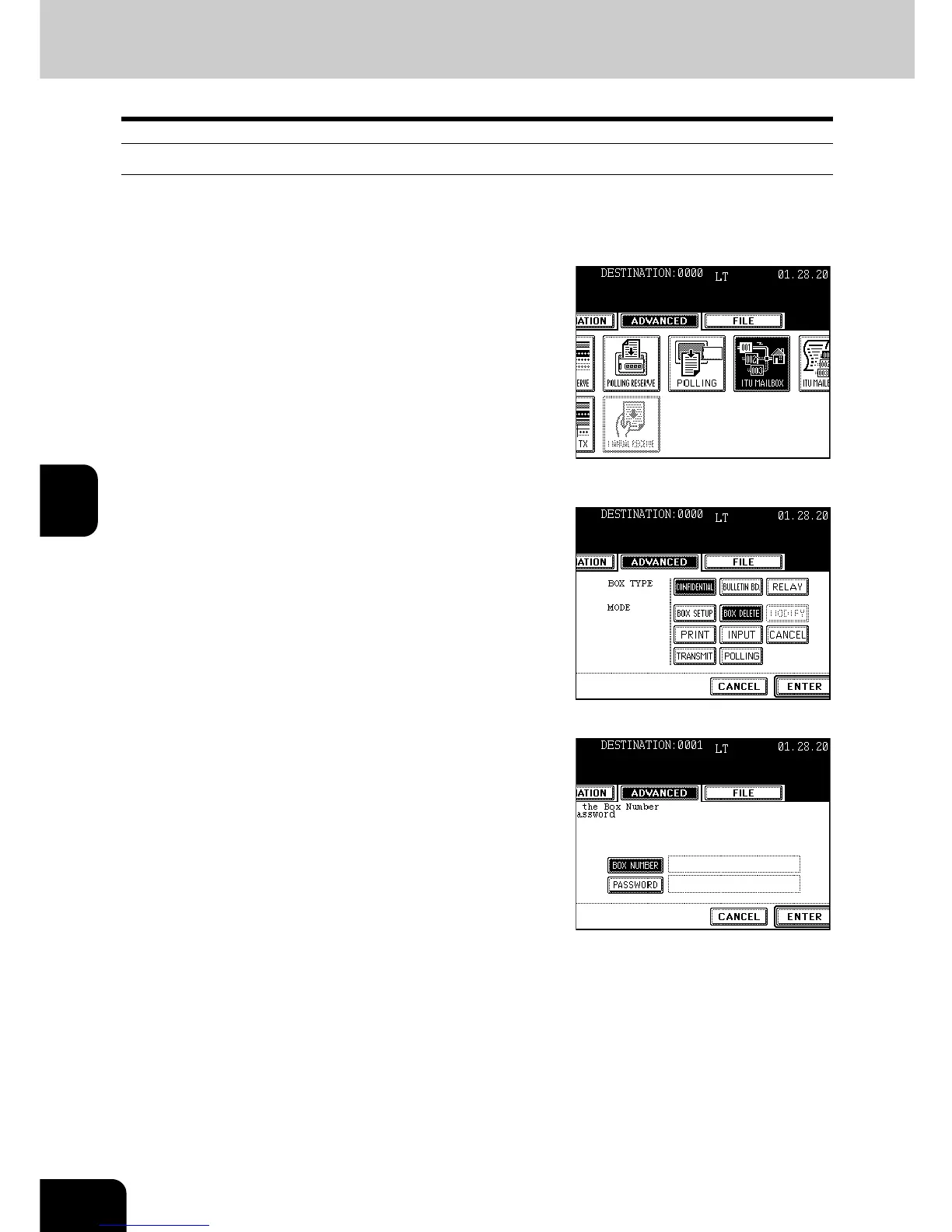
Press the [ADVANCED] button to enter the
advanced menu, and then the [ITU
MAILBOX] button.
3
Press the [CONFIDENTIAL], [BULLETIN
BD.] or [RELAY] button, then press the
[BOX DELETE] button.
4
Press the [ENTER] button.
- If the type of selected box is not opened, “No entry” appears.
5
Press the [BOX NUMBER] button to
display the next screen, key in the box
number(s) (max. 20 digits) then press the
[ENTER] button.
- When a password is specified, press the [PASSWORD] button to
display the next screen, key in the password (max. 20 digits) then
press the [ENTER] button.
- You can also delete the mailbox with the administrator password.
To set the administrator password, see the [User Functions
Guide].
6
Press the [ENTER] button.
- If the entered box number is incorrect, “No entry” appears. If an
incorrect password is entered, “Invalid number” appears. Key in
the correct box number or password.



 To Next Page
 Loading...




