E-BOOKS Mode︱
To read E-Books on your MP860, you must first transfer “.txt ” files to the player
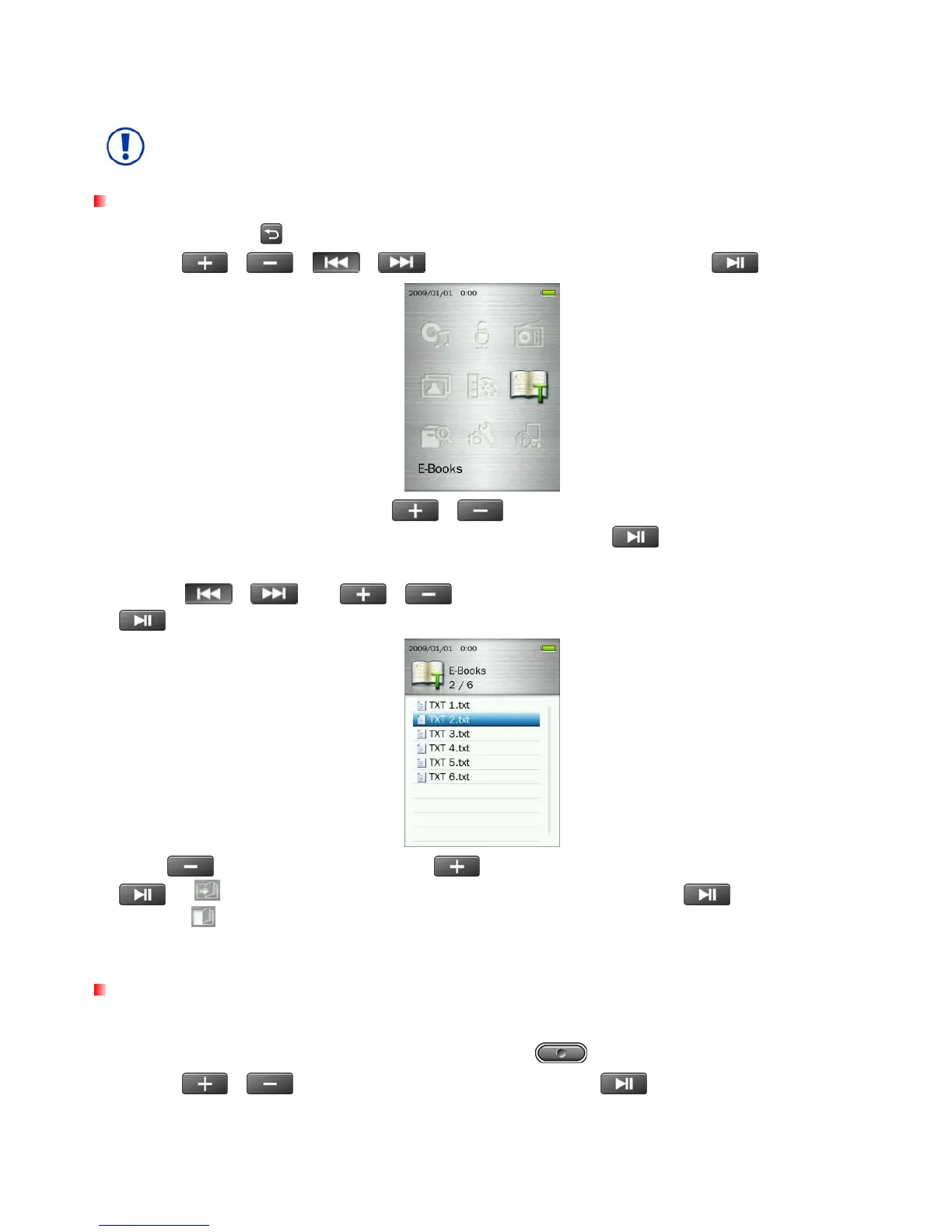
Reading E-Books and Text files
1. Press and hold the
button to enter the Main Menu.
2. Use the
/
/
/ buttons to select “E-Books” and press .
3. The File Navigator will open. Use the
/ buttons to select the source location of the TXT file
you want to read (“Internal Memory” or “microSD Card”) and press
. (Alternatively, you can find all
files in the FILE MANAGEMENT mode)
4. Use the
/
and
/
buttons to navigate to the file you want to read and press
.
5. Press
to go to the next page. Press
to go back one page. To enable Auto Page Turn press
. A icon will appear in the top right corner of the screen. Press again to turn pages
manually
.
ο The MP860 only supports “.txt” format text files (unicode UTF-8 or UTF-16).
Advance to
This function lets you jump to a certain position of the document.
1. While reading a text file in the E-BOOKS mode, press the button to open the Options menu.
2. Use the /
buttons to select “Advance to” and press
.
49



 To Next Page