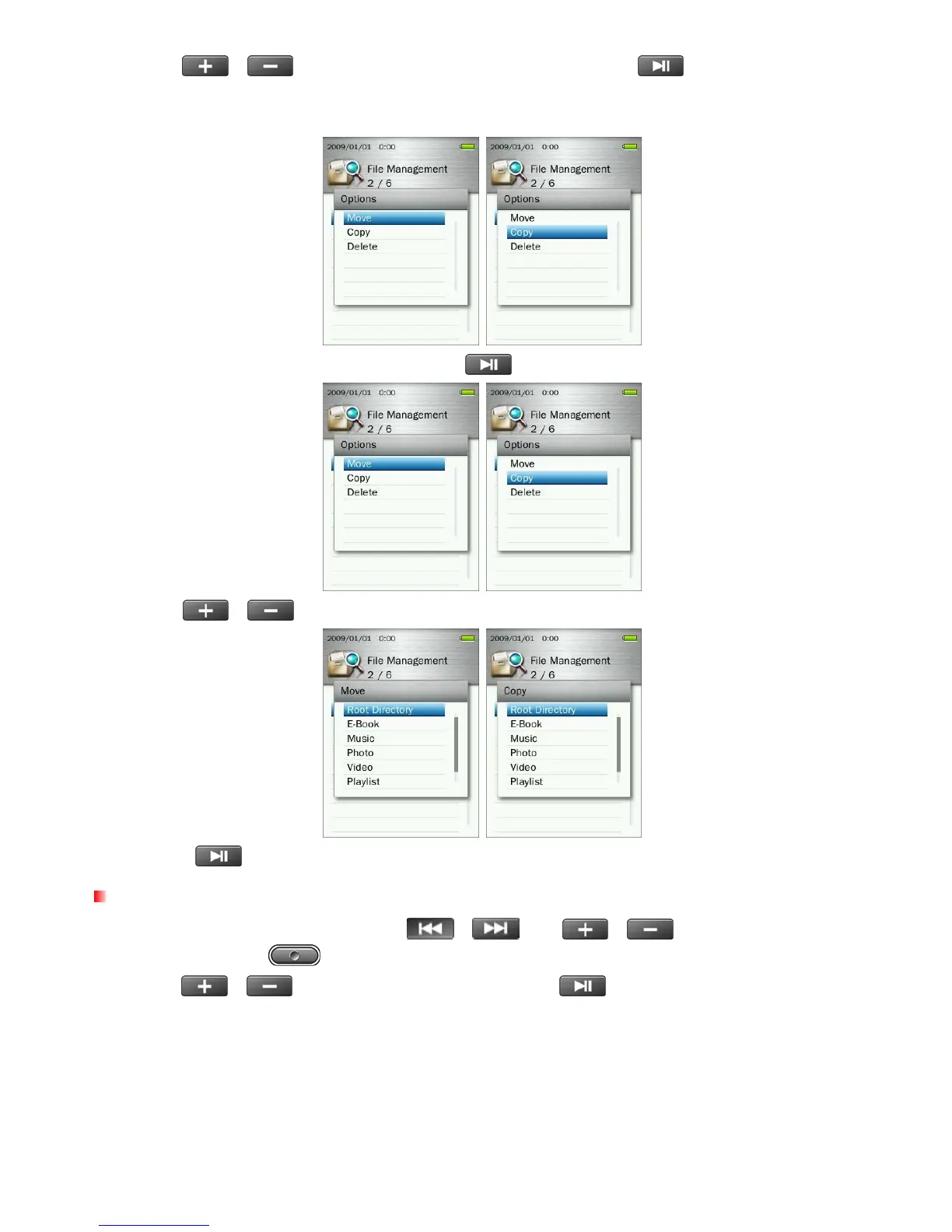
2. Use the /
buttons to select “Move” or “Copy” and press
. (Note: “Move” will transfer
the selected item to a new location and deletes it from the original location. “Copy” will copy the item to the
new location without deleting the original)
3. Select the destination storage device and press
.
4. Use the
/
buttons to highlight your desired destination folder or the Root (default) directory.
5. Press the
button to perform the move or copy and return to the previous screen.
Deleting Files
1. In the File Management menu use the /
and
/
buttons to highlight a file or
folder and press the
button to open the Options menu.
2. Use the
/
buttons to select “Delete” and press
. A “Confirm File Delete” message will
appear.
54



 To Next Page