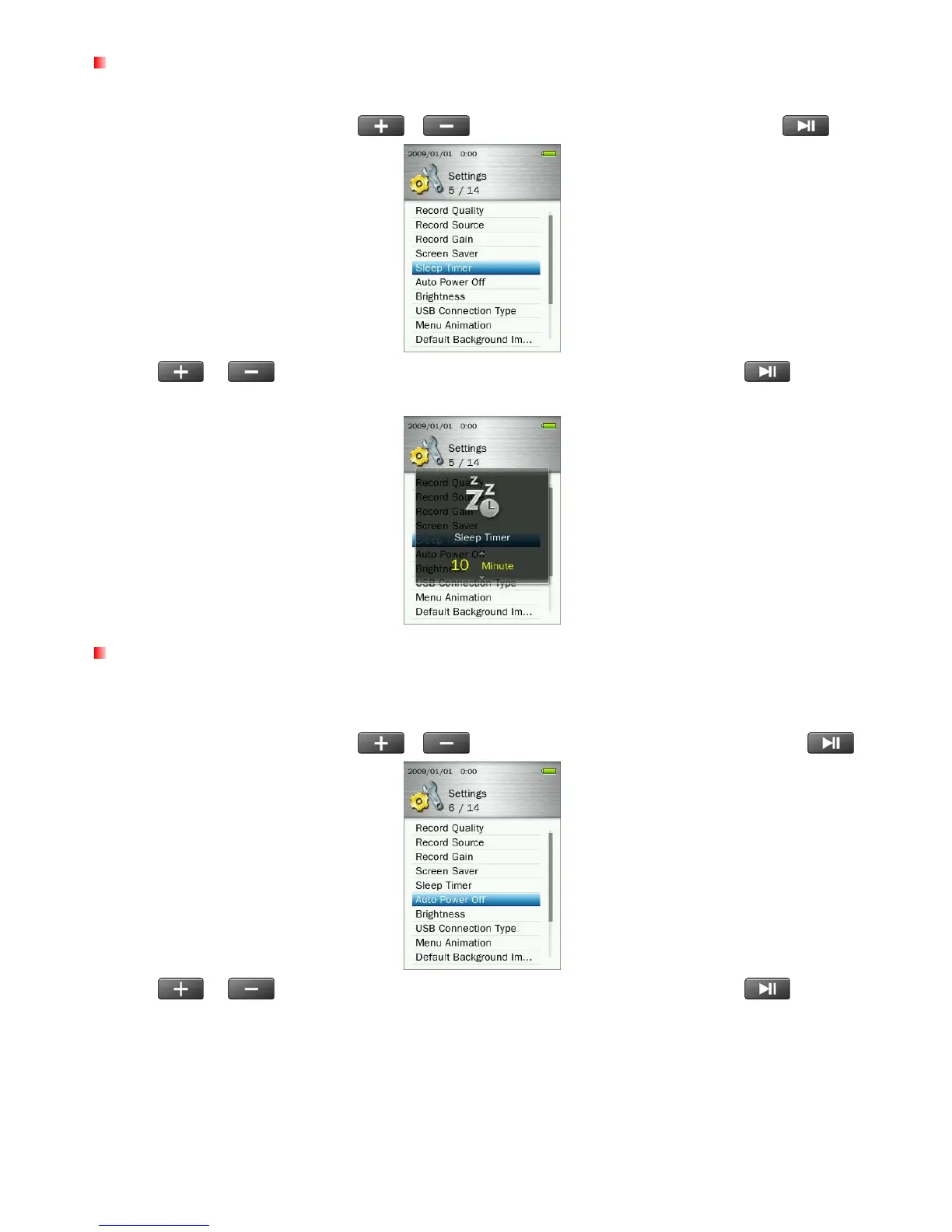
Sleep Timer
This function sets a time delay to automatically power OFF the MP860, regardless of playback status.
1. In the SETTINGS menu, use the
/ buttons to select “Sleep Timer” and press .
2. Use
/ buttons until you reach the desired time delay and press
to confirm.
(Adjustment range: 10 Minute ~ 180 Minute or Off)
Auto Power Off
This function sets a time delay to automatically power-OFF the MP860 after a certain period of time with no
user input.
1. In the SETTINGS menu, use the
/ buttons to select “Auto Power Off” and press .
2. Use
/ buttons until you reach the desired time delay and press
to confirm.
(Adjustment range: 10 Minute ~ 180 Minute or Off)
59



 To Next Page