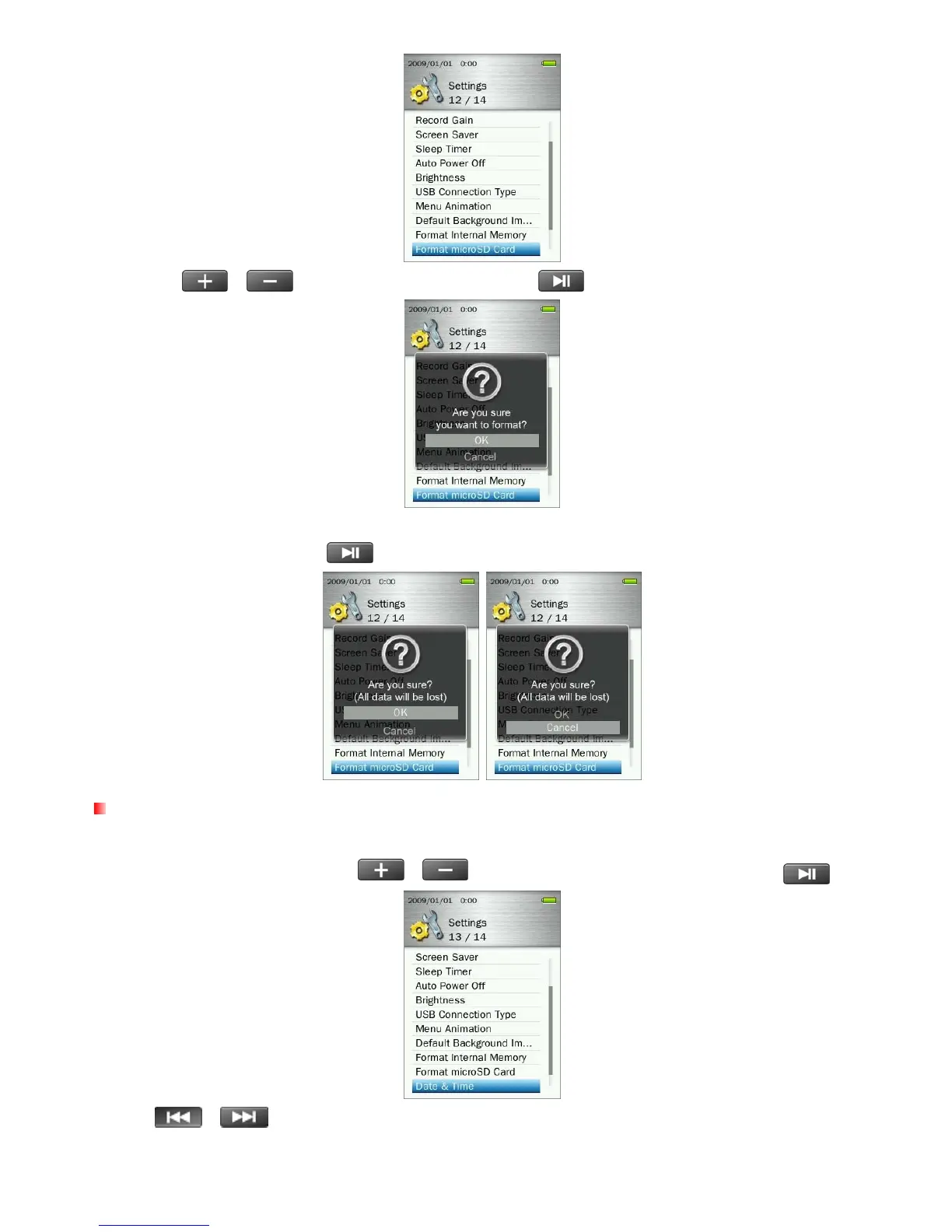
2. Use the
/ buttons to select “OK” and press .
3. A confirmation screen will appear. Select “OK” again only if you are sure you want to erase all data on
the microSD card and press
, or select “Cancel"to return to the SETTINGS menu.
Date & Time
This option lets you adjust the local date and time.
1. In the SETTINGS menu, use the
/ buttons to select “Date & Time” and press .
2. Use
/ to move between Year, Month, Day,12hr/24hr, Hour, Minute, and AM/PM.
64



 To Next Page