2 Instrument and Accessories
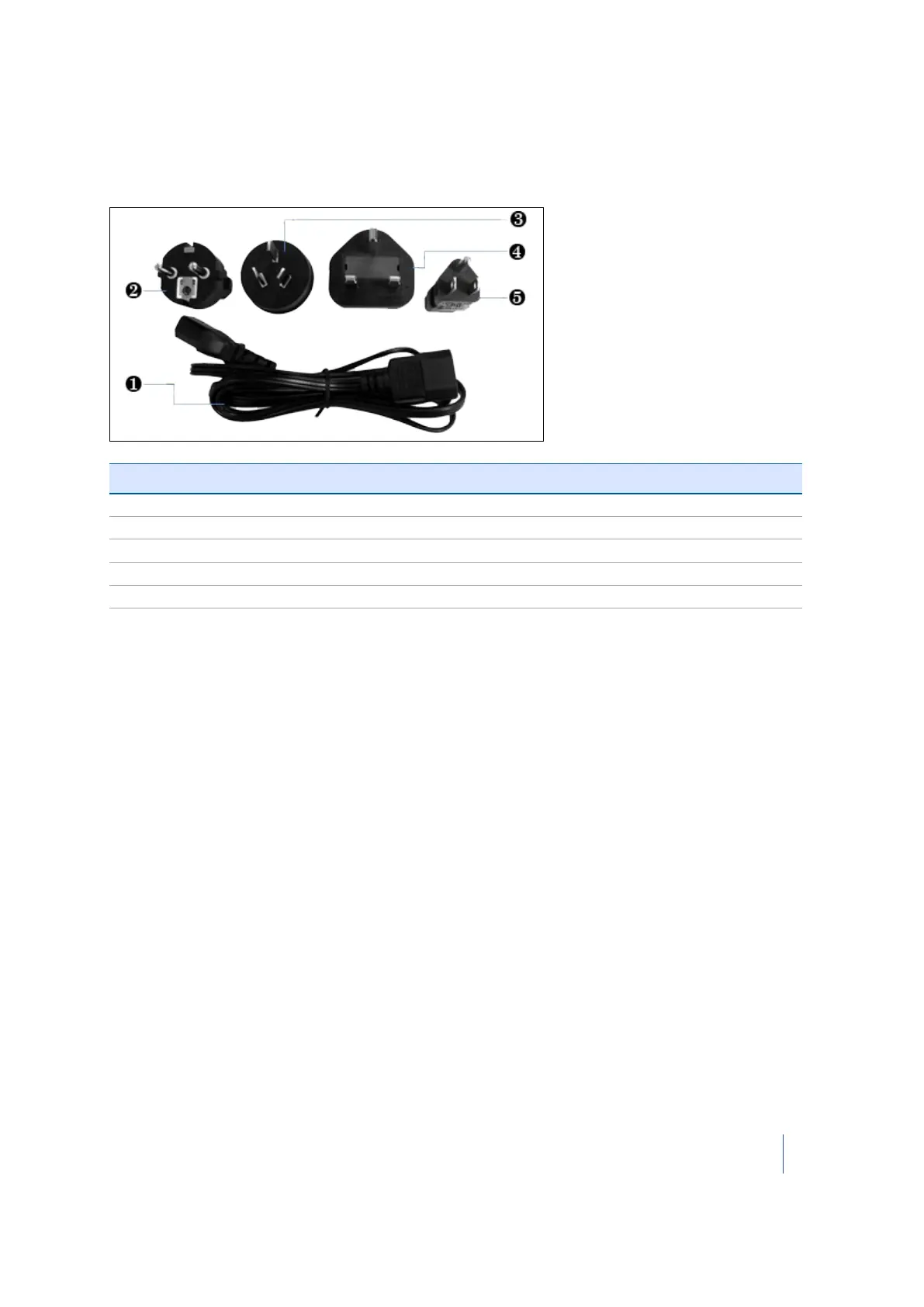
Power cable and connectors
The power cable and the four interchangeable connectors are provided in a zippered storage bag.
Item Description
❶ Power cable
❷ EU connector
❸ Australia connector
❹ UK connector
❺ USA connector
USB flash drive
Use the USB flash drive that comes with the instrument or one that is commercially available. If you
use a different USB flash drive, make sure that it is 64 GB or higher and formatted with FAT 32/16.
See also USB flash drive specifications, page 96.
Data acquired by your instrument is stored on the USB flash drive as well as the report resulting
from a diagnostic of the instrument. The USB flash drive is also used to update the firmware in the
instrument. See also Managing the USB flash drive, page 85.
Battery kit
For information on the battery kit, refer to the Trimble TX8 Battery Kit Quick Reference Card that
accompanies the instrument. See also Battery kit specifications, page 96.
Trimble TX8 3D Laser Scanner User Guide 29



 To Next Page