2 Instrument and Accessories
Icon Charge Level
Less than 10%
Between 25% and 50%
Between 50% and 75%
Between 75% and 100%
Fully charged - 100%
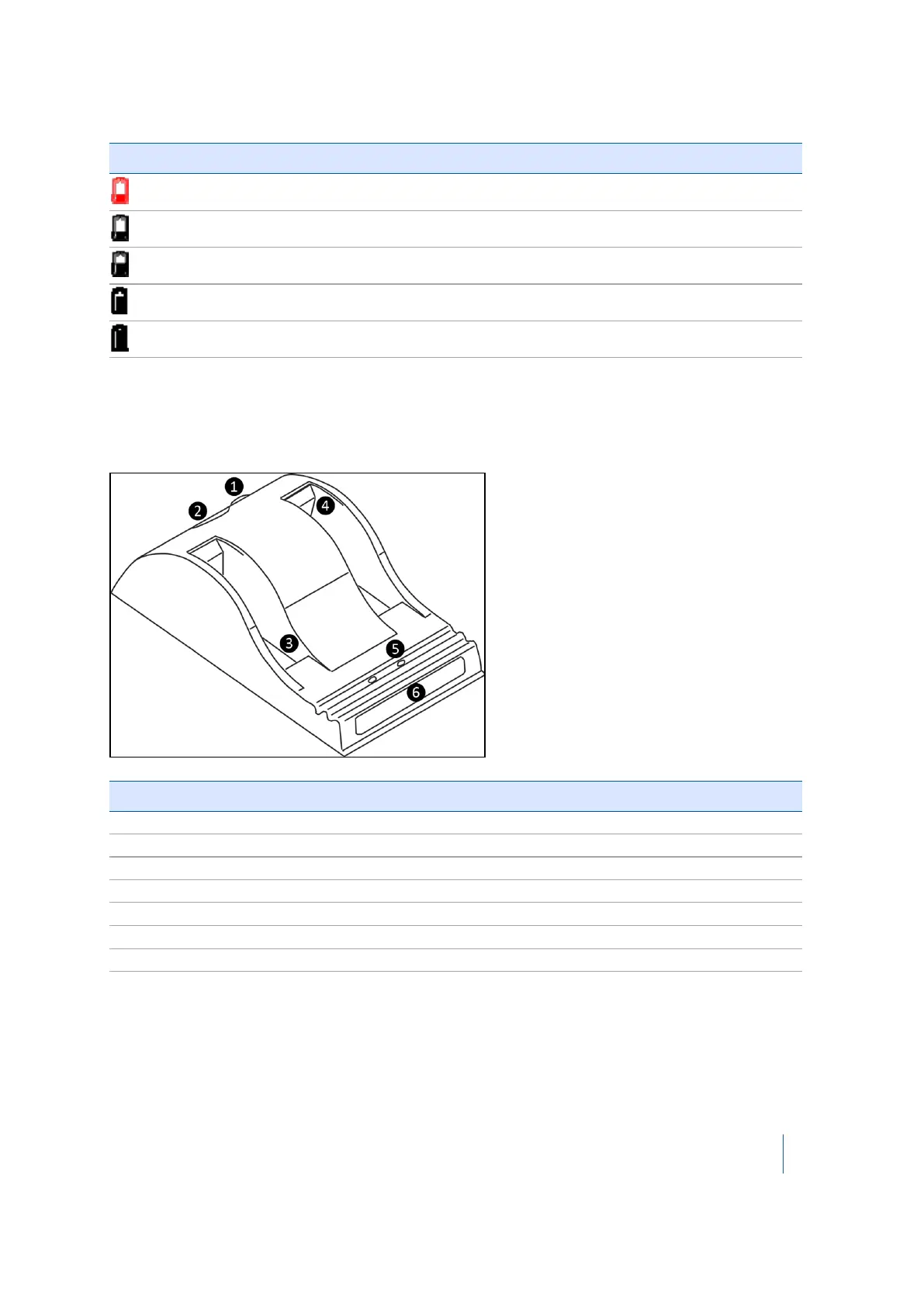
Two-bay charger
The two-bay charger enables you to charge or recalibrate the fuel gauge on two batteries at the
same time. See also Two-bay charger specifications, page 97.
Item Description
❶ DC connector
❷ Fan outlet
❸ Battery bay
❹ Spacer (already inserted)
❺ Recalibration button
❻ Status window
Not shown External power supply
Connecting to the main power supply
1. Place the charger on a flat surface near an electrical outlet to ensure airflow under the charger.
2. Plug the AC/DC converter cable into the DC input connector on the rear of the charger.
Trimble TX8 3D Laser Scanner User Guide 32



 To Next Page