2 Instrument and Accessories
3.
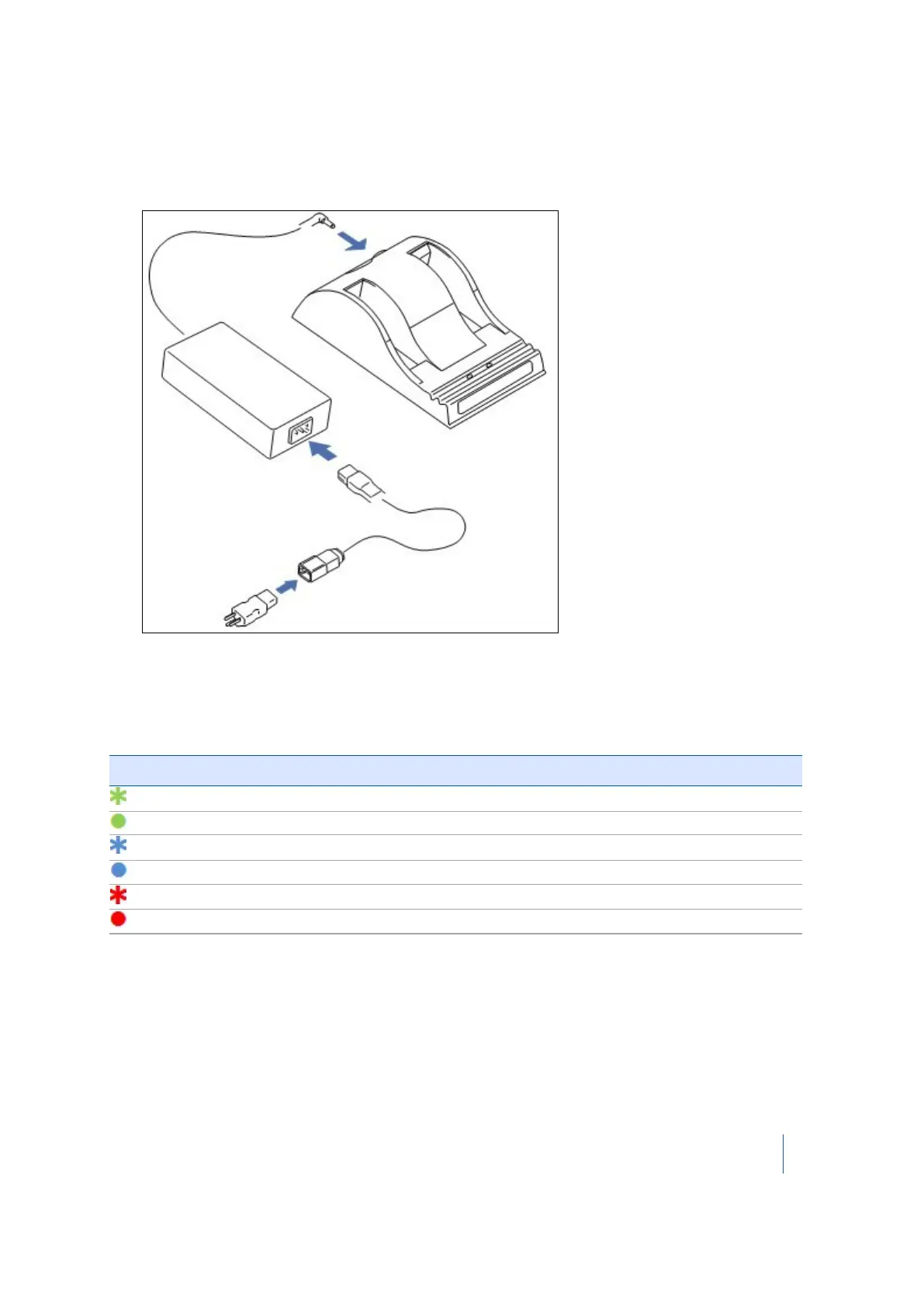
Plug the power cable into the AC/DC adapter and into an electrical outlet via an
interchangeable connector. All the LEDs will flash momentarily to let you know that power is
present:
LED behaviors
There are two LED indicators behind the status window, one for each battery bay. Both indicate
battery status.
If the icon is … then …
green, flashing the battery is charging.
green, solid
the battery is fully charged.
blue, flashing the battery is in calibration mode.
blue, solid the battery fuel gauge has been calibrated.
red, flashing the battery fuel gauge is in need of recalibration.
red, solid there is an error.
Trimble TX8 3D Laser Scanner User Guide 33



 To Next Page