2 Instrument and Accessories
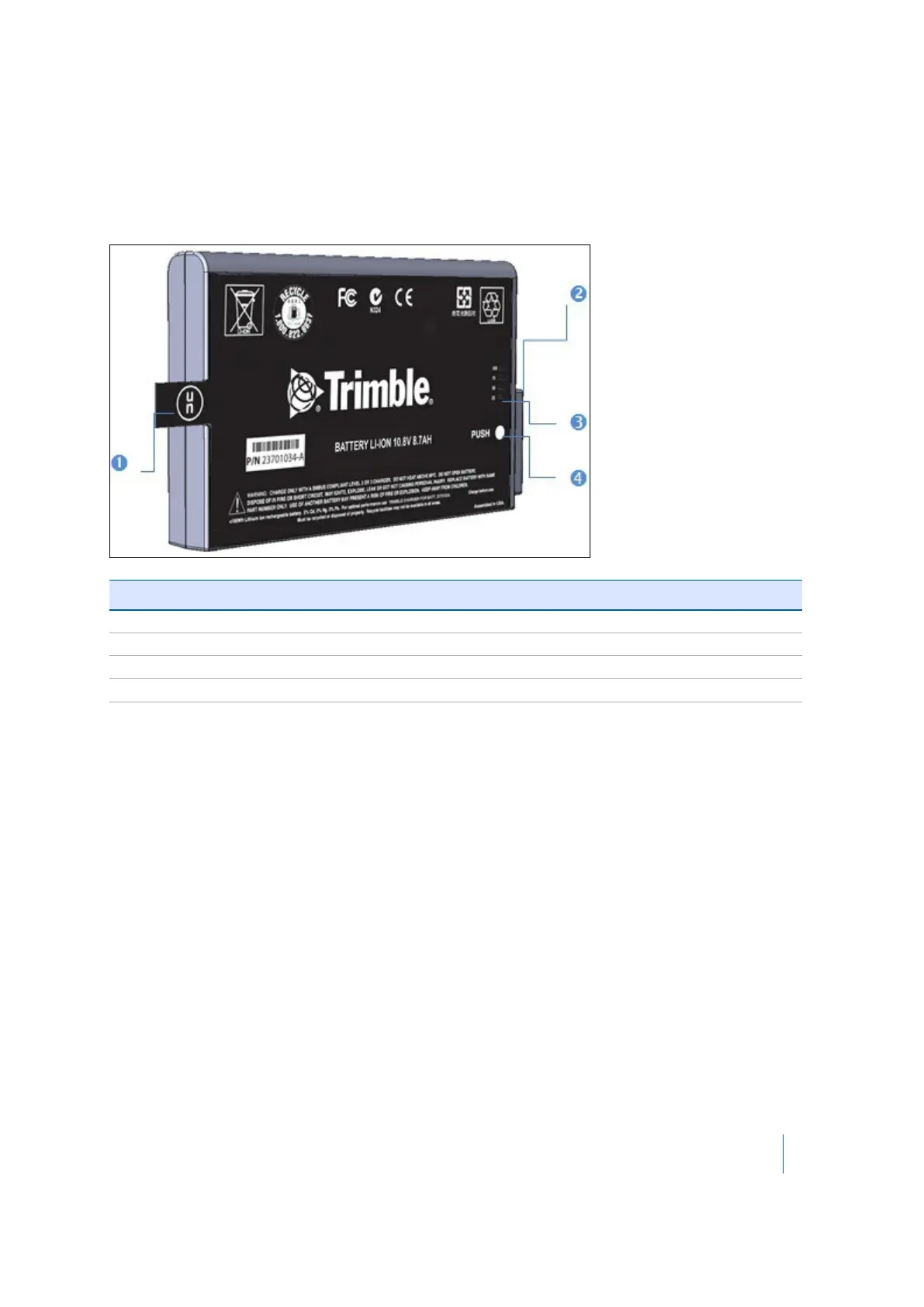
Smart battery
Before charging or using a smart battery it is important to read and understand the battery safety
and environment information included in the Safety chapter on page 4. See also Smart battery
specifications, page 96.
Item Description
❶ Flap
❷ Connectors
❸ Power gauge
❹ Button
Charging a smart battery
The smart battery is supplied partially charged. Please charge the battery completely before using it
for the first time. Charging takes approximately 4 hours per battery.
The two-bay charger is a smart charger. It can communicate with the battery in order to deliver the
appropriate charge. Each bay is independent. The charger can charge two batteries simultaneously.
1. Place the charger on a hard, flat and level surface to ensure that there is airflow under the
charger.
2. Plug the DC connector from the power supply unit into the back of the charger.
3. Plug the power supply cable to the external power supply.
4. Connect the other end of the power supply cable to a power supply network using an
interchangeable connector.
5.
Insert a battery into either bay ensuring that the 5-way connector is fully seated. All LEDs in the
status window will provide status information and the charger automatically starts charging.
Trimble TX8 3D Laser Scanner User Guide 30



 To Next Page