4 Software
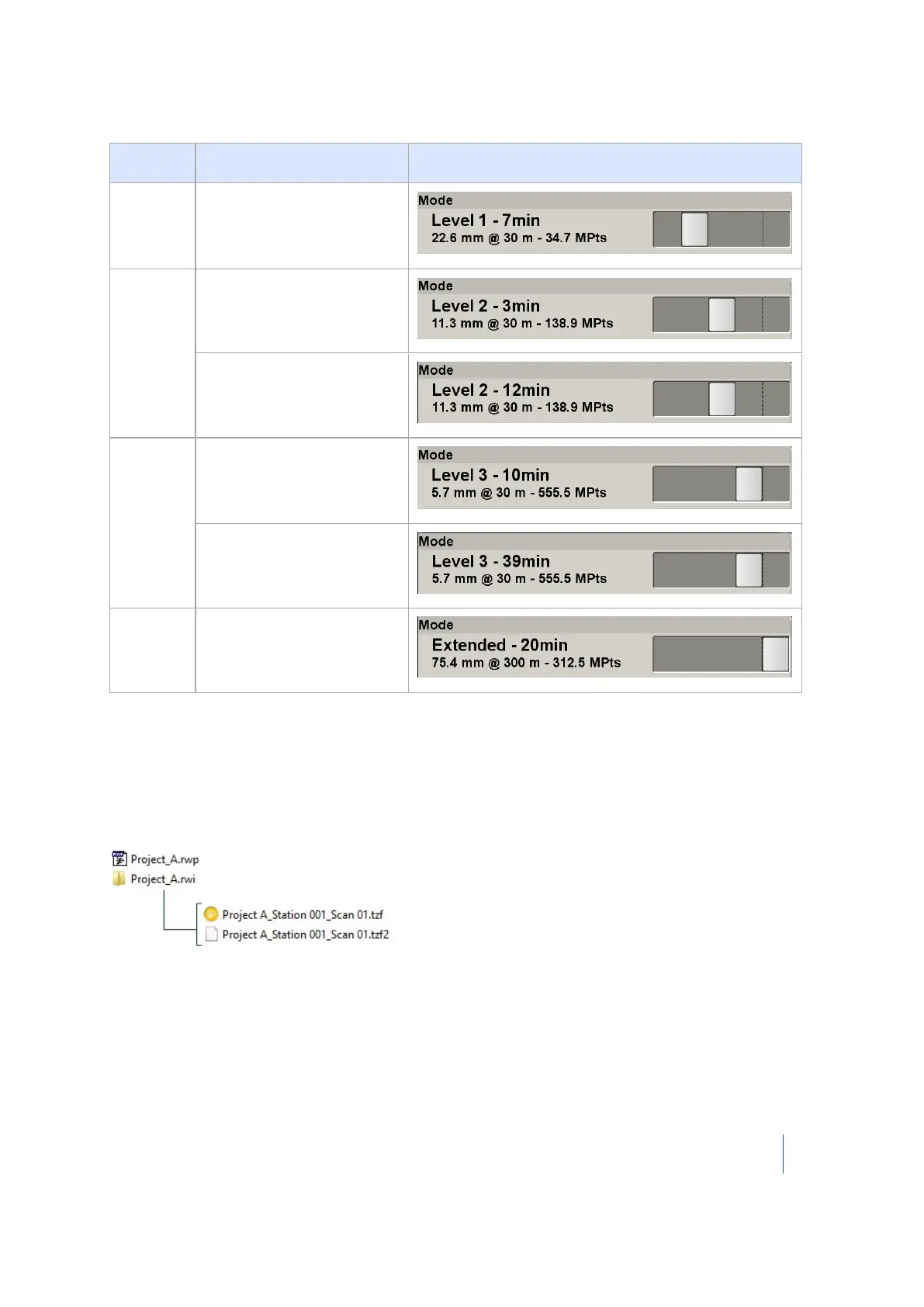
Mode
Level 1 with High 4-Pass
precision
Level 2
Level 2 with Standard 1-
Pass precision
Level 2 with High 4-Pass
precision
Level 3
Level 3 with Standard 1-
Pass precision
Level 3 with High 4-Pass
precision
Extended
Extended
Note – Be aware that your TX8 instrument will scan beyond 120 meters when the Extended Range
feature is chosen.
When scanning with Extended mode, two scans will be acquired. The first scan is a short range scan
from 0 to 120 m and the second scan is a long range scan from 120 to 340 m. The time to acquire the
short range scan is shorter than the time to acquire the long range scan. The total scan duration is
20 minutes. Two TZF format files are created under the RWI folder:
The number of scans that can be stored on the USB flash drive changes according to the chosen
mode.
The mode for a Full scan can be defined from the Scan Parameters dialog (see page 72) while the
mode chosen from the Area Scan dialog is applied to an Area scan. When you reset your personal
settings (see page 91), the mode of both types of scans is reset to Level 1.
Trimble TX8 3D Laser Scanner User Guide 74



 To Next Page