INSTRUMENTS
48
Display Navigation
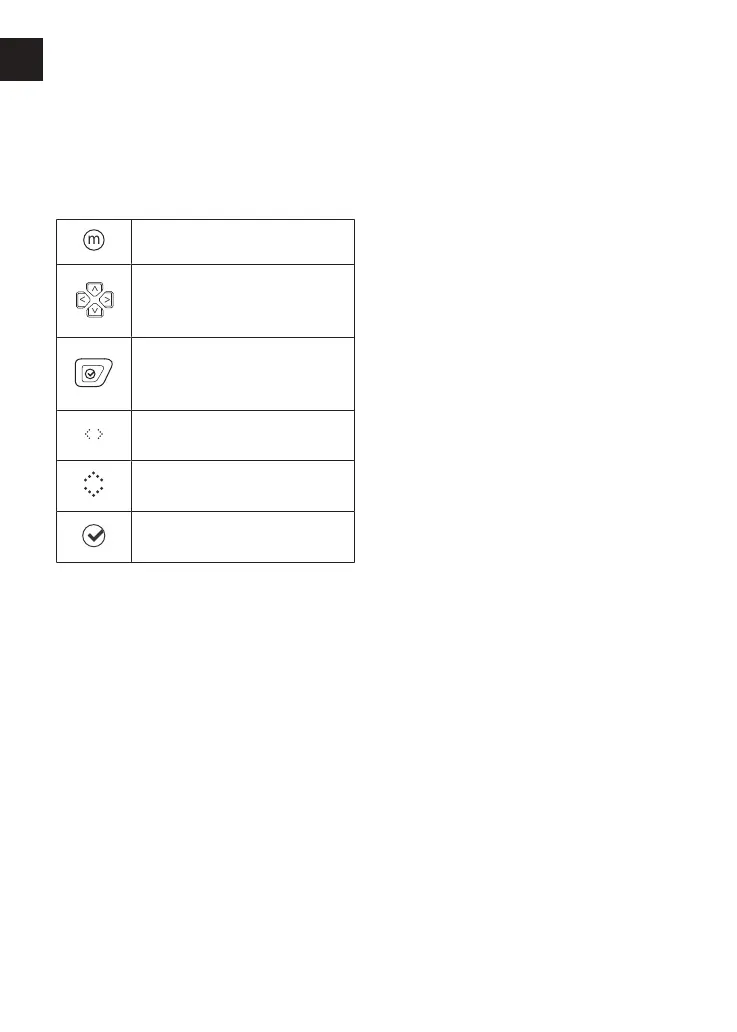
The table below describes the
instrument icons and buttons used to
navigate through the instrument menus
described in this handbook.
Mode button.
Left/right or up/down
buttons.
Select button (press).
Information Tray - left/right
scroll using the buttons.
Information Tray - up/down
scroll using the buttons.
Information Tray - confirm
using the select button.
Riding Modes
The riding modes allow adjustment of
the throttle response (MAP) and
Traction Control (TC) settings to suit
differing road conditions and rider
preferences.
Riding modes can be selected using the
Mode button located on the left hand
switch housing, while the motorcycle is
stationary or moving, see page50.
Trident and TigerSport
The following riding modes are available;
Rain and Road.
Daytona660
The following riding modes are available;
Rain, Road and Sport.
Each riding mode is adjustable, see
page59 for more information.










 To Next Page