INSTRUMENTS
68
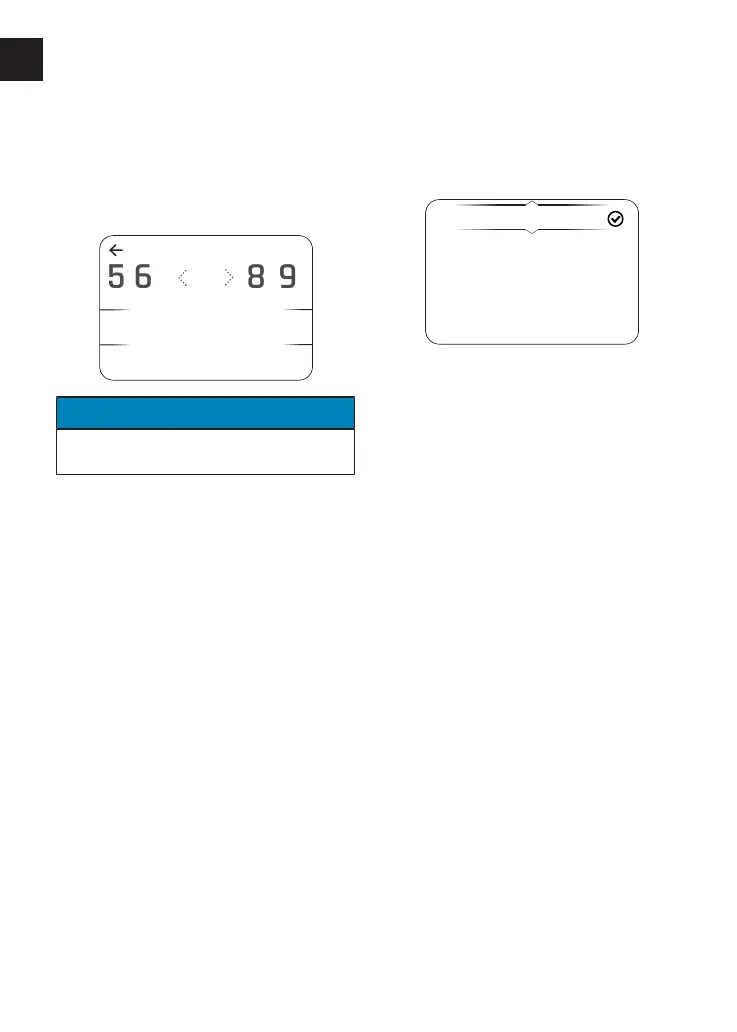
To adjust the engine speed threshold
(RPM) for the gear shift indicator:
▼ From the Shift Indicator menu, press
the Up/Down button to select User
Defined and press the Select button
to confirm.
SHIFT INDICATOR
7
7
ENTER
85 6 9
000
RPM
NOTICE
The previously stored or default rpm
will be shown initially.
▼ Press the Down button to highlight
the numbers.
▼ Press the Left/Right button to scroll
through to the delete symbol.
▼ Press the Select button to delete
each number.
▼ Press the Left/Right button to scroll
through the numbers.
▼ Press the Select button to confirm
the number. Numbers other than '0'
will add in hundreds, for example, '4'
will add '400' each time it is selected.
▼ Once the engine speed threshold
(RPM) has been completed, select
ENTER and press the Select button
to confirm. This will revert back to
the previous screen.
To disable the gear shift indicator:
▼ Press the Up/Down button to select
Disabled and press the Select button
to confirm.
Display Setup - Language
The Language menu allows the
preferred language to be used as the
instrument display language.
English
Français
Deutsch
Nederlands
Italiano
To select the required language for the
instrument display:
▼ From the Display Setup menu, press
the Up/Down button to select
Language.
▼ Press the Right button to view the
available options.
▼ Press the Up/Down button until the
required language option is
highlighted.
▼ Press the Select button to confirm. A
tick is shown to indicate the selected
option.










 To Next Page