INSTRUMENTS
62
Bike Setup - Indicators
Trident and TigerSport
The direction indicators can be set to
Auto Basic, Auto Advanced or Manual
mode.
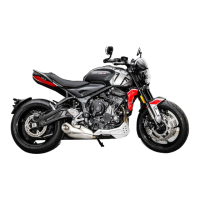
Auto Basic
Auto Advanced
Manual
Daytona660
The direction indicators can be set to
Automatic or Manual mode.
All Models
Selecting a Direction Indicators Mode
To select the required direction
indicators mode:
▼ From the Bike Setup menu, press the
Up/Down button to select Indicators.
▼ Press the Right button to view the
available options.
▼ Press the Up/Down button to scroll
between the following options:
– Auto Basic/Automatic- The self-
cancelling function is on. The
direction indicators will activate
for eight seconds and an
additional 65 metres.
– Auto Advanced (if fitted) - The
self-cancelling function is on. A
short press activates the
direction indicators for three
flashes. A longer press activates
the direction indicators for eight
seconds and an additional 65
metres.
– Manual - The self-cancelling
function is off. The direction
indicators must be manually
cancelled using the direction
indicator switch.
▼ Press the Select button to confirm. A
tick is shown to indicate the selected
option.




 To Next Page