DocNo.FM0410issueM‐1Page29
20.ZONEDNETWORKRECEIVERINSTALLATION
ENABLE RSSI PRINT-OUT
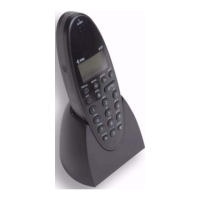
FirstlysettheAdventxtsystemtoprinttheZonedNetworkReceiverSignalStrengh(RSSI)usingtheDECThandset;
1.PresstheLINEkey,enter81andwaitforthe“Ready”promptintheearpiece
2.Enterthecode7004followedbythekey
3.RadiodeviceRSSIprint‐outenabled/disabledwillbeheardintheearpiece
4.Pressthe#keytotogglebetweenenabled/disabled‐thenewmodewillbeheardintheearpiece
5.PresstheLINEkeytocleartheconnection
IMPORTANT:remembertodisableRSSIprint‐outwhentestingiscompletetosavepaper.
TESTING
Performawalktestaroundzone1andactivateapendantatallextremeswhereyouexpectradiocoverage.
Theprint‐outwillshowtheRSSIvaluesforallZonedNetworkReceiversthatpick‐upthependanttransmission.
Typicalprint‐out;
RP0095ZONE0120/0513:16ON (ReceivedPower=95forZone1)
RP0078ZONE0220/0513:16ON (ReceivedPower=78forZone2)
RP0067ZONE0320/0513:16ON (ReceivedPower=67forZone3)
AL0038PENDANT20/0513:16ON (AlarmfromPendantID0038)
CA0038PENDANT20/0513:16ON (CallAnsweredfromPendantID0038)
CE0038PENDANT20/0513:16ON (CallEnded fromPendantID0038)
ThiscallwouldbereportedasZone1(theonewiththe strongestReceivedPower).
TheRSSIvalueswilltypicallyrangefrom120(maxstrength)downtoabout40.Note:ifaZonedNetworkReceiverdoesnot
pick‐upthetransmissionnothingwillbeprintedforthatzone.
IfneighbouringzonesarereceivingsimilarRSSIvaluestheirsignalstrengthshouldbeattenuatedtogivethemaximumRSSI
valueforthezoneyouarein.See“AttenuatingRSSIvalues”below.
RepeatwalktestsforallzonesandattenuateRSSIvaluesasnecessarytotryandachievebestcoverag eforeachzonewith
minimumoverlap.TheReceivedPowerwillbeprefixedwitha*ontheprint‐outwhenRSSIvalueisattenuated.
RP*068ZONE0220/0513:16ON (*meansReceivedPowerhasbeenattenuated)
Pleasenotetheset‐upof ZonedNetworkReceiversisnotanexactscienceasmanyfactorsaffectradiorange,insome
casesacompromisewillhavetobemadebetweenrangeandoverlap.FullsitecoverageusingStandardNeworkReceivers
willalwaysensurenopendantalarmcallgoesun‐detected.
ATTENUATING RSSI VALUES
PresstheRESETbuttonontheAdventxtcontrollerandperformtheprocedurebelowwithin60seconds.
1.PresstheLINEkeyandenter81andwaitforthe“Ready”promptintheearpiece
2.Enterthecode1060followedbythekey
3.EntertheZonenumbertohaveitsRSSIvalueattenuatedfollowedbythekey
4.Thecurrentattenuationvaluewillbeheardintheearpiece(zero=noattenuation,i.e.fullstrength)
5.IfthesettingisOKpresstheLINEkeyorenteranewattenuationvalue
6.Pressthekeyandthenewattenuationvaluewillbeheardintheearpiece
7.PresstheLINEkeytocleartheconnection
Startwithattenuationvalueof10andrepeatthesamewalktest,attenuatefurtherifnecessary.
RESETTING ALL ZONES TO FULL RSSI
TosetallZonedNetworkReceiversbacktofullstrength(noattenuation)presstheRESETbuttonontheAdventxt
controllerandperformtheprocedurebelowwithin60seconds.
1.PresstheLINEkeyandenter81
2.Waitforthe“Ready”promptintheearpiece
3.Enterthecode1070followedbythekey
4.“RadioDeviceAttenuationValuesDisable‐PleaseWait”willbeheardintheearpiece
5.Waitforthe“Ready”promptintheearpiece
6.PresstheLINEkeytocleartheconnection


 To Next Page