UniPOS Fire Extinguishing Control Panel FS5200Е
Instruction Manual Page 40
Revision 7/06.12 of 63
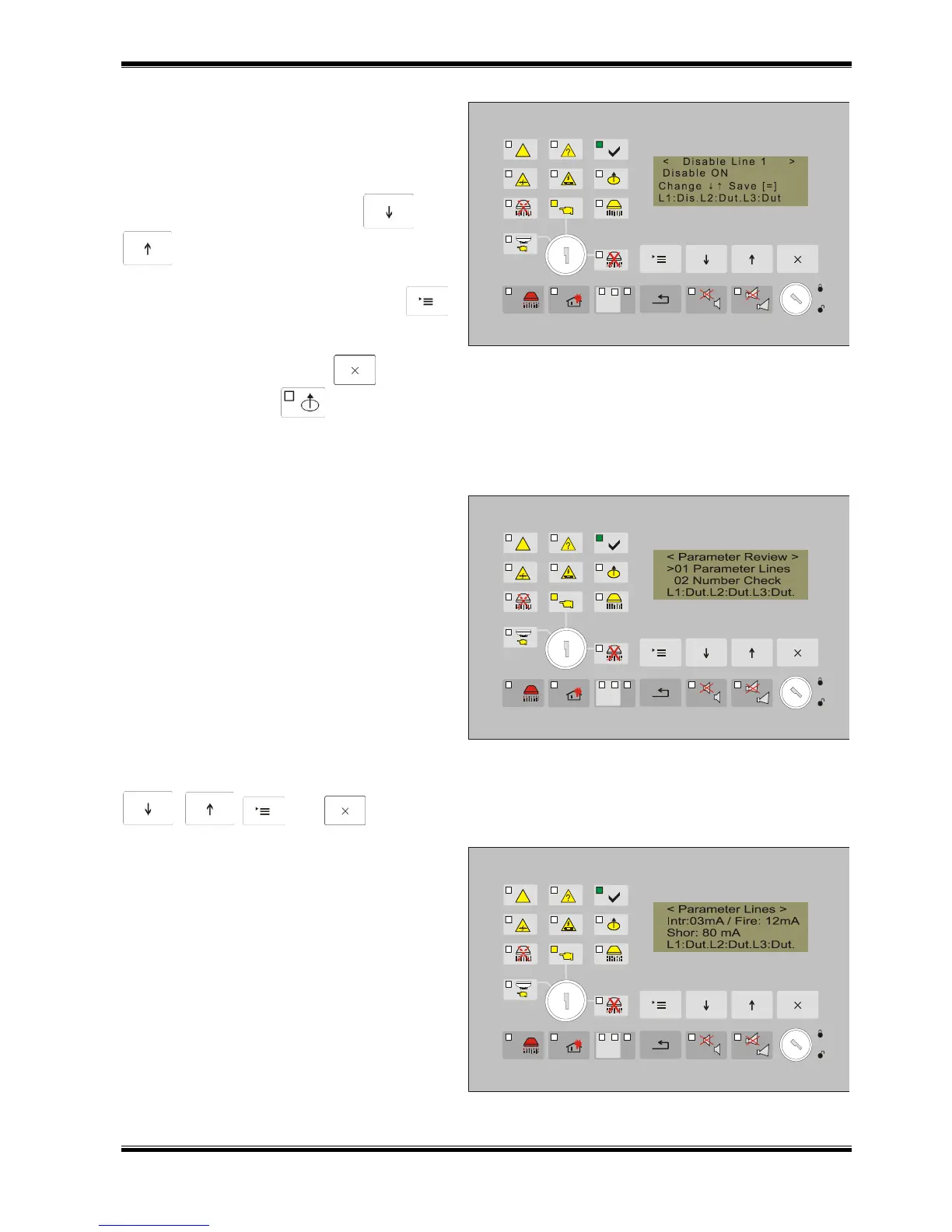
When the function to disable a fire alarm
line or an output from the fire extinguishing
control panel is selected from the subordinate
menu, a screen appears displaying the
current status of the disable in the specific
input/output. Use the buttons and
for alternating change the parameter
Disable “ON/OFF”.
Confirm the change with button ,
thus it is stored and a text message “Saved”
appears on the display.
To exit use the button .
The indicator illuminates in yellow light. It turns off when all entered disables are
cancelled. If the disabled element is a fire alarm line, then the message on the fourth line of the
display is changed for the specific line. The text message Dis appears for the status.
12.4.5.5. Menu View parameters
The menu allows the current
parameters of the fire extinguishing control
panel to be viewed and contains the following
screens:
01 Lines parameters
02 Number of checks
03 Check removed FD
04 Input Hold
05 Input Low Press
06 Time Switch Extinguishing
07 Evacuation Time
08 Check Ground
09 RS485 Address
10 Software version
The active buttons in the menu and the
screens are
, , and .
Screen Lines Parameters provides
information about the value of the current in
the lines (short circuit, interruption and fire
current).



 To Next Page