
 Need help?
Do you have a question about the Unitec Wash Select II and is the answer not in the manual?
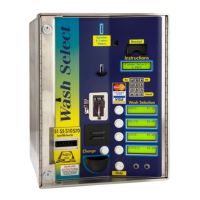
Provides a basic overview of the Wash Select II system and its purpose.
Explains the two distinct operational modes of the Wash Select II unit.
Details how customers interact with the Wash Select II system.
Details the standard and optional features offered by the Wash Select II.
Covers accessing, viewing, and printing various system reports.
Instructions for setting up and managing fleet accounts and coupons.
Details settings for accepting and processing credit card transactions.
Provides tools for testing system components and troubleshooting issues.
Allows programming of wash package names and prices.
Settings for the optional speech module to provide audio prompts.
Enables modification of display text and system messages.
Configures how the Wash Select II interacts with car wash equipment.
Adjusts settings related to customer interaction and display.
Configures the system for sending alerts to pagers or cell phones.
Settings for accepting and dispensing cash and tokens.
Contains various general system configuration settings.
Instructions for configuring remote access and data retrieval.
Setup and management of access codes for system functions.
Settings for programming and managing VIP wash coupons.
Configuration for interfacing with POS4000 systems.
Illustrates the physical location of key internal components.
Step-by-step guide for upgrading the Wash Select II software.
Details about the bill validator's operation, maintenance, and troubleshooting.
Instructions for maintaining the standard coin acceptor.
Guide for programming and operating the multi-coin acceptor.
Information on the optional speech module and its functions.
Details on adjusting the sensitivity of the proximity sensor.
Instructions for filling, removing, and cleaning the coin hopper.
Information on using and maintaining the card reader.
Covers paper replacement, jam clearing, and self-tests.
Guidelines for replacing the unit's fuse.
Setup and configuration for communication hardware.
 General
| Display | Touchscreen LCD |
|---|---|
| Card Reader | Magnetic stripe |
| Connectivity | Ethernet |
| Payment Options | Credit/Debit, Mobile Payments |
| Power Supply | 100-240V AC, 50/60Hz |
| Operating Temperature | 0°C to 50°C |

 To Next Page
