30
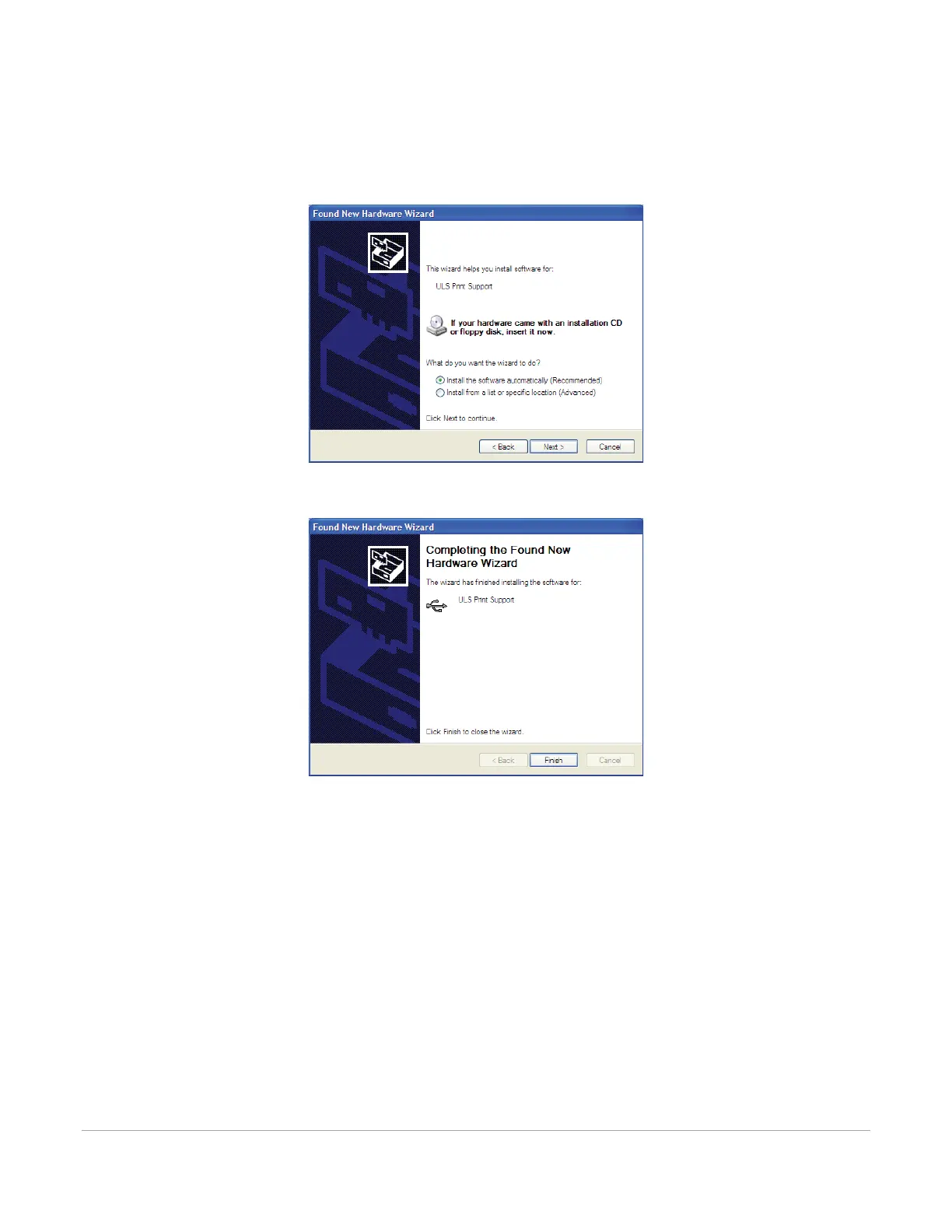
6. After connecting the USB cord, the “Found New Hardware Wizard” will open to install the drivers for
the USB connection. If the wizard offers to connect to “Windows Update” to search for software,
select “No, not at this time.” Then select “Next” to continue.
a. Select “Install the software automatically.” Then select “Next” to continue. You do not need to
insert a software installation CD-ROM.
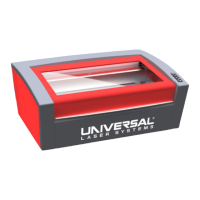
b. Select “Finish” to close the Wizard.
Note: Another set of New Hardware Wizard windows may appear after the initial USB connection.
Follow the same instructions as mentioned previously. Once completed, your USB connection is
established.



 To Next Page