59
Laser System Status Indicators
At the bottom left of the preview window, two lights and some text are provided to indicate status of the
laser system connected to the UCP. Blinking of the lights indicates when the UCP is talking to the laser
system and the status text indicates the current state of the laser system.
System Tab
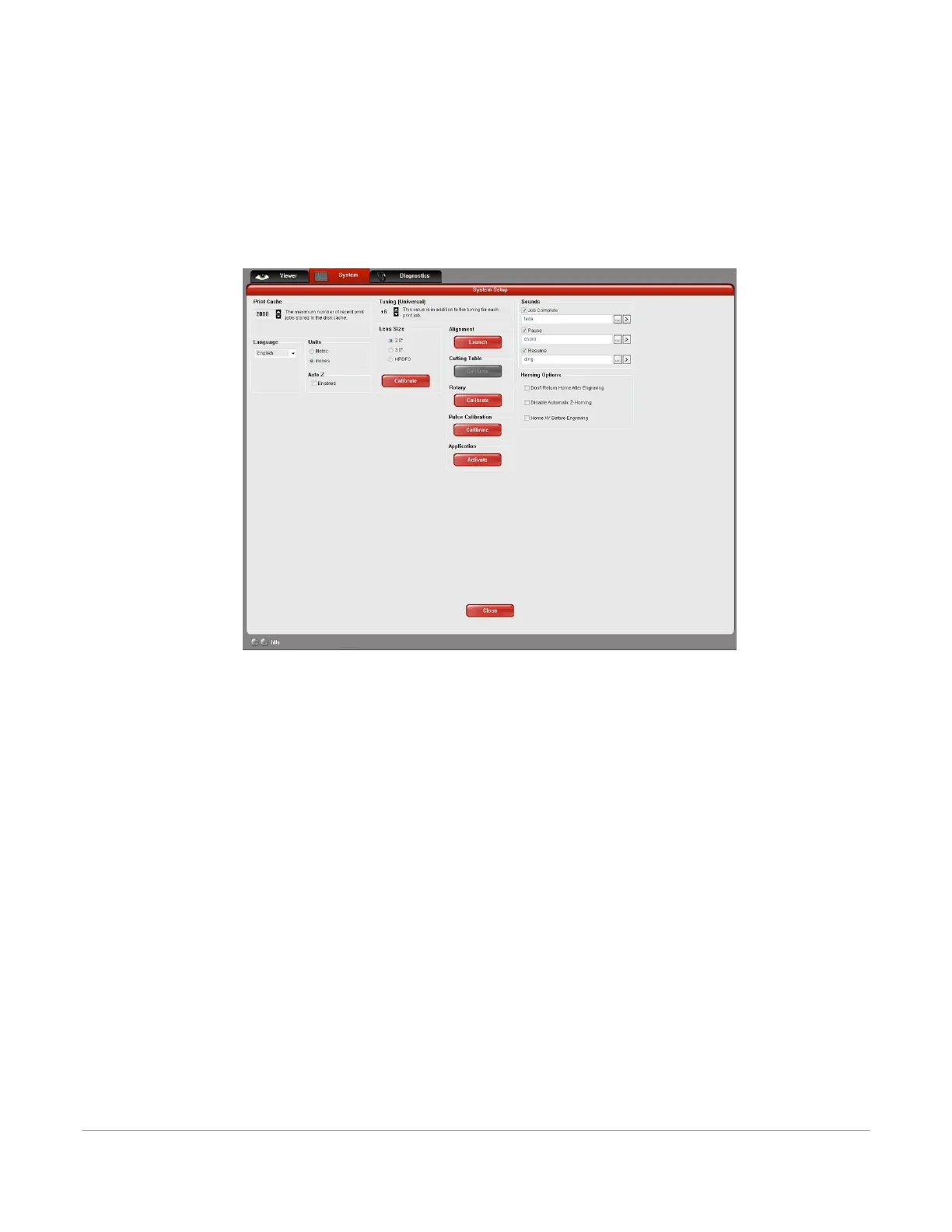
The System Tab allows you to configure certain features of the laser system. If your laser system needs to be
calibrated, you will need to do so from this tab.
The System tab contains the following controls:
• The PRINT CACHE number indicates the maximum number of print jobs that will be stored on your
hard drive. If you exceed the number shown, the software will automatically begin deleting the
oldest jobs as newer jobs enter the queue unless “Permanent” is checked in the File Management
window.
• LANGUAGE allows you to switch between available languages according to your preference.
• UNITS allows you to choose between Metric or English units of measure.
• AUTO Z enables a feature that automatically moves the Z axis to the material thickness value
entered into the color table. If it is disabled, the Z values in the color table will be ignored and you
will need to set focus manually by using the Focus Tool. If you use this feature, make sure the Z axis
has been properly homed.
• The TUNING value is used to compensate for mechanical lag when raster engraving by shifting the
left to right and right to left raster lines with respect to each other by the amount entered. This
value is in pixels. This value performs the same function as the tuning value in the printer driver and
the values are additive.
• The LENS SIZE selection lets the laser system know which lens that you have installed. This is
important for proper function of the auto Z mode in the laser system and auto-focus feature in
those laser systems with autofocus. Lenses are calibrated to the laser system at the factory, but if
you replace a lens you will need to recalibrate the lens. Select the Calibrate feature and follow the
instructions given.



 To Next Page