53
will result in ascenders and descenders appearing too “fat” or “bold” compared to the rest of the
image.
Step 4: Reduce DENSITY as needed.
Once CONTRAST and DEFINITION have been set to the appropriate levels you can adjust DENSITY to
increase or decrease boldness of the image as a whole. If everything appears overpowered or bold,
try reducing the DENSITY down from 100 in increments of 5 and note the results. For most
applications, this is not necessary, and you can leave the DENSITY at 100 (its default value). Density
can be especially useful for inverted images.
Step 5: Establish the tuning value.
Once the Contrast, Definition and Density are determined, an easy way to set the tuning value on a
given material at a desired processing speed is to create a graphic consisting of about 20 thin
vertical lines about 1” (25.4 mm) tall and .010” (.254 mm) apart in the center of the engraving field.
The lines should have a line thickness of .001” (.0254 mm) if possible, in the graphic application
being used, otherwise use the thinnest the application allows. Then print the graphic to the laser
system as a raster image by forcing the color the lines are drawn in to be in Raster Mode in the color
table and the image density to 1 (draft mode). Make sure you set your processing speed equal to the
speed at which you plan to run your application and the laser power set high enough to mark the
material. This will result in vertical lines that look dotted. You can then look at the dots and if they
are not lined up vertically, adjust the tuning value by 1-2 ticks and try again. Repeat until the dots in
the dotted lines are lined up vertically.
Vector Sub-Tab
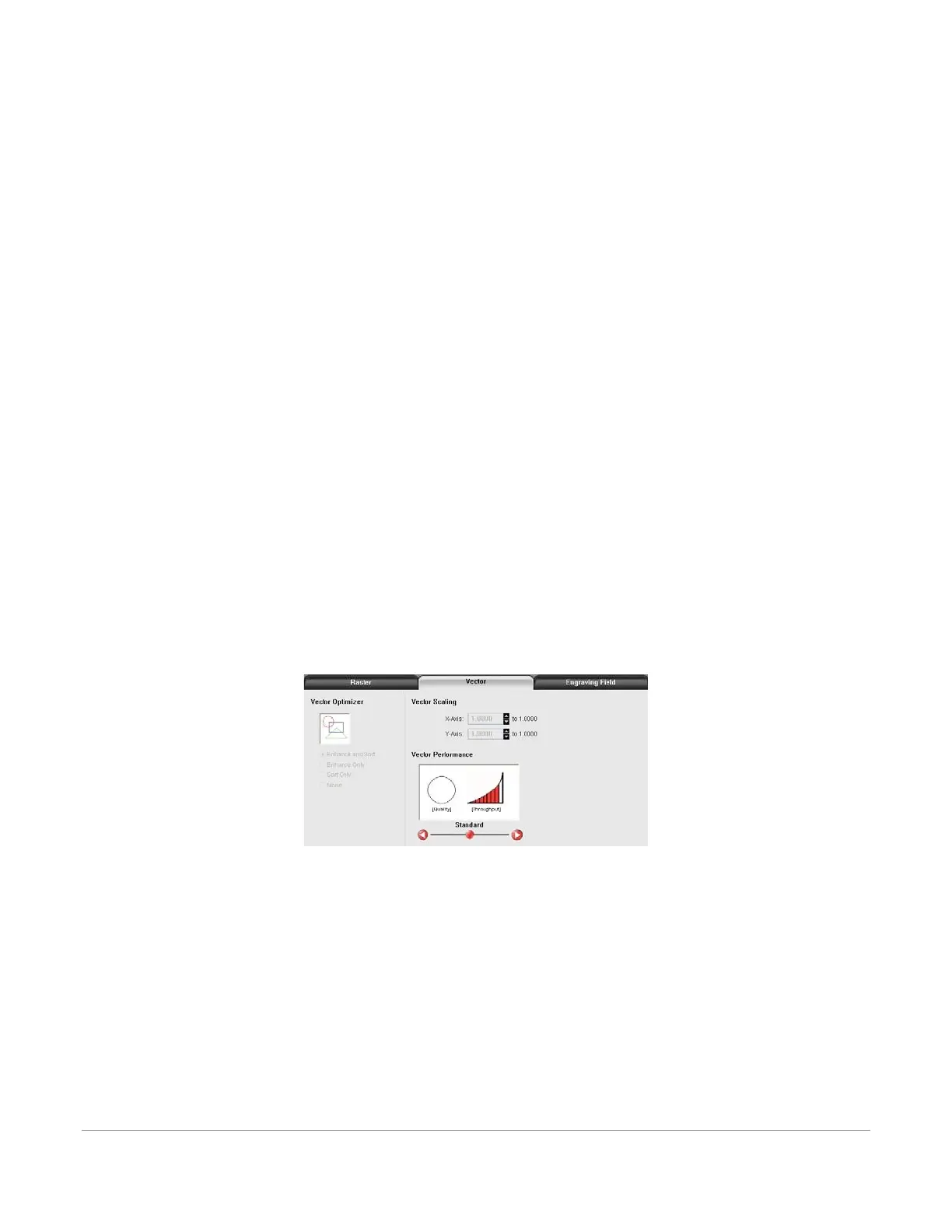
The vector sub-tab on the manual control tab of the printer driver setting interface displays a group of
settings that affect how vector objects are processed by the laser system.
The controls in the sub-tab are described below:
Vector Optimizer
The four available selections apply to vectors and affect how vectors are grouped and in what order they
are executed. Vectors are grouped by pen color first
and will always execute in the color order listed in the color table, but all vectors of a given color will be
grouped and executed based on which of the following controls is selected:



 To Next Page