94
Optics
A visual inspection of the #2 and #3 mirrors, beam window and focus lens should be performed at least once a
day.
CAUTION: Do not clean an optic that is visually clean. Excessive cleaning can damage the optical coatings. To
prevent contamination, wash your hands thoroughly before handling and cleaning any optic. Try not to touch
the optical surfaces with your fingers, handle optics only by the edge or optical housing. Fingerprints can
damage the optical coatings.
Never clean any optic right after engraving or cutting because the optic may be hot, and the cool lens cleaning
solution may thermally shock the optic and crack it.
#2 Mirror
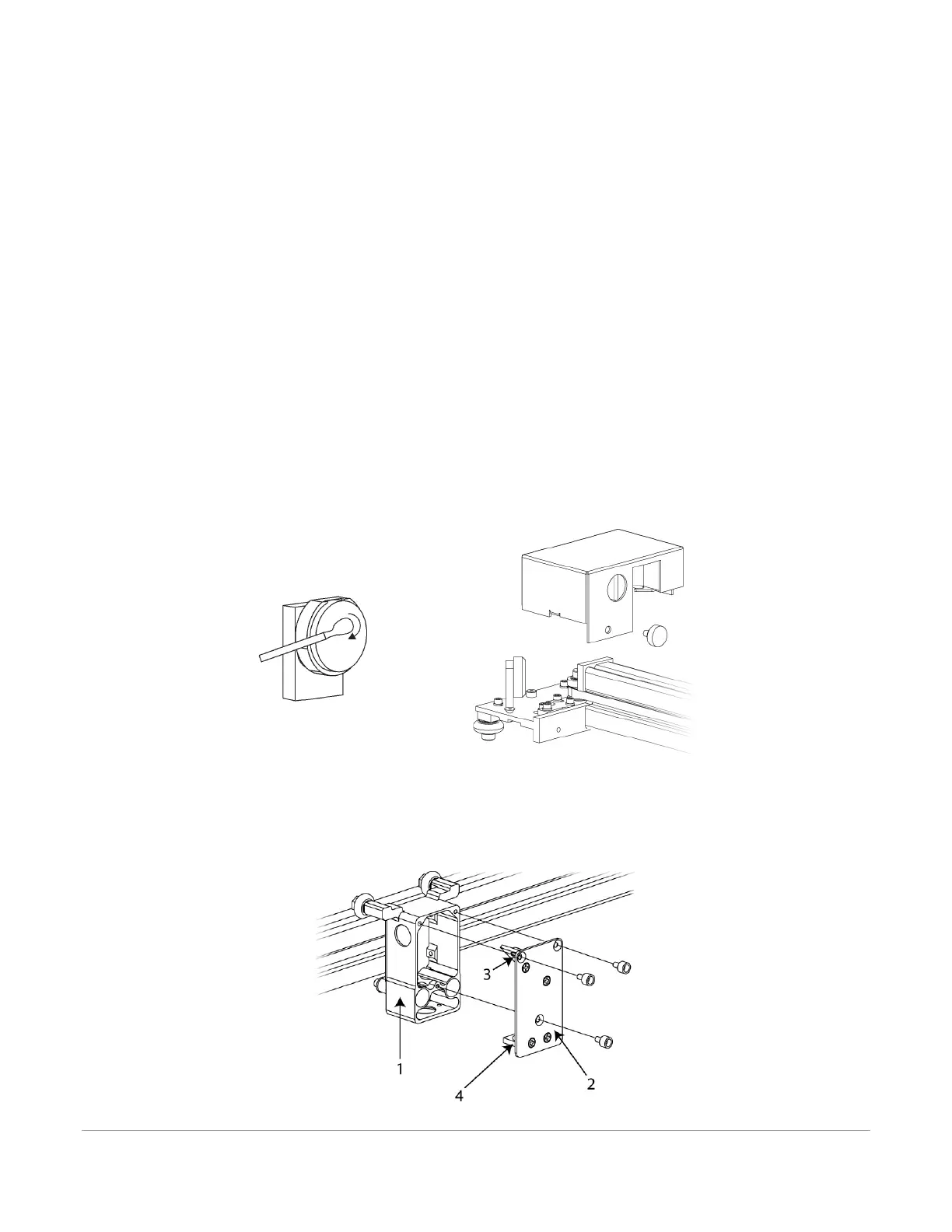
To gain access to the #2 mirror, the mirror cover must be removed. Remove the thumbscrew and slide the
cover to the right and then lift the cover straight up.
Inspect the #2 mirror and clean it only if there is debris present. To clean the #2 mirror with a cotton swab,
moisten the cotton swab with the lens cleaning solution supplied with the laser system. Do not use other
types of cleaners or solutions. Gently roll the cotton swab across the mirror once. Do not drag the swab or
roll it back and forth as this can scratch the mirror. If the mirror did not come clean, use a fresh cotton swab
and repeat the procedure.
#3 Mirror and Focus Lens
1. The #3 mirror and the focus lens are both mounted to the front cover.
2. To gain access to the #3 mirror (3) and the focus lens (4), hold the front cover (2) with one hand and
remove the three thumbscrews with the other hand. Pull the front cover straight out.



 To Next Page