97
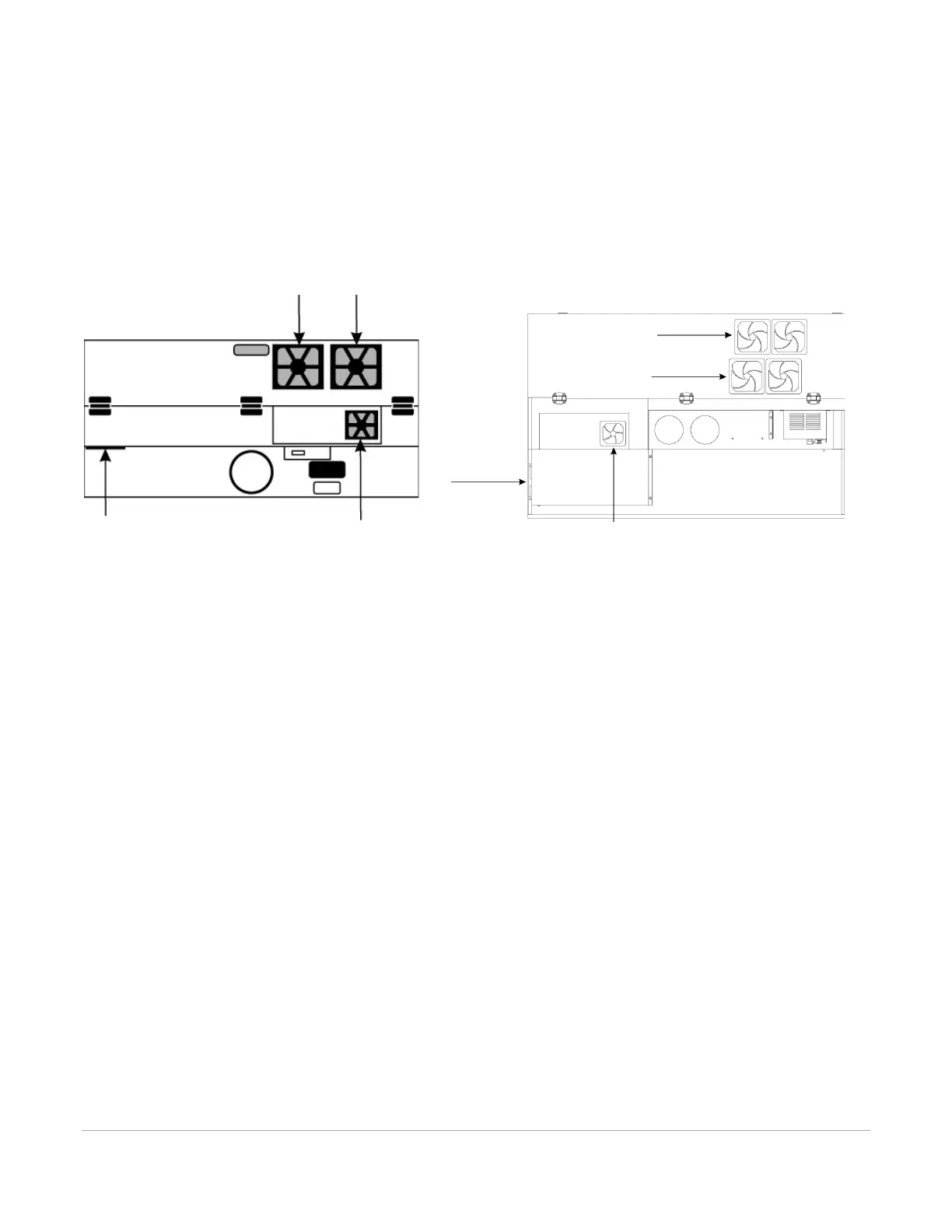
Cooling Fan Filters
This air-cooled laser system will require periodic cleaning of the cooling fan filters. Since ambient air is used to
cool a laser cartridge, the air must be filtered before it passes through the laser. Dust contamination in the
intake filter may reduce the cooling fan’s ability to keep the laser cartridge, as well as the CPU and power supply,
from overheating. An overheated laser cartridge will lose laser power during engraving and will eventually shut
down completely.
To service the filters, first turn OFF and unplug the laser system. To remove the filter(s), simply snap off the
black cover and remove the foam element. Wash the element in a soap and water solution, dry and re-install.
CAUTION: Never operate the laser system with the cooling fan filters removed as dust and debris can build up in
the laser cooling channels, thus leading to overheating.
Adjustments and Lubrication
Periodic adjustments are not normally required. The bearings in the motion system will self-adjust to take up
any clearances as they begin to wear. The belts are fiber-reinforced and will not stretch under normal use so
periodic tension adjustment is not necessary. All bearings in the system are sealed and do not require
lubrication. Do not lubricate the tracks that the bearings ride in. The only lubrication that may be required is to
the screw threads for the Z axis lifting mechanism. Over time contaminants may adhere to the lubricant which
can cause the engraving table to bind up. Periodically wipe off the contaminated grease with a soft cloth
dampened with alcohol and apply fresh white lithium grease to the screw threads. Never spray any degreasing
solutions directly onto the threads. Run the table up and down to work in the fresh grease.



 To Next Page