5.4 Tool I/O
CAUTION:
1. Never use the “on” input or the power button to turn off the
control box.
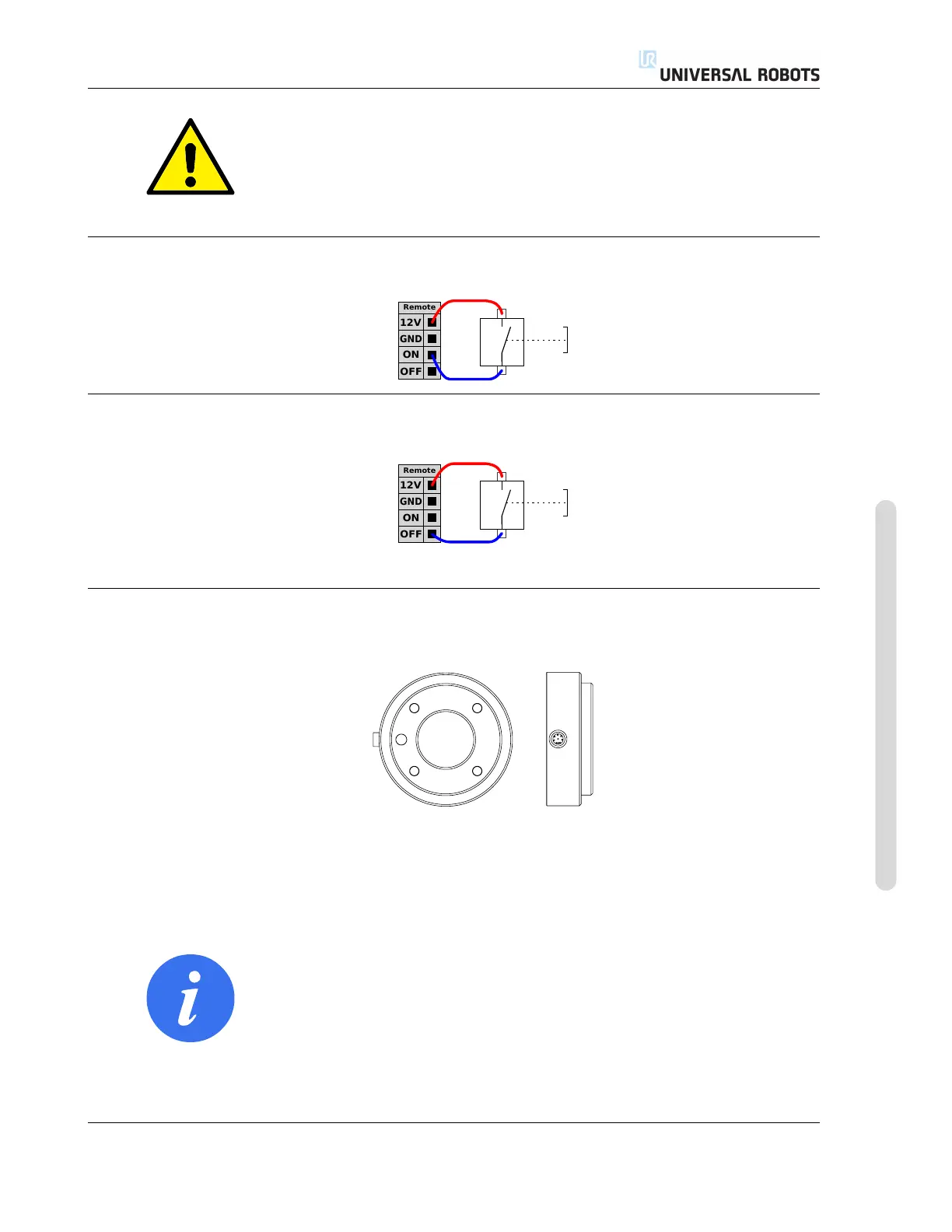
5.3.7.1 Remote ON button
The illustration below shows how to connect a remote on button.
5.3.7.2 Remote OFF button
The illustration below shows how to connect a remote off button.
5.4 Tool I/O
At the tool end of the robot there is a small connector with eight pins, see illustration below.
This connector provides power and control signals for grippers and sensors used on a specific robot
tool. The following industrial cables are suitable:
• Lumberg RKMV 8-354.
NOTE:
The Tool Connector must be manually tightened up to a maximum
of 0.4Nm.
The eight wires inside the cable have different colors. The different colors designate different func-
tions, see table below:
Version 3.10
Copyright © 2009–2019 by Universal Robots A/S. All rights reserved.
I-41 UR3/CB3












 To Next Page