UVITEC – Cambridge
138/225
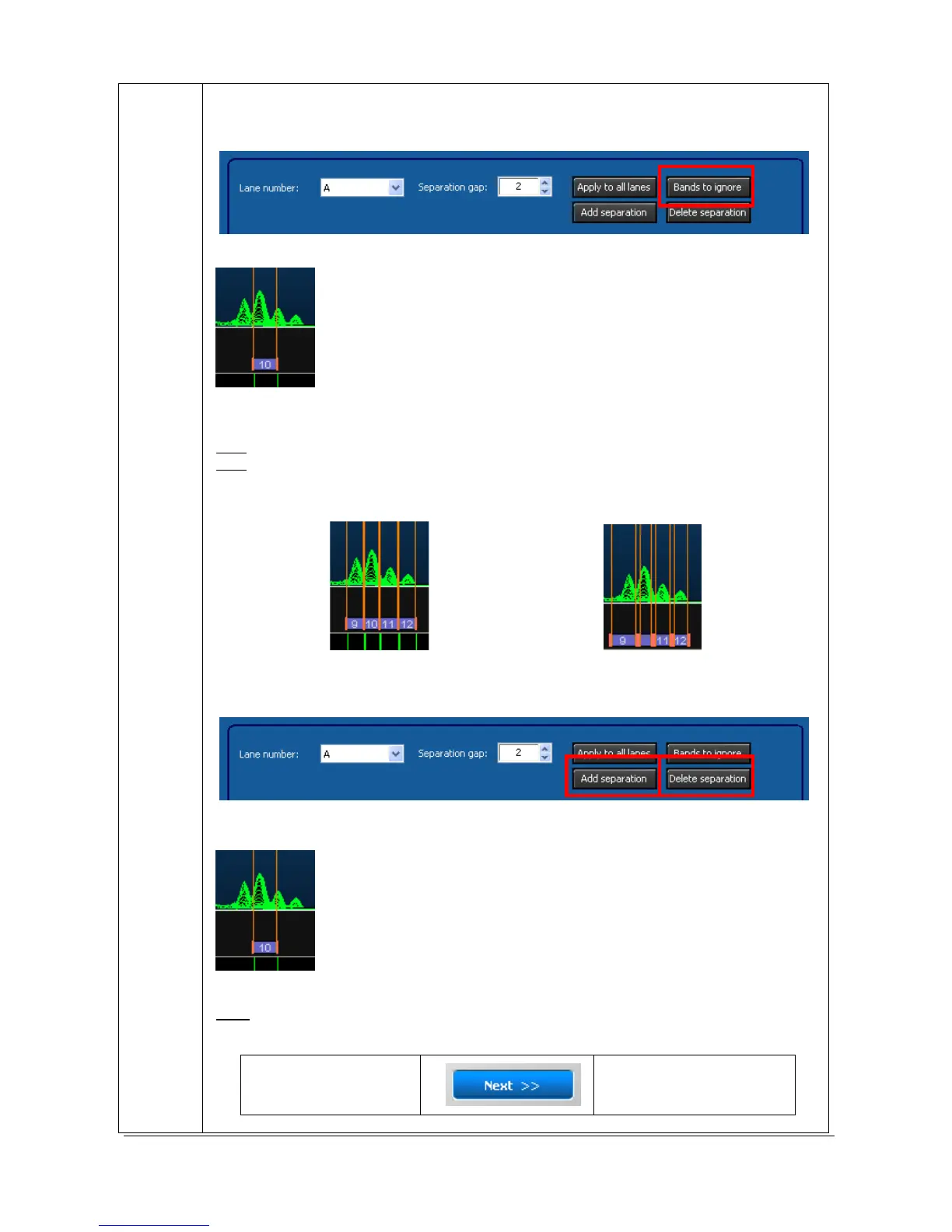
To ignore a band, select “Bands to ignore” from the profile’s parameter menu:
Then, click on the band you want to ignore:
The band is then highlighted in grey and discarded from the result table:
Note: you can ignore more than one band at a time.
Note: to stop the process, click again on the “Bands to ignore” button.
To increase the gap in between the lane, select the “Separation gap” option from the
profile’s parameter menu:
Limited separation gap Extended separation gap
To ignore add a separation or delete a separation, select “Bands to ignore” from the profile’s
parameter menu:
Then, click on the band where you want to add a separation or on a current separation you
want to delete:
N
EXT
The “Next” button validates your parameter and opens the following analysis step.
1C- Spot separation
2A- Quantity of
reference



 To Next Page