UVITEC – Cambridge
88/225
Black / White bands
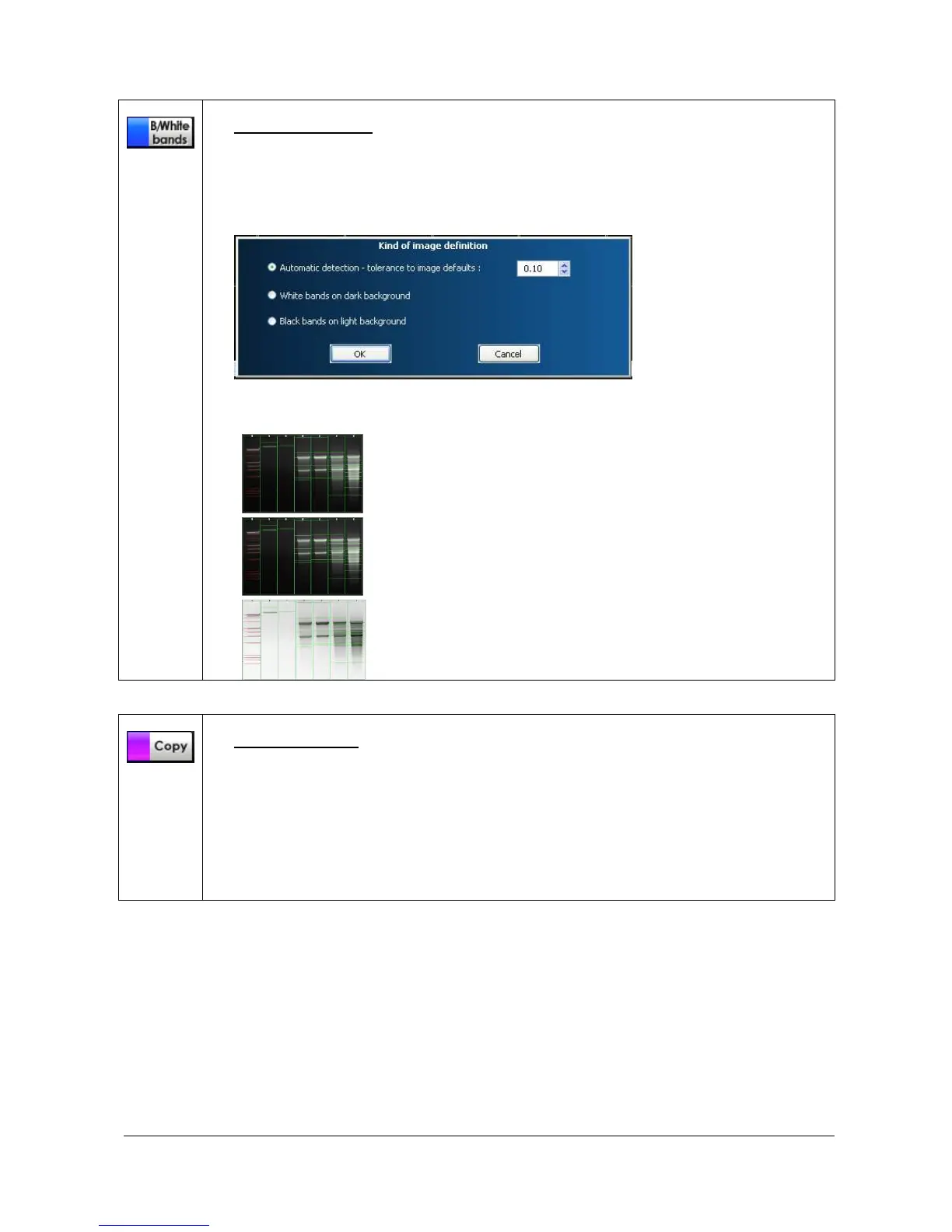
This function set the bands parameters (white bands / black background / black bands,
white background).
To proceed, click on the Black/White bands icon. A pop-up window displays the following
menu:
You can select the following options:
Automatic detection. 1D will automatically detect the
bands color scheme according to the defined percentage
of tolerance
White bands on dark background for images with white
signals and black background
Black bands on light background for images with black
signals and clear background
Copy to clipboard
This function copies an image, a table or a graph onto the clipboard for insertion into
another program. This option is identical to the Windows
®
[Ctrl C] command.
To proceed, click on the Copy to clipboard icon. The image, the table or the graph is now
ready to be pasted into another application.
Open the application that you want to paste the image into, and select from the available
pasting options ([Ctrl V] command for Windows® software).



 To Next Page