Vertiv | SmartCabinet | User Manual 99
System Operation
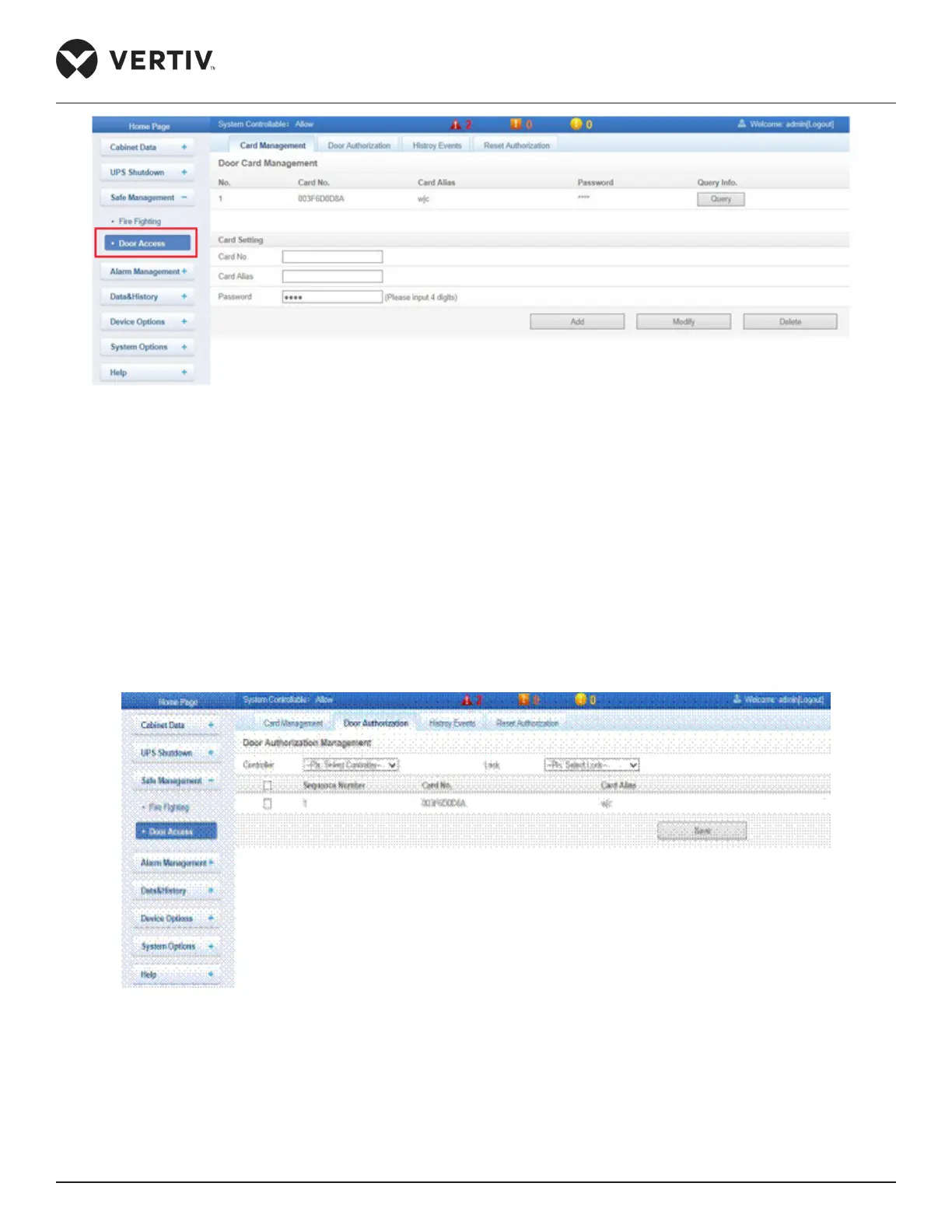
Figure 4-63 Door Access Control (Card Management menu)
» Click Card Management tab that shows the authority management screen wherein the authority of the
card can be set. Enter the Card No., Card Alias, and Password followed by clicking on Add to add the card
to the list.
» The Modify button helps to modify the card details and password. The Delete button deletes the card
from the list.
»
followed by clicking on Save which helps store the card for Door Authorization. Figure 4-64 helps in the
Door Authorization management of the card.
Figure 4-64 Door Authorization function
»
the controller name and click on the Query button to gain information about the Door events. Alternatively,
the results can be downloaded using the Download button as shown in Figure 4-65.



 To Next Page