Vertiv | SmartCabinet | User Manual 101
System Operation
information.
• Please ensure that the entered video equipment IP address is available, and each parameter is consistent
with the actual equipment!
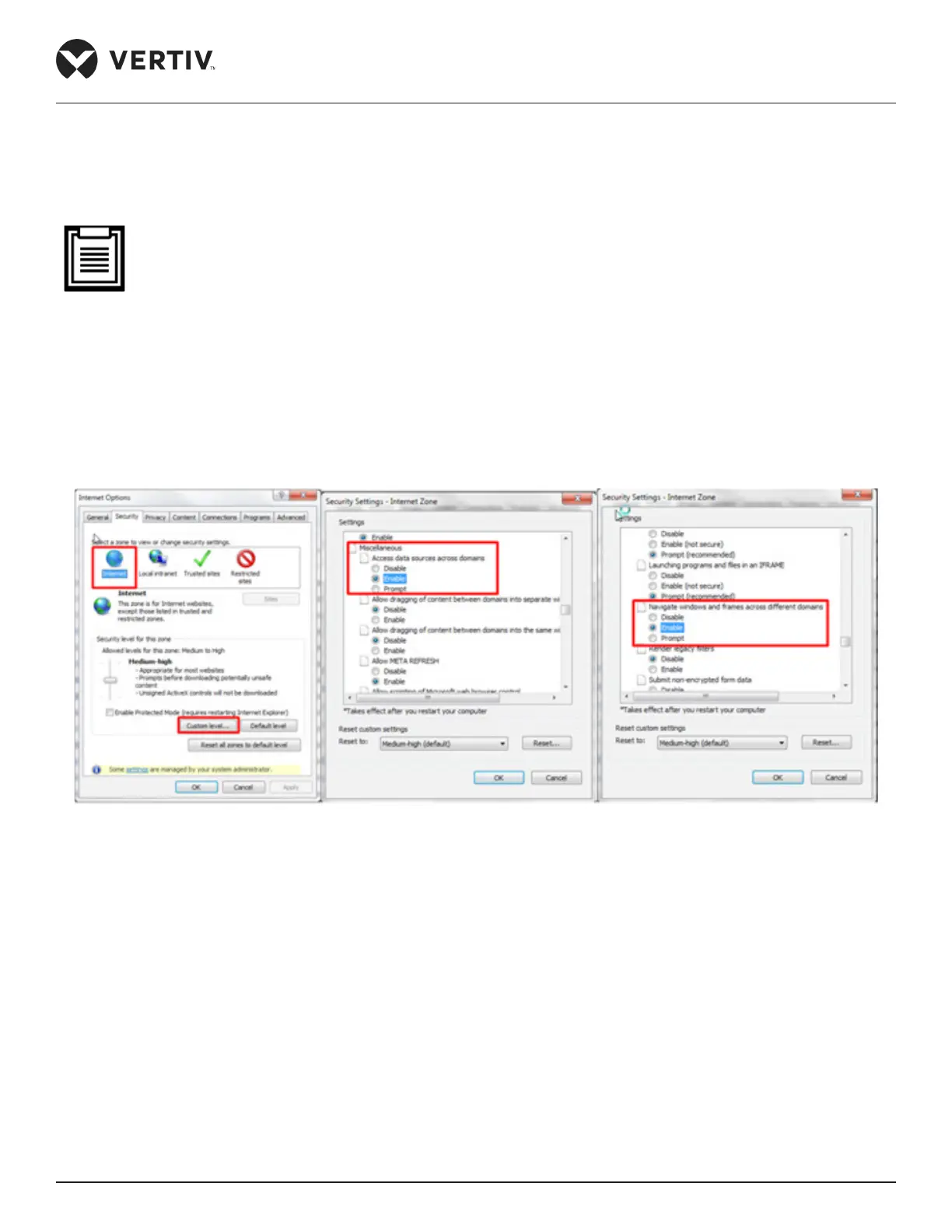
• Please enable “Cross-domain browsing windows and frames” and “Access data sources through domains”
on the “Security” tab in Internet Explorer “Internet Options”, as shown in Figure 4-67.
• Support single IPC (IP Camera) camera.
• Support up to 1 channel of video in case of IPC access.
• Video management only supports IE browser.
Figure 4-67 Internet install
4.2.4.4.2. Real-time video
Click the Real-time Video tab under the Video Management menu to display the page shown in Figure 4-68.
Table 4-1 gives an icon description.



 To Next Page