Vertiv | SmartCabinet | User Manual 106
System Operation
• To select the notication method, users must rst tick the notication method in the check-box; only
then can the alarm table be edited..
• In case, all the devices are selected, all devices will be congured with the same alarm level.
• If a low level alarm is chosen, the alarm level above this level will also be chosen.
• If some specic device is selected, the highest level Critical Alarm is chosen as the default.
»
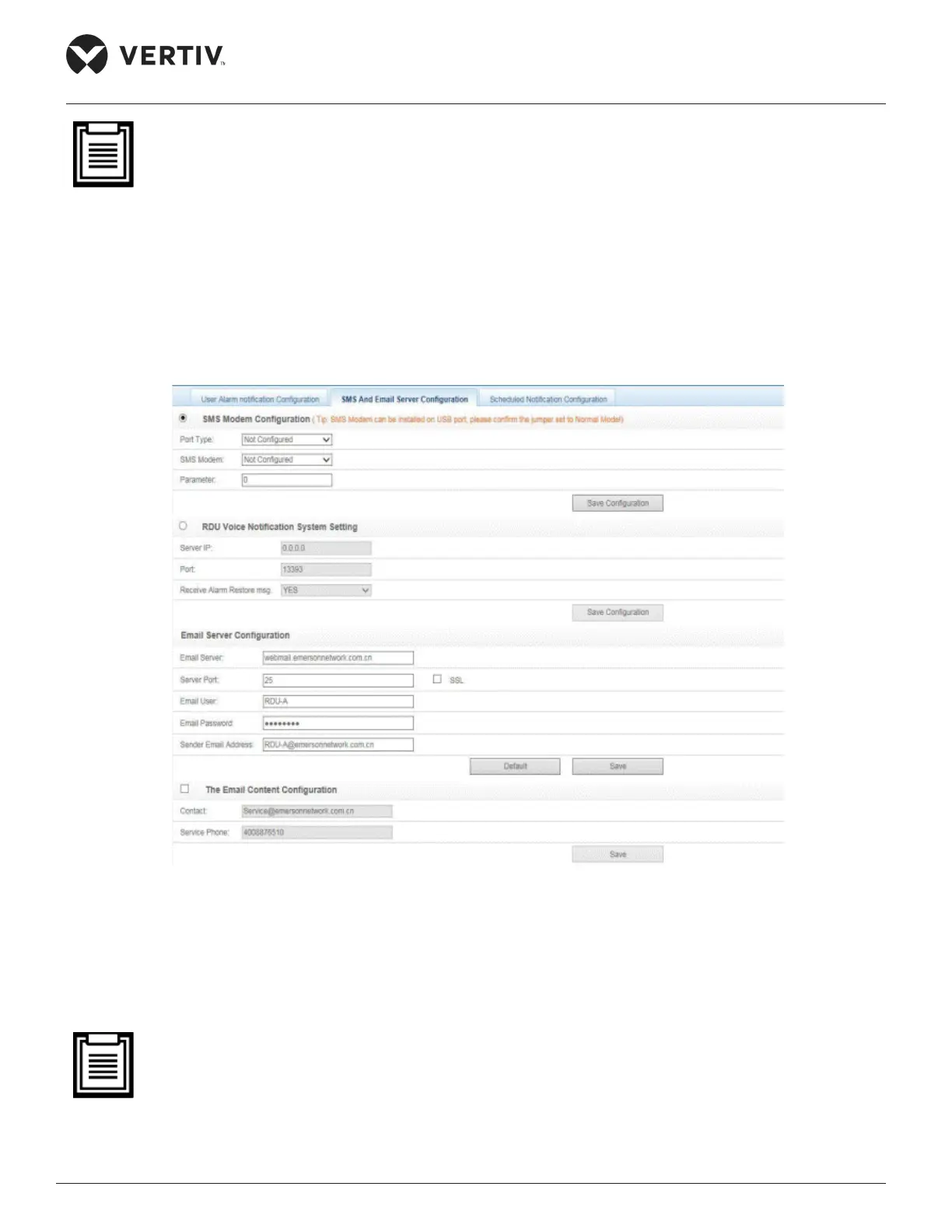
Figure 4-73 is displayed.
Figure 4-73 SMS & Email Server Conguration
»
(GPRS/CDMA) depending on the Modem type followed by choosing the Port Type. The Parameter will
• If the SMS Modem is connected via a USB port, modify the jumper locations as per the following
Table 2-13.



 To Next Page