Vertiv | SmartCabinet | User Manual 43
System Installation
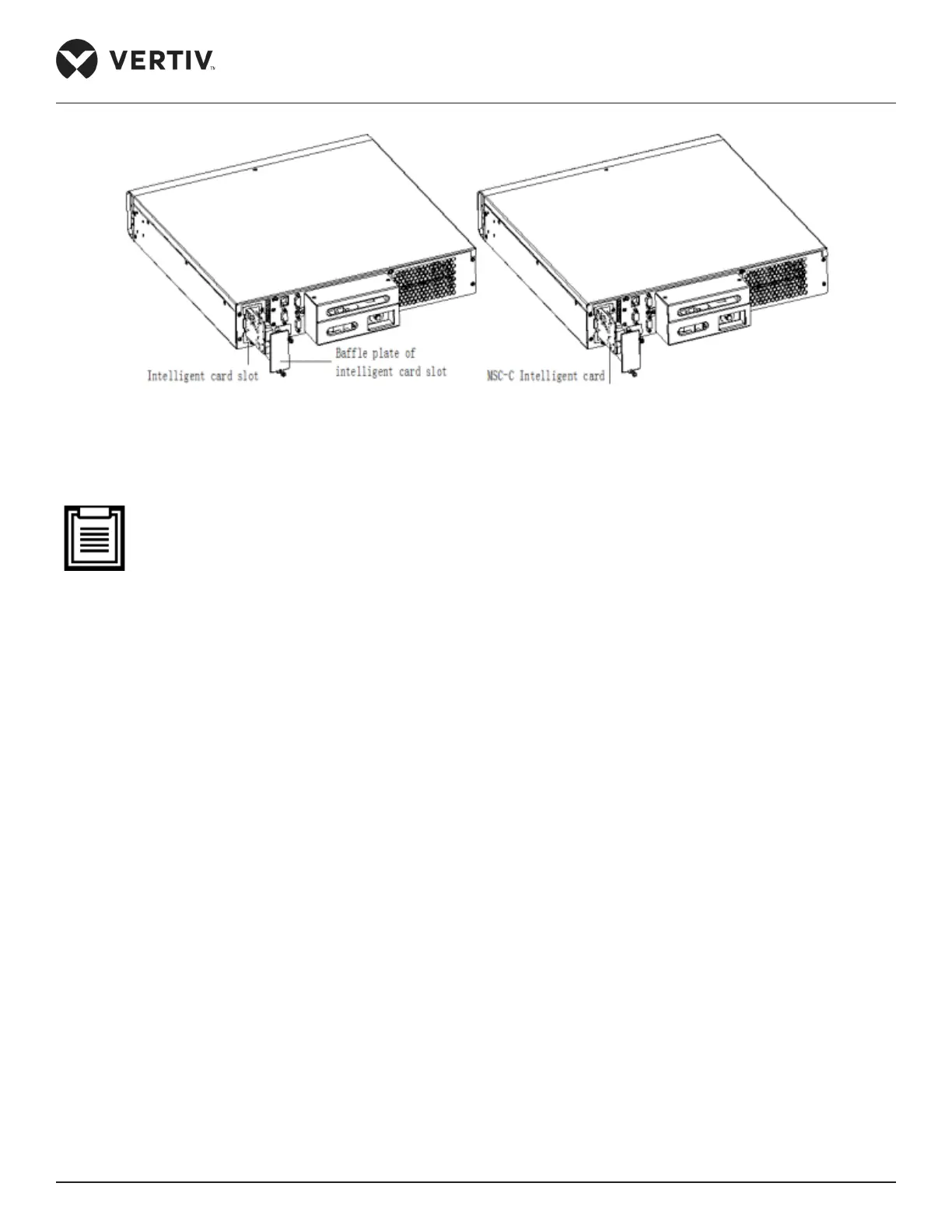
Figure 2-33 Installing the MSC Card
Installing Sensors
• The detailed description of the installation process for the sensors can be referred from the user manual
of the sensors. Refer to the IRM-S01T Intelligent Temperature Sensor User Manual, IRM-S04DIF Intelli-
gent Digital Input Sensor With RJ45 Ports User Manual, IRM-S01W Water Leakage Detective Belt Sensor
User Manual and G Net EDGE Wireless Network Card With USB Port User Manual for a detailed explana-
tion on the installation procedures.
• The temperature sensor and the 4DIF sensor have been pre-mounted in the factory.
Installing the Water leakage sensor
1. Open the rear door of the empty cabinet.
2. Attach the water leakage sensor to the lower part of the cable organizer.
3. Connect the water leakage detective belt.
4. Lead and fasten the detective belt with the help of the provided cable tie xture kits.
5. Place the detective belt at the bottom of the cabinet.



 To Next Page