Vertiv | SmartCabinet | User Manual 42
System Installation
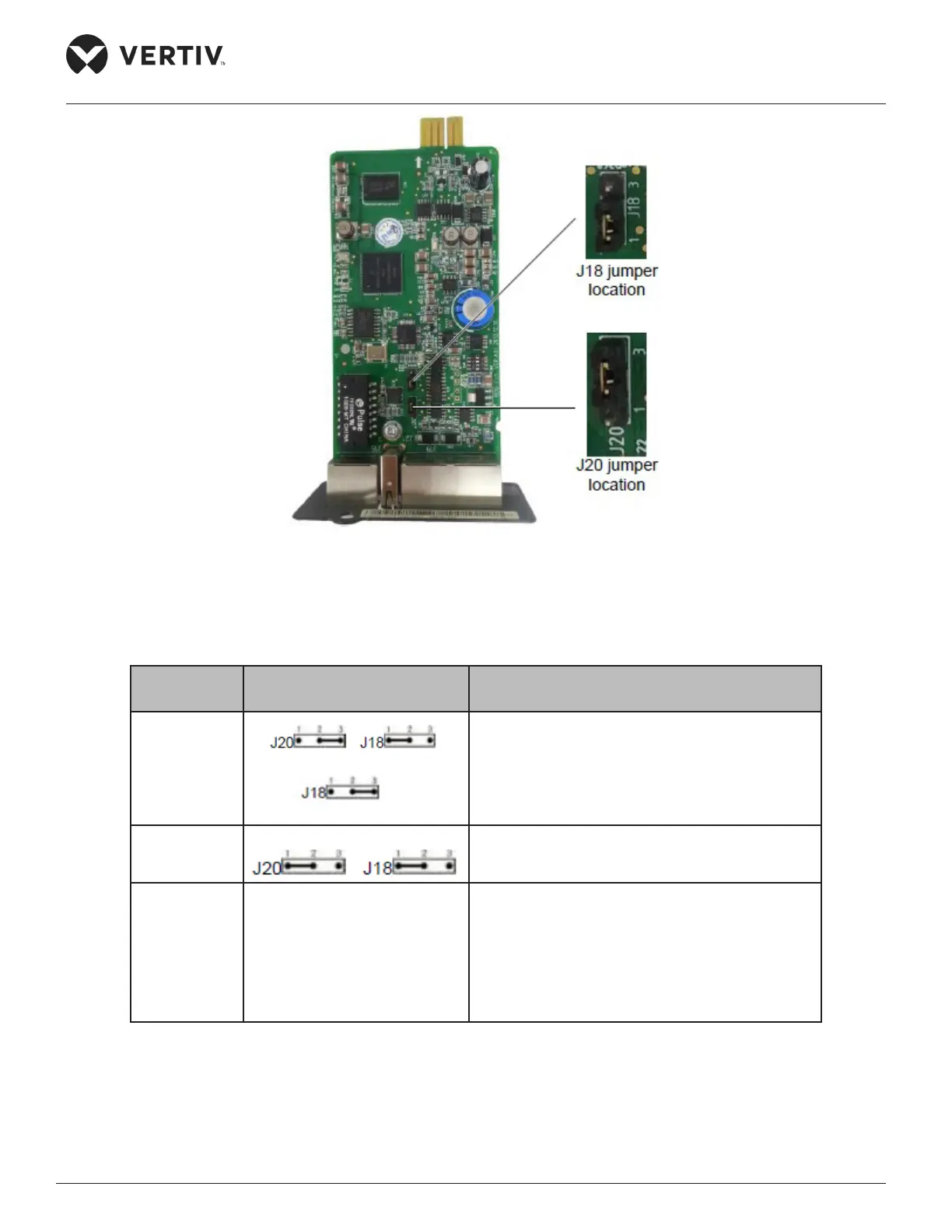
Figure 2-32 Jumper locations of the MSC intelligent monitoring card
The following Table 2-13 shows the dierent jumper settings for the MSC card:
Table 2-13
Working
Mode
Jumper Setting Description
Maintenance
The USB port is used to log in the MSC
monitoring card via the Hyper Terminal (TTY) or
Remote Login (Telnet).
Normal
The USB port is used to connect to the SMS
Module.
Reset
In case the users forget the password for the
“rduadmin”, password of the system administrator
“admin”, IP Address, all that needs to be done is
to set the jumpers in the Reset mode followed
by rebooting the MSC Monitoring card, and wait
for just above 20 seconds so that the mentioned
parameters are reset to their default values.
By default, the jumper setting of the MSC card is in the normal mode. The MSC card inserter is used to insert
the card into the Intellislot intelligent card slot of the UPS. Once the card is inserted, tighten it by means of
screws as shown in Figure 2-33.



 To Next Page