Vertiv | SmartCabinet | User Manual 57
System Commissioning
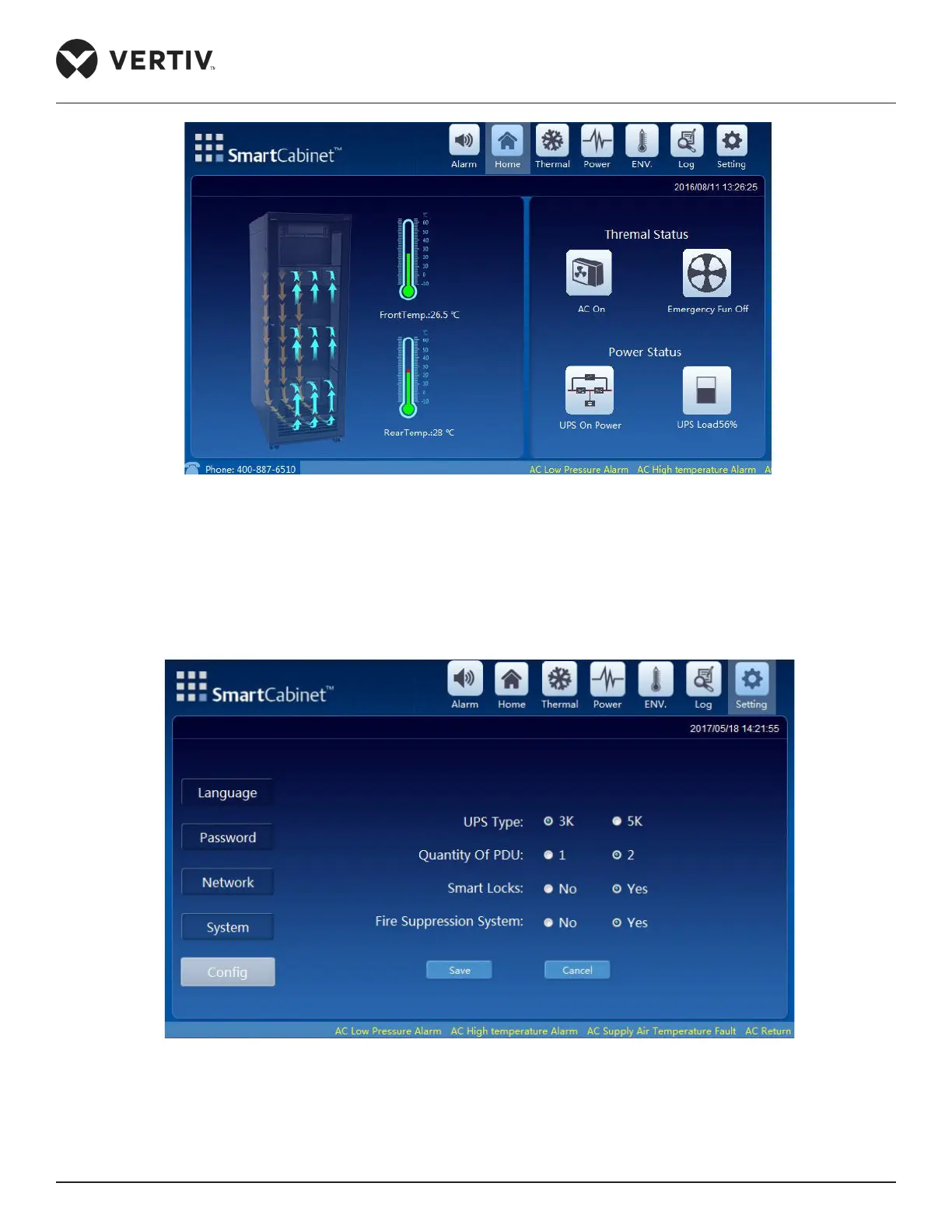
Figure 3-4 SmartCabinet LCD Screen
2. Click on the Setting icon on the top right side of the screen following which you need to click on the Cong
icon. The conguration screen as shown in Figure 3-5 is displayed.
3. Choose the respective conguration options based on the equipment connections as shown in Figure 3-5:
Figure 3-5 Setting and Conguration function
4. On selecting the corresponding conguration, the countdown begins following which the SmartCabinet
system will restart and the conguration will be upgraded.



 To Next Page