Vertiv | SmartCabinet | User Manual 59
System Commissioning
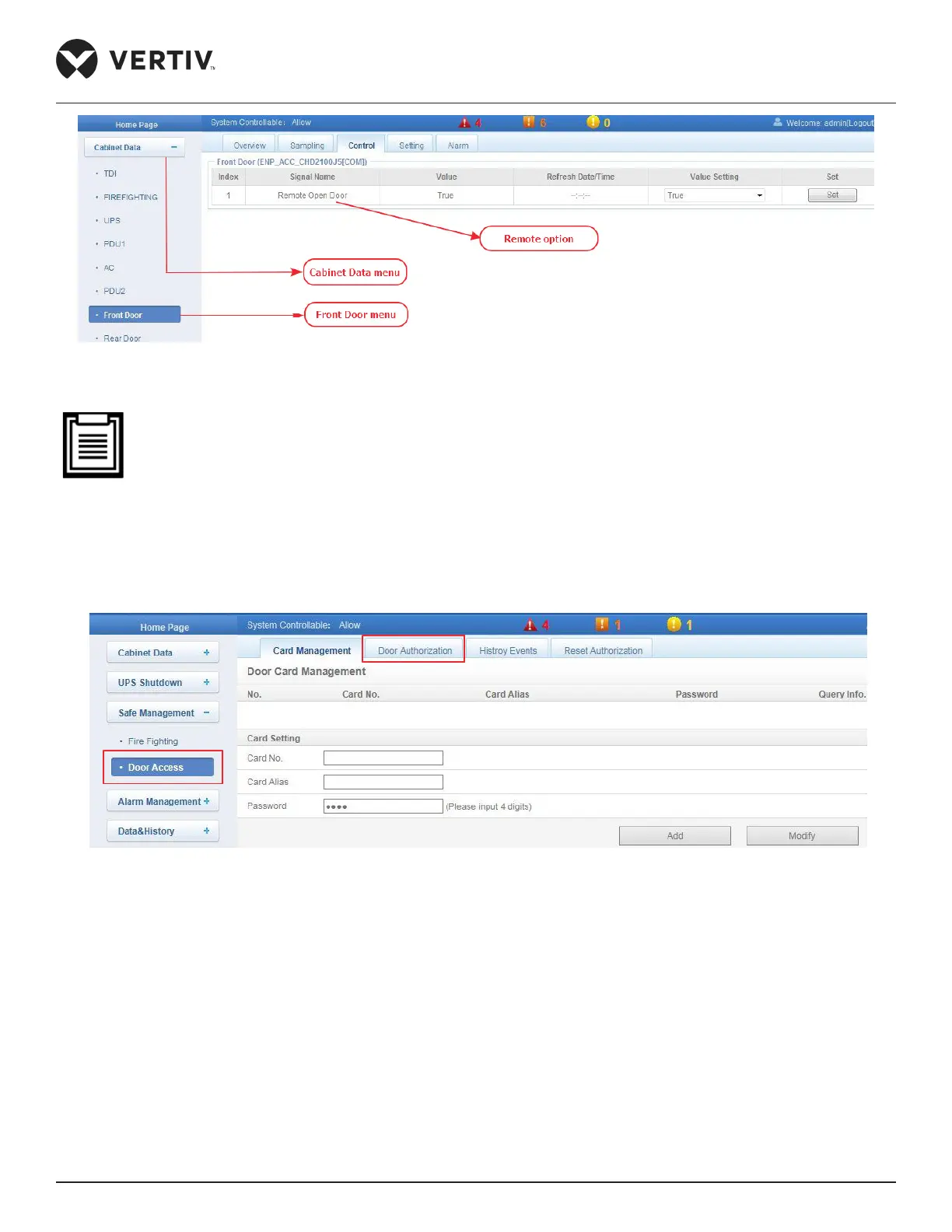
Figure 3-7 Remote Opening of the door
• Once the user is authorized to open the door remotely, and if the user doesn’t open the door in the time-
frame of 5 seconds, the lock will be locked automatically.
4. Authorization of the access control card can be carried out by the following steps:
» Access the SmartCabinet webpage and click on the Home Page. Click Safe Management > Door Access
as shown in Figure 3-8.
Figure 3-8 Door Access & Door Authorization tabs
» Click on the Door Authorization tab. The following screen will be displayed wherein the corresponding
card, controller and lock needs to be selected. But prior to that, the card details need to be added to the
records.
» Click Save following which the door authorization is permitted for the selected card.



 To Next Page