Vertiv | SmartCabinet | User Manual 78
System Operation
1. IE General Settings
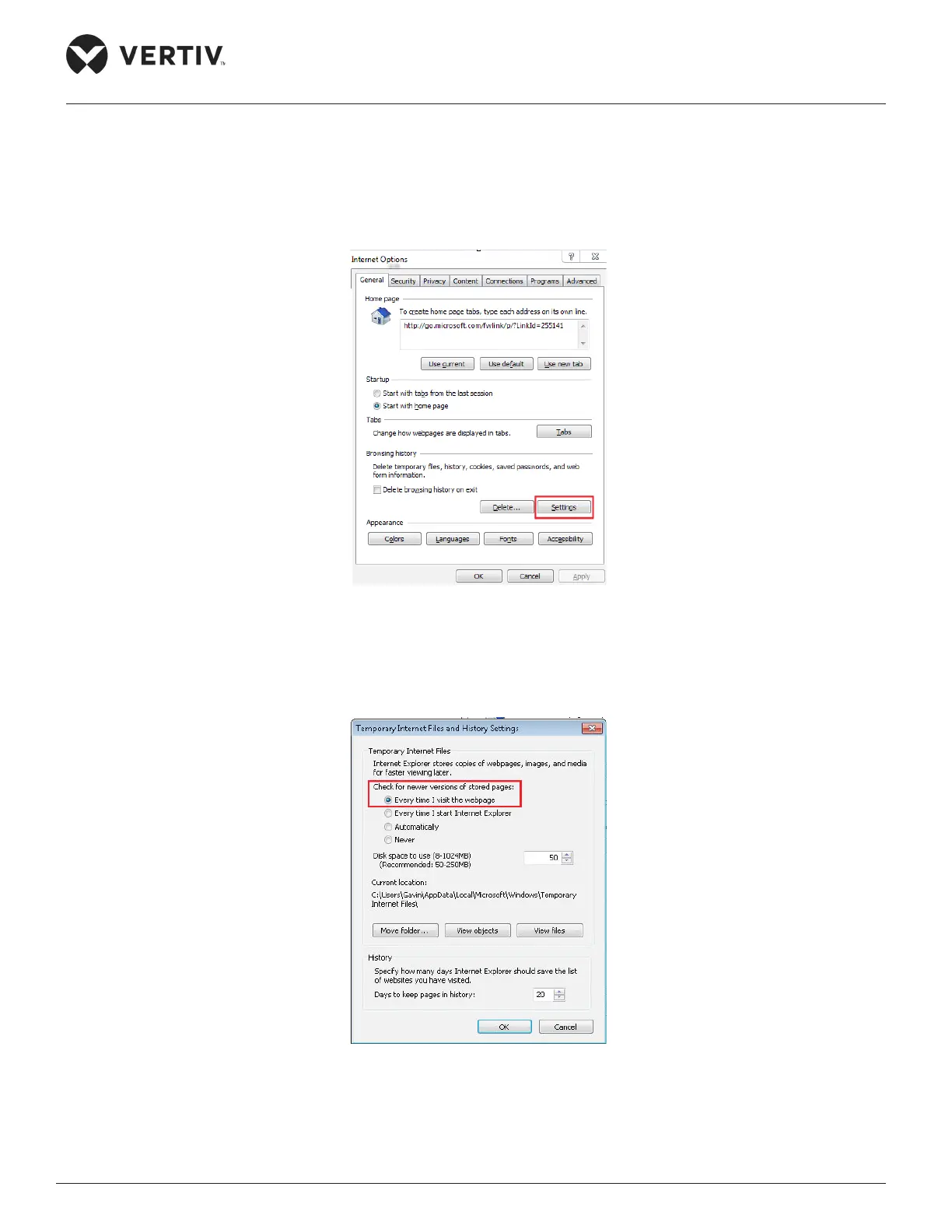
» Click on the IE icon to run the software. Click Tools or the Settings icon on IE (depending on the IE
version) followed by clicking the Internet Options link. Click the Settings button which is highlighted in
Figure 4-24.
Figure 4-24 Settings button in IE
» On clicking Settings, the following screen will pop up. Choose “Every time I visit the webpage” radio
button under the “Check for newer versions of stored pages” as shown in Figure 4-25.
Figure 4-25 IE General Settings
»



 To Next Page