Vertiv | SmartCabinet | User Manual 82
System Operation
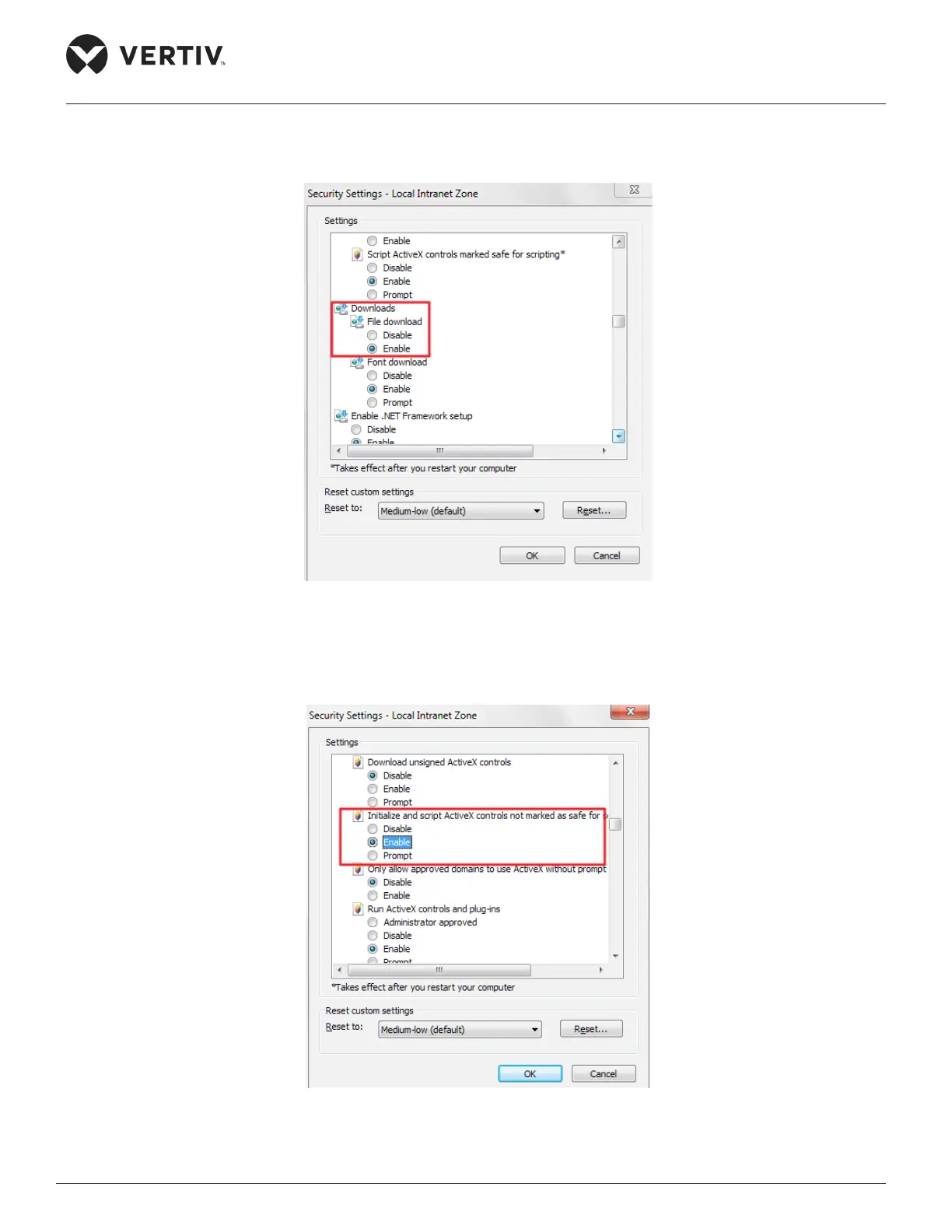
» The Security Settings dialog box for Local Intranet is displayed, select Enable option in the File
download sub menu as shown in Figure 4-31.
Figure 4-31 Enable option in File Download
» Similarly scroll up or down in the same window and set Enable for “Initialize and script ActiveX
controls not marked as safe for scripting” as shown in Figure 4-32.
Figure 4-32 Enable for “Initialize and script ActiveX controls not marked as safe for scripting



 To Next Page