Vertiv | SmartCabinet | User Manual 83
System Operation
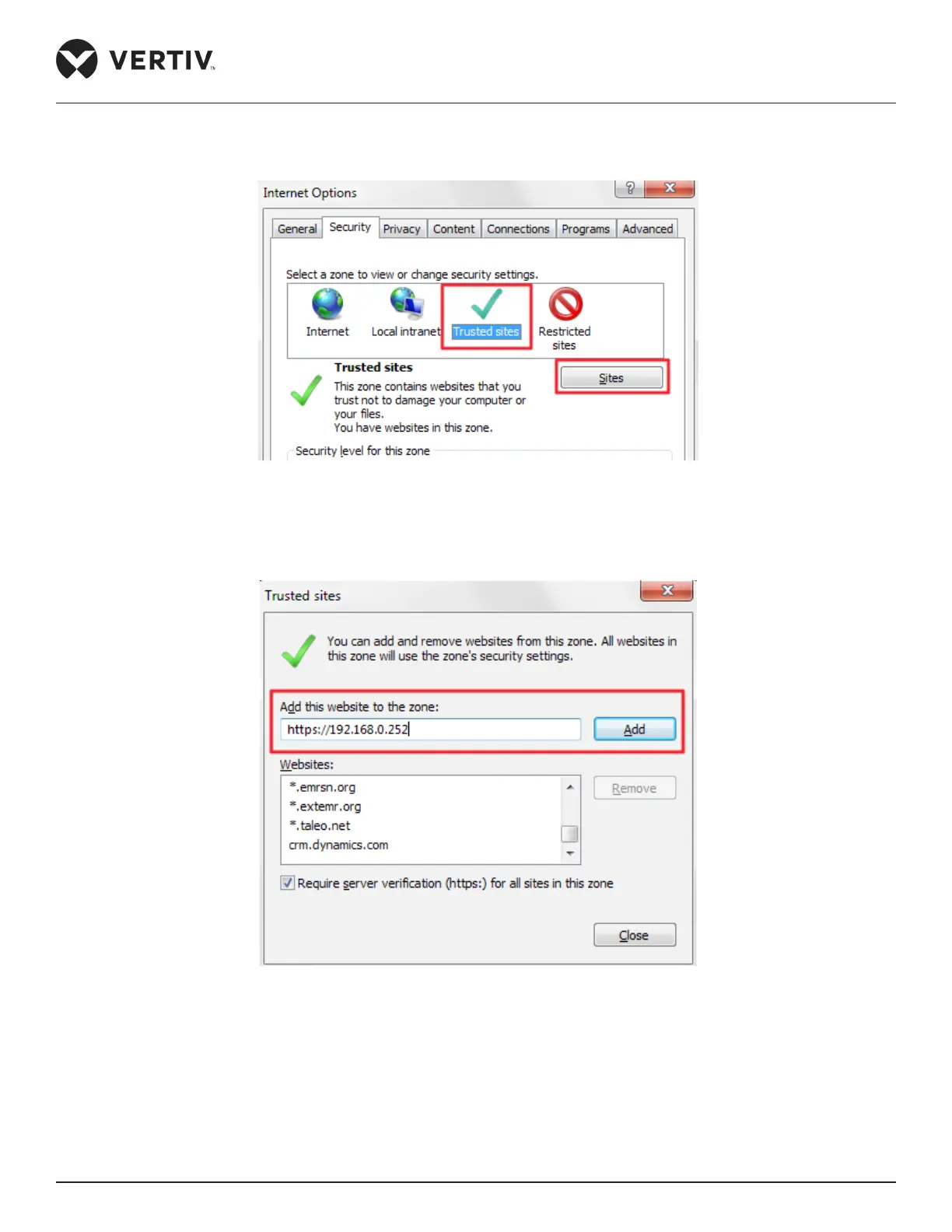
» Finally, the IP address of the MSC card needs to be added. Go back to Trusted Sites and click the Sites
button as shown in Figure 4-33.
Figure 4-33 Sites button in Trusted Sites
» On clicking Sites, the screen shown in Figure 4-34 pops up, enter the IP address of the MSC card and
click on Add.
Figure 4-34 Adding the IP Address of the MSC card
» Click Close.
That sums up all the browser settings for the web interface of the MSC intelligent card.



 To Next Page