55
Version 2.0.4 | © 2016-2021 wallPen GmbH
wallPen Processor
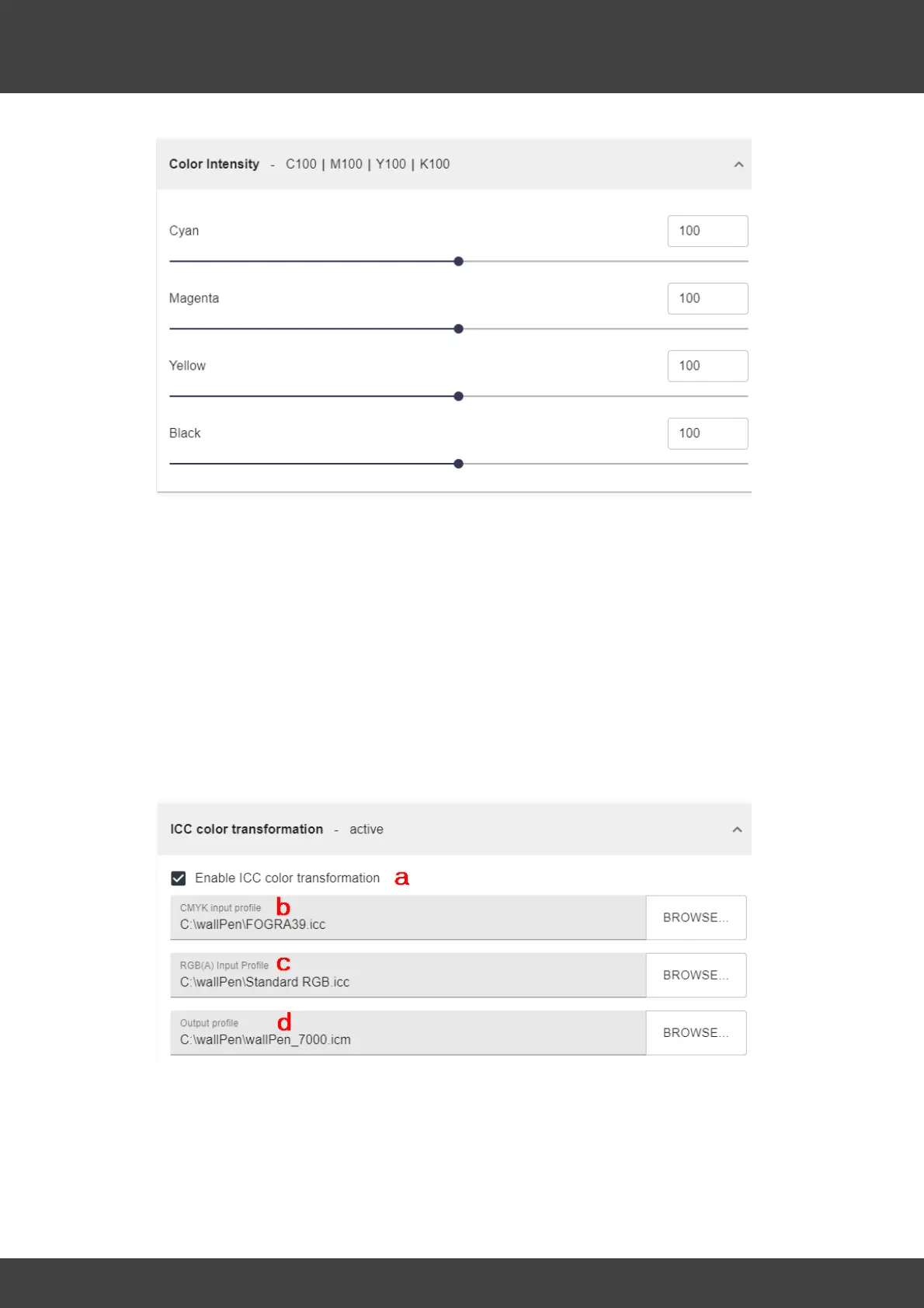
Clicking on the word "Intensity" opens an accordion tab to modify the color intensities
from 0 to 200%. The sliders can be used to define the color application for each
individual color (CMYK) between 0 and 200%. Changes can be desired if special effects
are to be achieved or color tones are to be adapted to special substrates. Find the
right values for you! A good basis for the start are values of 100% for all four colors if
you are printing with 720 DPI vertically and all values set to about 130% if you are
printing with 300 DPI vertically when using ICC profiling. Unfortunately, there is no rule
of thumb here, as the intensity depends very much on the image in combination with
the substrate.
To change the values, you can either enter a desired value in the text field or move the
slider with the mouse pointer.
F - ICC Profile
a - Enable ICC color transformation - With "ICC color transformation" deactivated, any
image is processed native and no further color adjustments are made. The
representation of the colors are rasterized and calculated according to mathematical
logic. Some sketches, comics and drawings appear somewhat more intense and strong
without "ICC Processing", however with possibly deviating colors. If the switch is
activated, the image is compared with the defined ICC input and output profiles below.



 To Next Page