49
CHAPTER 4 - KEYPAD (HMI) OPERATION
Reference Backup
The last frequency reference, set by the keys the and ,
is stored when inverter is stopped or the AC power is removed,
provided P120 = 1 (reference backup active is the factory default). To
change the frequency reference before inverter is enabled, you must
change the value of the parameter P121.
and
Motor speed (frequency) setting: these keys are enabled for speed
setting only when:
The speed reference source is the keypad (P221 = 0 for LOCAL
Mode and/or P222 = 0 for REMOTE Mode);
The following parameter content is displayed: P002, P005 or P121.
Parameter P121 stores the speed reference set by these keys.
When pressed, it increases the speed (frequency) reference.
When pressed, it decreases the speed (frequency) reference.
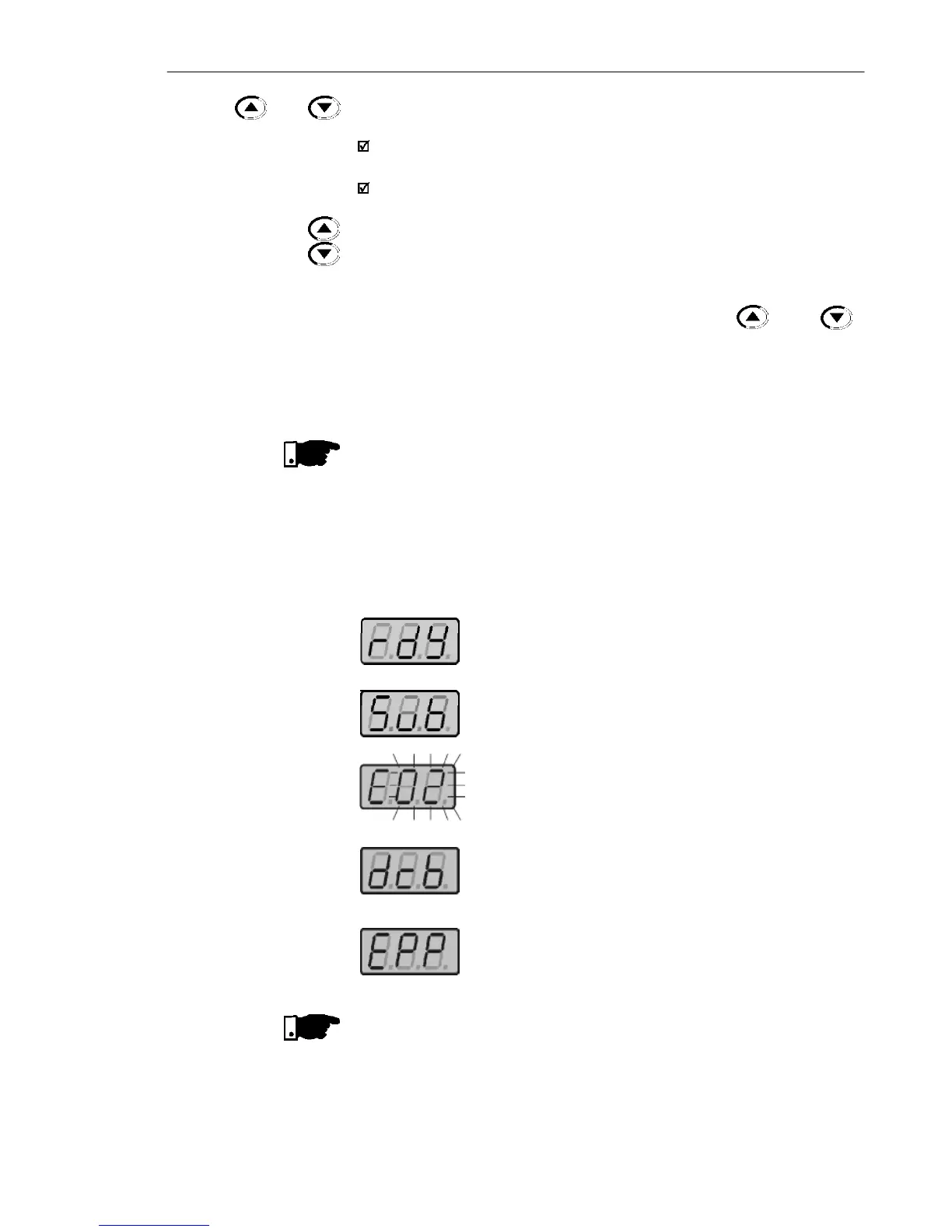
Inverter status:
Inverter is READY to be started.
Line voltage is too low for inverter operation
(undervoltage condition).
Inverter is in a Fault condition. Fault code is flashing
on the display. In our example we have the fault
code E02 (refer to chapter 7).
Inverter is applying a DC current on the motor (DC
braking) according to the values programmed at
P300, P301 and P302 (refer to chapter 6).
Inverter is running self-tuning routine to identify
parameters automatically. This operation is
controlled by P204 (refer to chapter 6).
4.2.2 Inverter Status -
HMI Display
NOTE!
On CFW-10 Plus version, the motor frequency setting function is made
through the HMI potentiometer. However, it is possible to set the mo-
tor frequency through the keys since P221/P222 parameters were
programmed.
NOTE!
Besides the fault conditions, the display also flashes when the inverter
is in overload condition (refer to chapter 7).



 To Next Page