16
M101M8 Rugged Android Tablet User Guide
1.3.2 Inserting MicroSD Card
Your tablet supports Micro SDXS card.
To install Micro SDXS card:
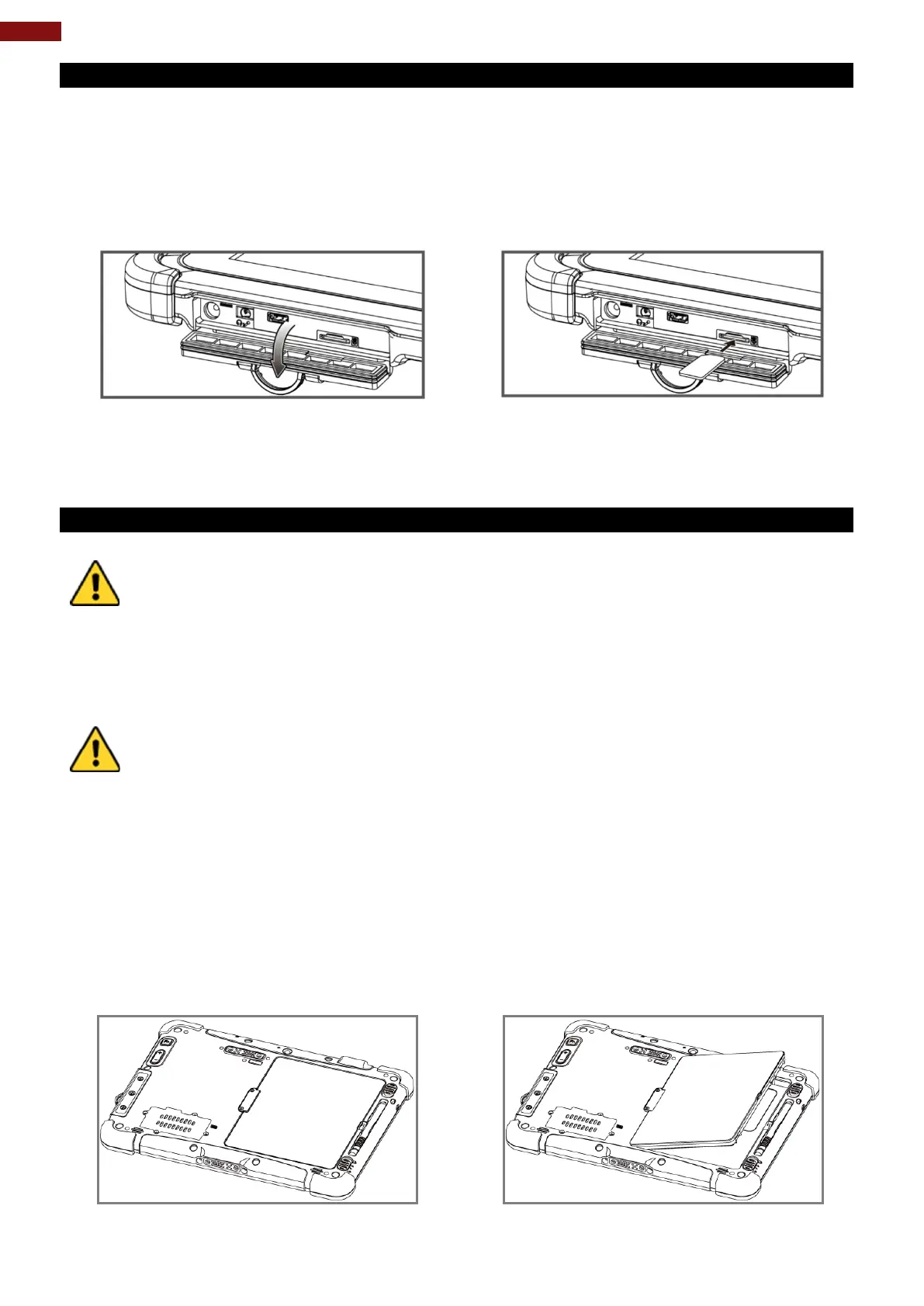
1. Open I/O protective cover by pulling out the latch.
2. Insert microSD card into slot with contacts facing down.
3. Press the card in to ensure that it is seated properly.
4. Close I/O protective cover.
To remove Micro SD Card:
1. Open I/O protective cover by pulling out the latch.
2. Push and release the micro SD card to unlock it.
3. Pull out the micro SD card.
1.3.3 Inserting Battery Pack
Discontinue using device immediately if you notice the battery is swelling, or looks
puffy or misshapen. Do not attempt to charge or use the device. Do not handle a damaged or
leaking battery. Do not let leaking battery fluid come into contact with your eyes, skin or
clothing.
Attention Arrêtez immédiatement d'utiliser l'appareil si vous remarquez que la batterie
gonfle ou semble gonflée ou déformée. N'essayez pas de charger ou d'utiliser l'appareil. Ne
manipulez pas une batterie endommagée ou qui fuit. Ne laissez pas le liquide de batterie qui
fuit entrer en contact avec vos yeux, votre peau ou vos vêtements.
To keep battery health and prevent possible issues from battery over-discharged,
please charge the tablet built-in back-up battery once every two months.
Attention Pour préserver la santé de la batterie et éviter d'éventuels problèmes dus à une
batterie trop déchargée, veuillez charger la batterie de secours intégrée de la tablette une fois
To insert the standard battery pack into the Tablet Computer:
1. Disconnect AC adapter and power cord from the tablet computer.
2. Turn the tablet computer over, back facing up.
3. Locate the Battery Lock Latch and push it to the “Unlocked” position.
4. Locate the Battery Release Slider that is spring-loaded. Pull back and hold.
5. Insert the battery on the connector-pins side first, and then lower the battery into the battery
compartment. Continue to hold the Battery Release Slider before battery is fully inserted.
6. Make sure the battery is completely lowered into the compartment before letting go the Battery
Release Slider. Battery will be flat against the housing once fully inserted.



 To Next Page