24 M101M8 Rugged Android Tablet User Guide
2.4 Status and Notification Icons
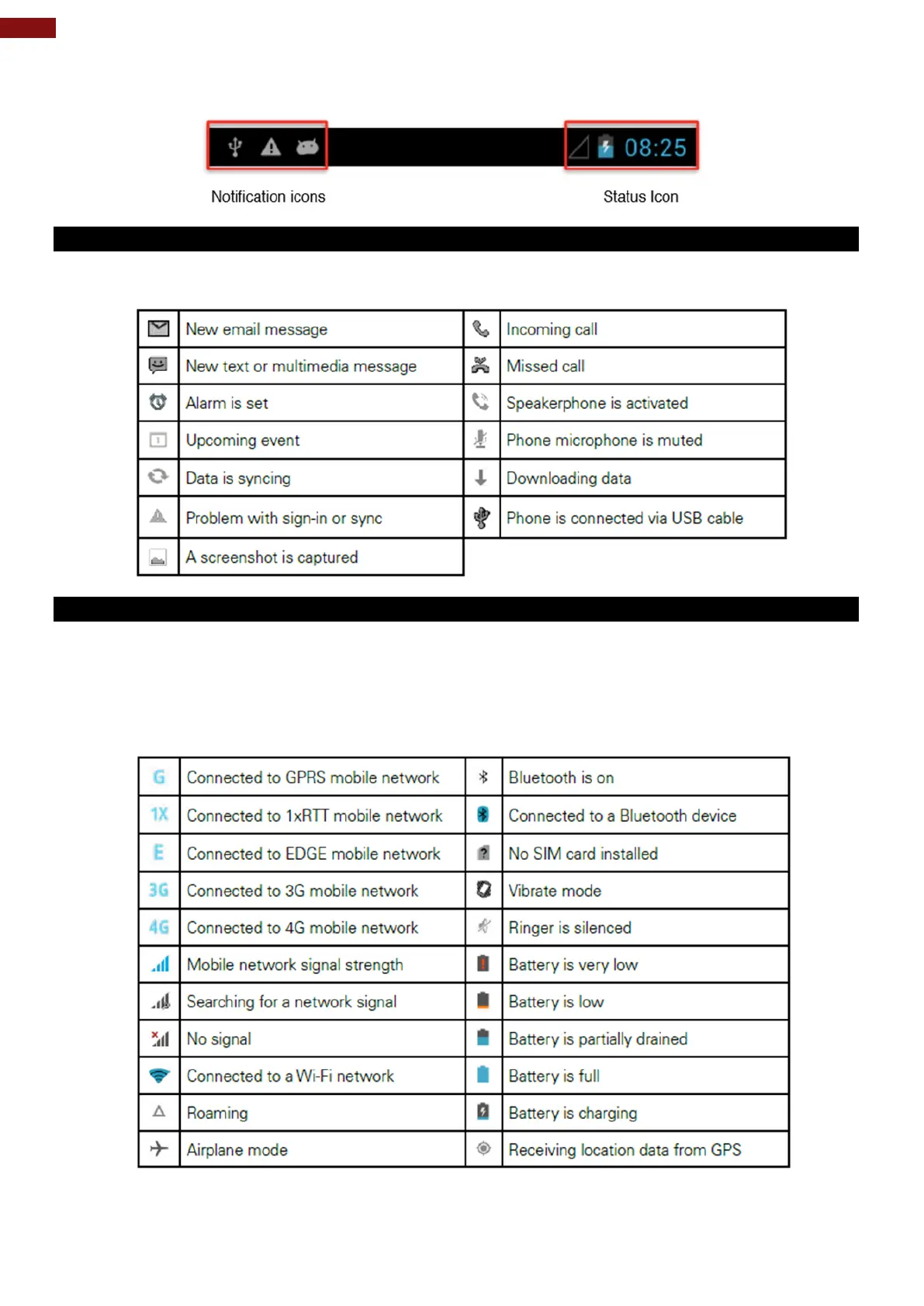
2.4.1 Notification Icons
Pull down from the left top of the screen to get the notifications area. The following icons indicate that you
have received notification.
2.4.2 Status Icons
Pull down from the right top of the screen to get the notifications area. The following icons indicate the
status of your device, for example if users are connected to a Wi-Fi network that is not connected to the
internet, the network icons are appears in white color.
Status icons that appear in the status bar are as follows:



 To Next Page