28 M101M8 Rugged Android Tablet User Guide
2.6 Display Settings
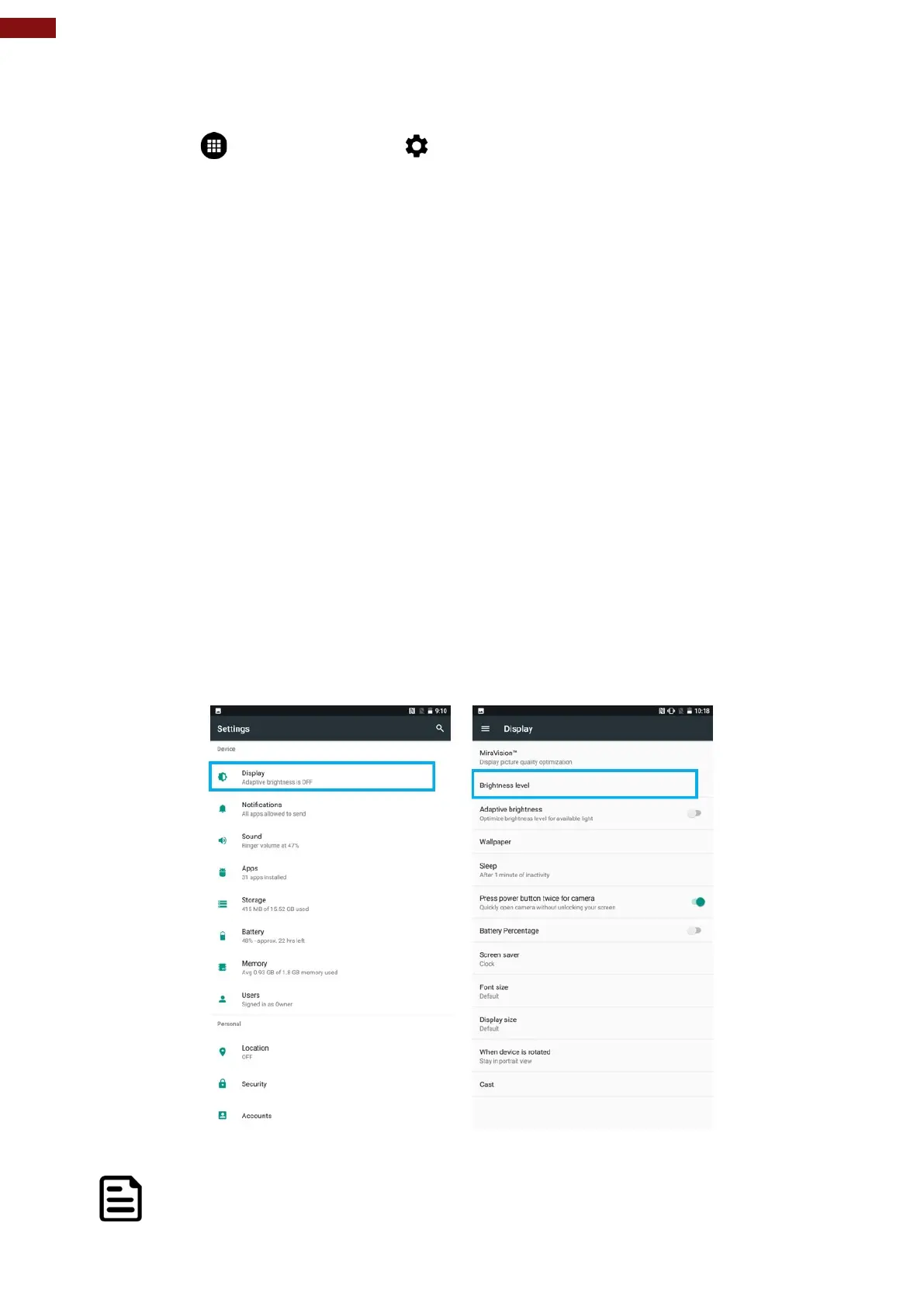
Use the display settings to configure brightness and other screen settings.
1. Tap MENU and then tap Settings .
2. In the Device tab, tap Display:
• Display
• MiraVision™ - to display picture quality optimization options.
o Brightness level– for adjusting the brightness of the screen.
• Adaptive brightness – to optimize brightness level for available light
• Wallpaper – to select wallpaper
• Sleep – to set up the device’s sleep mode after the specified period of inactivity
• Press power button twice for camera – Quickly open camera without unlocking your
screen.
• Battery Percentage – to control battery percentage display.
• Screen saver – to control what happens when the tablet is docked and/or sleeping, turn
screen saver on
• Font size – Make the text on screen smaller or larger
• Display size – Make the items on your screen smaller or larger.
• When device is rotated – for switching the orientation of the screen when user turns the
device sideways or upright.
• Cast – allows displaying whatever is visible on the device's screen on another screen,
mostly wirelessly using Wi-Fi as a medium for sharing the screen.
Note:
For the longest battery life between charges, use the shortest Sleep time.



 To Next Page