13
0BChapter 1: Getting Started
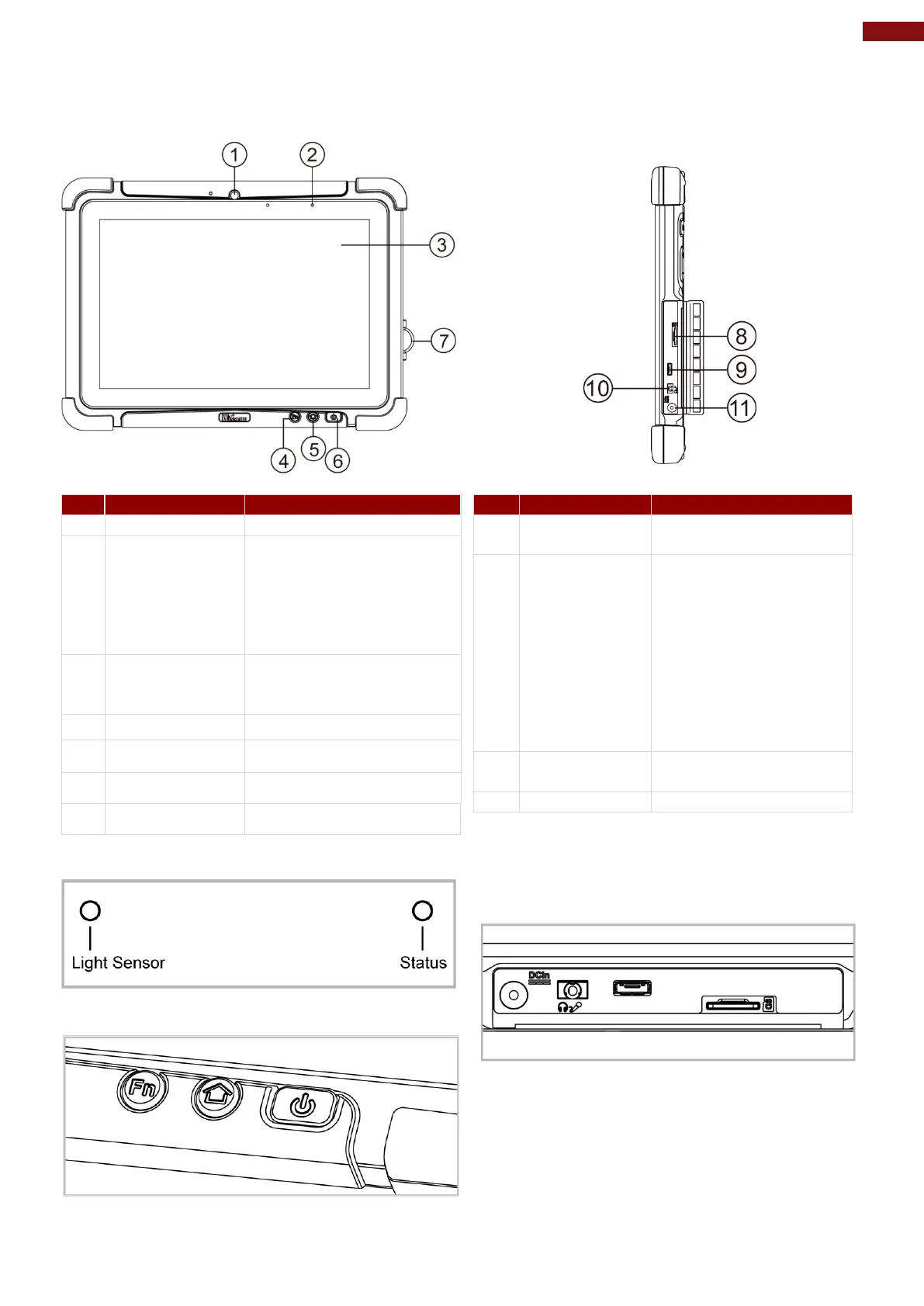
1.2 Description of Parts
2
LED Indicators:
Show the current status of
the Tablet Computer Red:
Charging / Hot-swap
battery
Green: Full Charge Blue:
3
Touch Screen
Display and act as one of
the inputs for the Tablet
5
Home Button Back to Desktop
6
Power Button Turn on power
7
I/O Cover Protects I/O ports
Front LED Indicators Details:
Front Button Details:
Memory card reader
port for Micro SD Card
OTG
connects to PC or USB
devices such as mouse,
keyboard, etc.
Note: This USB port
won’t work when the
tablet is connected to
the optional docking.
Please use the USB
Headset or headphone
can be connected
Side I/O Details:



 To Next Page