56
M101M8 Rugged Android Tablet User Guide
Menu/ Scan Mode
5. The volume button is on the rear side of the device.
6. Press the button to trigger the barcode reader.
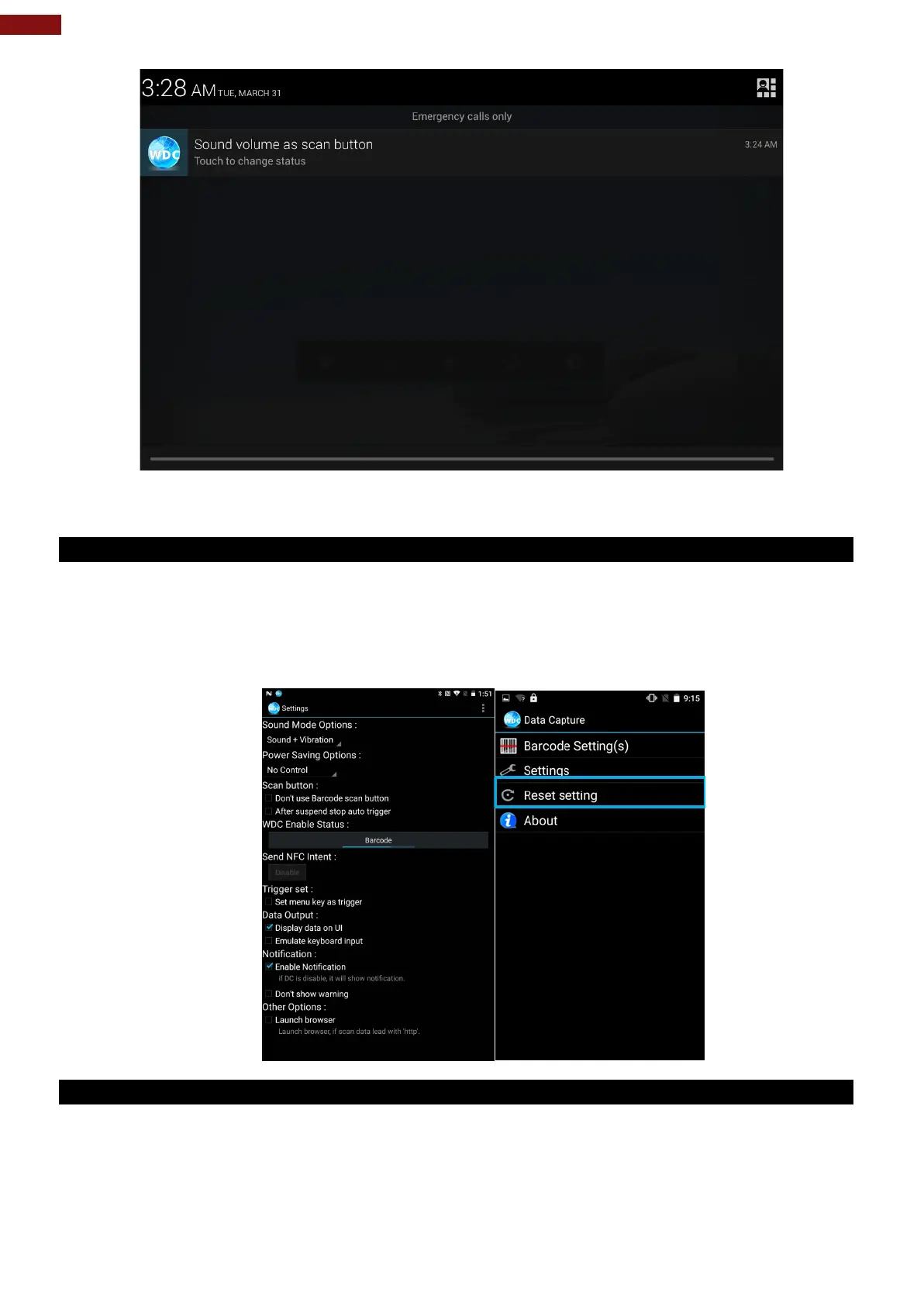
6.1.9 How to Change WDC Settings or Reset to Default
1. Go to the WDC application.
2. Tap Settings.
3. Users can select the options to change the setting of the application.
4. Users can reset to the default setting by tapping Reset setting.
6.1.10 Scanning a Barcode
How to scan a barcode:
1. Press the function button to trigger the barcode.
2. Aim the barcode.



 To Next Page