55 Chapter 6: Using Barcode Reader
6.1.8 How to Change Volume Button to Barcode Trigger Button
To set up trigger button:
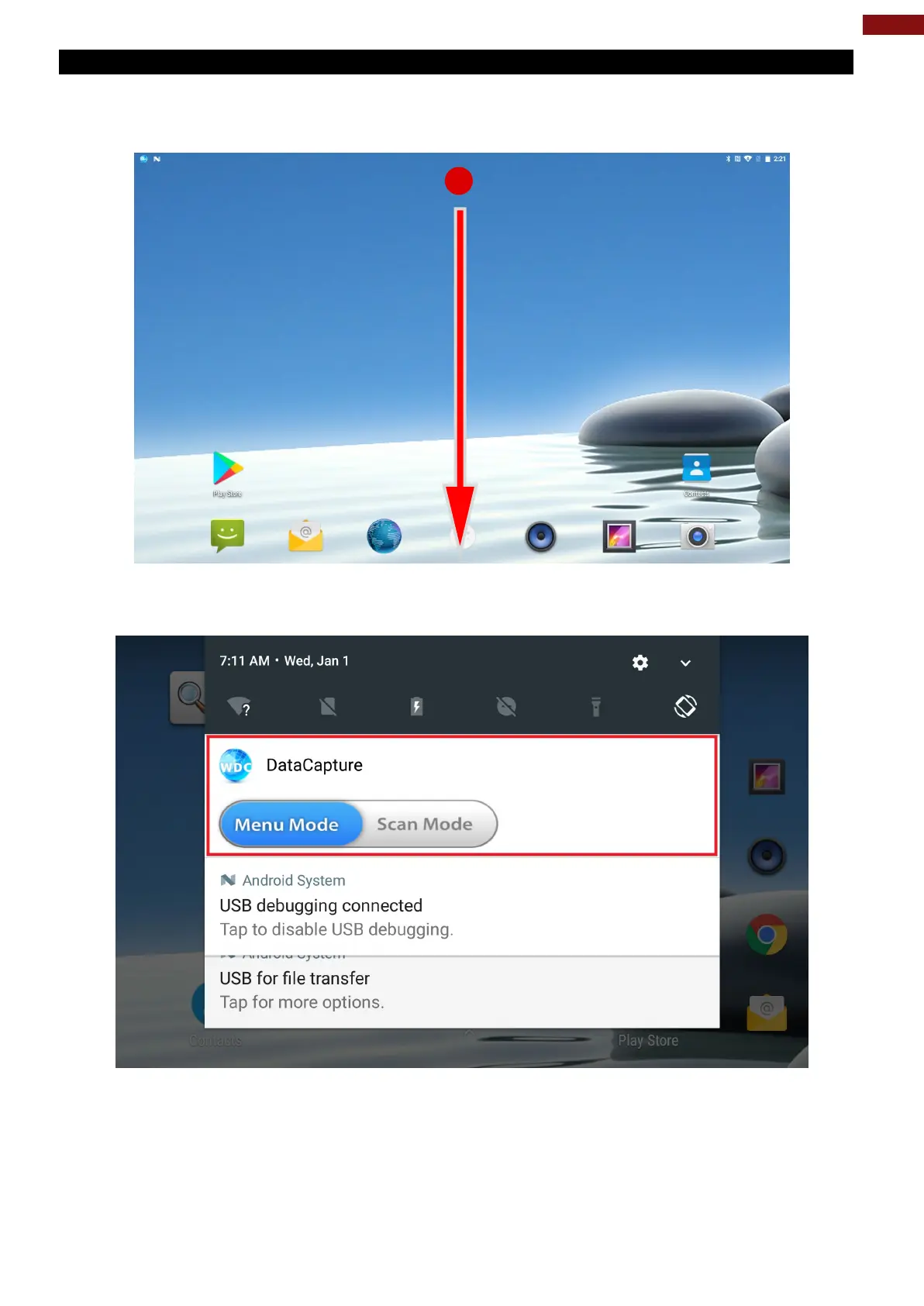
1. Put the finger on top of the screen and drag the screen from the top to the bottom.
2. Status bar will appear on the screen and will show the notifications of the device.
Press Fn function key to change mode.
3. Tap on WDC icon “Sound Volume as normal use” to change the physical buttons into scan button.
4. Go back to the status bar and make sure the icon change to “Sound Volume as scan button” DO NOT
TAP IT THIS TIME!



 To Next Page