34 M101M8 Rugged Android Tablet User Guide
3.1 How to Lock Applications
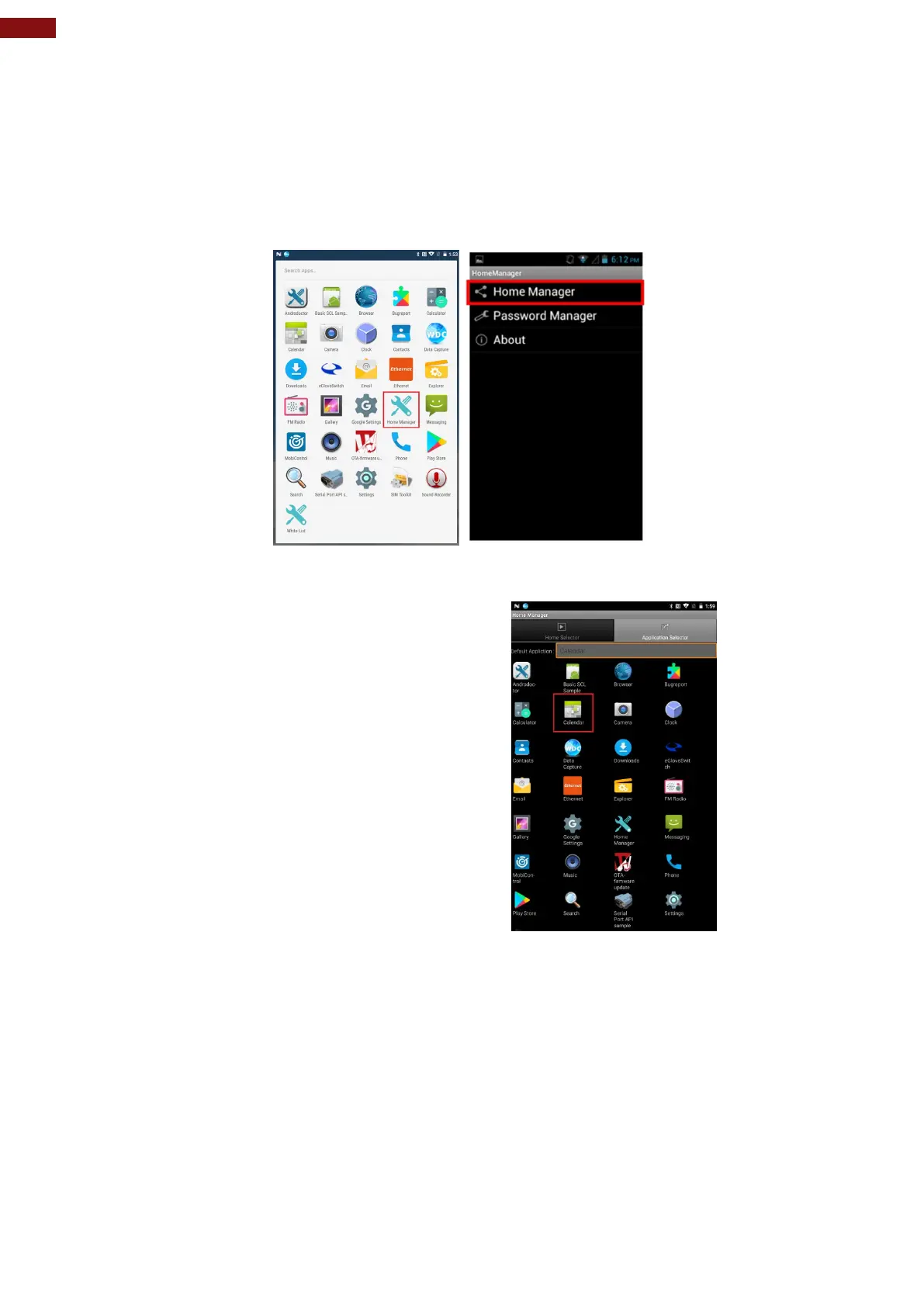
Step 1
In the main APPS window, select the Home Manager APP and enable it.
Select Home Manager to start your settings.
Go to Password Manager and set your own password for this APP. The default password is
“0000”.
Step 2
Go to “Application Selector” and choose an
Application to be locked.
Example: Select the Calendar AP.
Step 3 Go back to “Home Selector” and press “Clear and Reset Default Home”.



 To Next Page