35 Chapter 3: Winmate Home Manager
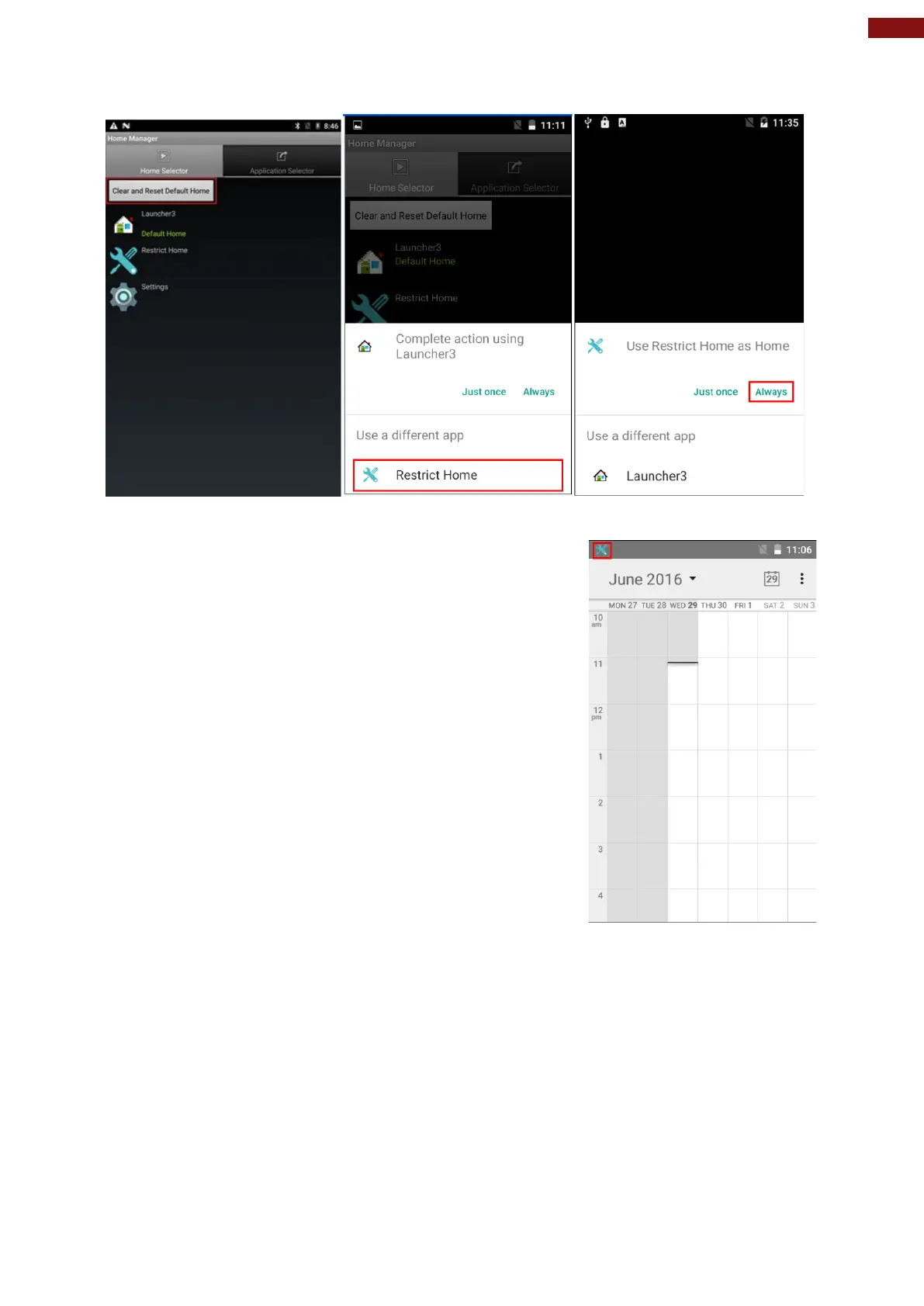
Step 4 Select “Restrict Home”, and then restart the tablet.
Step 5 System will ask to select “Just once” or “Always” to use this launcher, please select “Always”.
The system will automatically start the application which you
selected and lock it.
Any time you press home key or back key, the system will go back
to the same application which you have selected.



 To Next Page