20 M101M8 Rugged Android Tablet User Guide
2.1 Using the Touch Screen
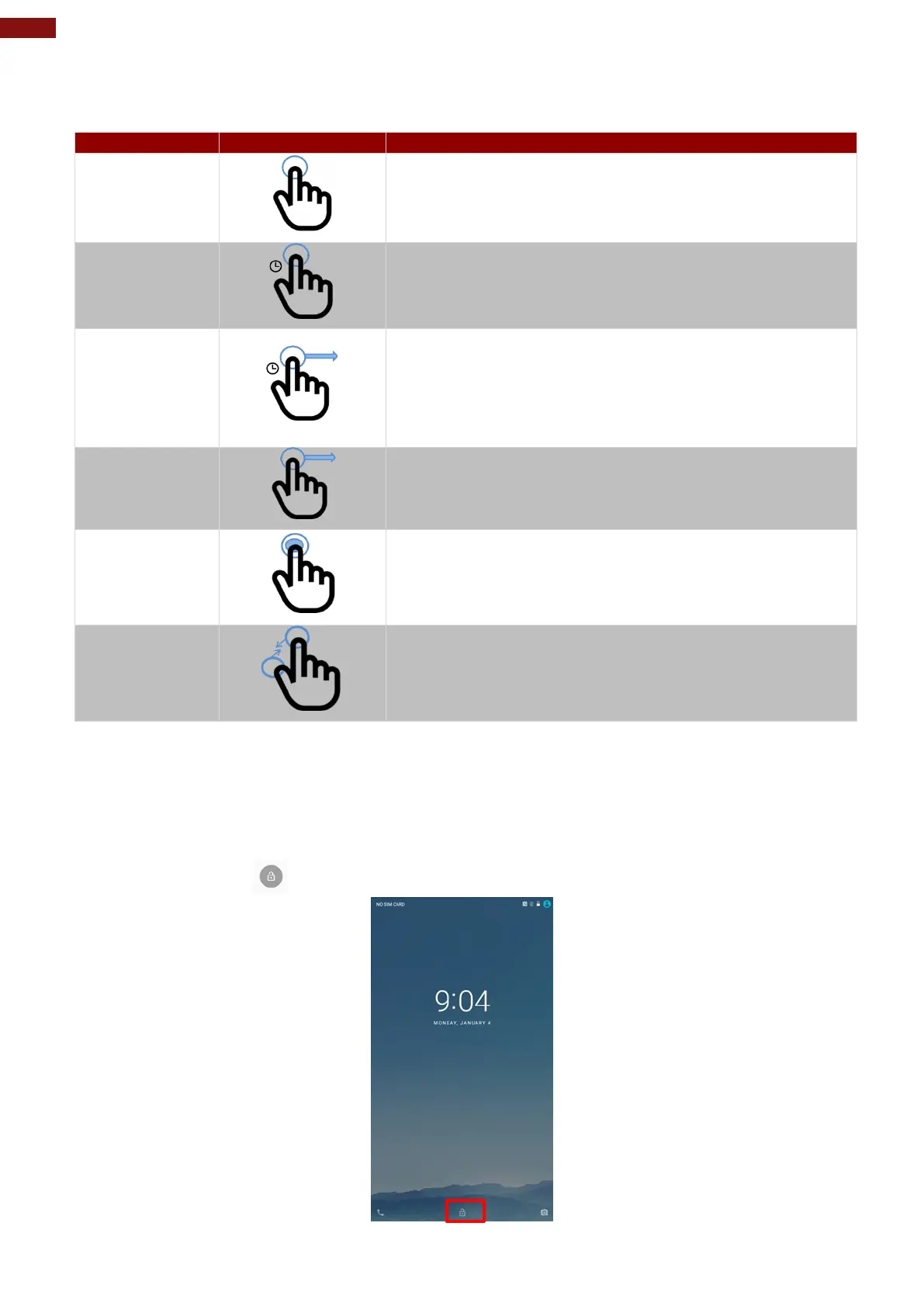
The touchscreen supports the core gestures for Android.
Tap
To select or activate something
Tap & Hold
Touch and hold an item on the screen by touching it and not
lifting your finger until it respond
Touch, Hold &
Drag
Touch and hold an item for a moment and then without
lifting your finger, move your finger on the screen until you
reach the target position. i.e. moving the apps around the
home screen
Swipe or slide
Quickly move the finger across the surface of the screen.
i.e. slide a lock screen to open the lock
Double-tap
Tap quickly twice on a webpage, screen, or App to zoom
Scale
Place two finger on the screen and pinching them together
2.2 Waking Up the Tablet
If you do not use the tablet for a while, the screen dims and then darkens to conserve the Battery. To wake
up the tablet:
1. Press the Power button on the top side of the tablet.
2. Drag the lock icon upwards to unlock the screen.



 To Next Page