EasyManua.ls Logo

Winmate M101M8 - Appendix A: Basic Troubleshooting

Winmate M101M8
64 pages
Print Icon
To Next Page IconTo Next Page
To Previous Page IconTo Previous Page
Loading...
57 Chapter 6: Using Barcode Reader
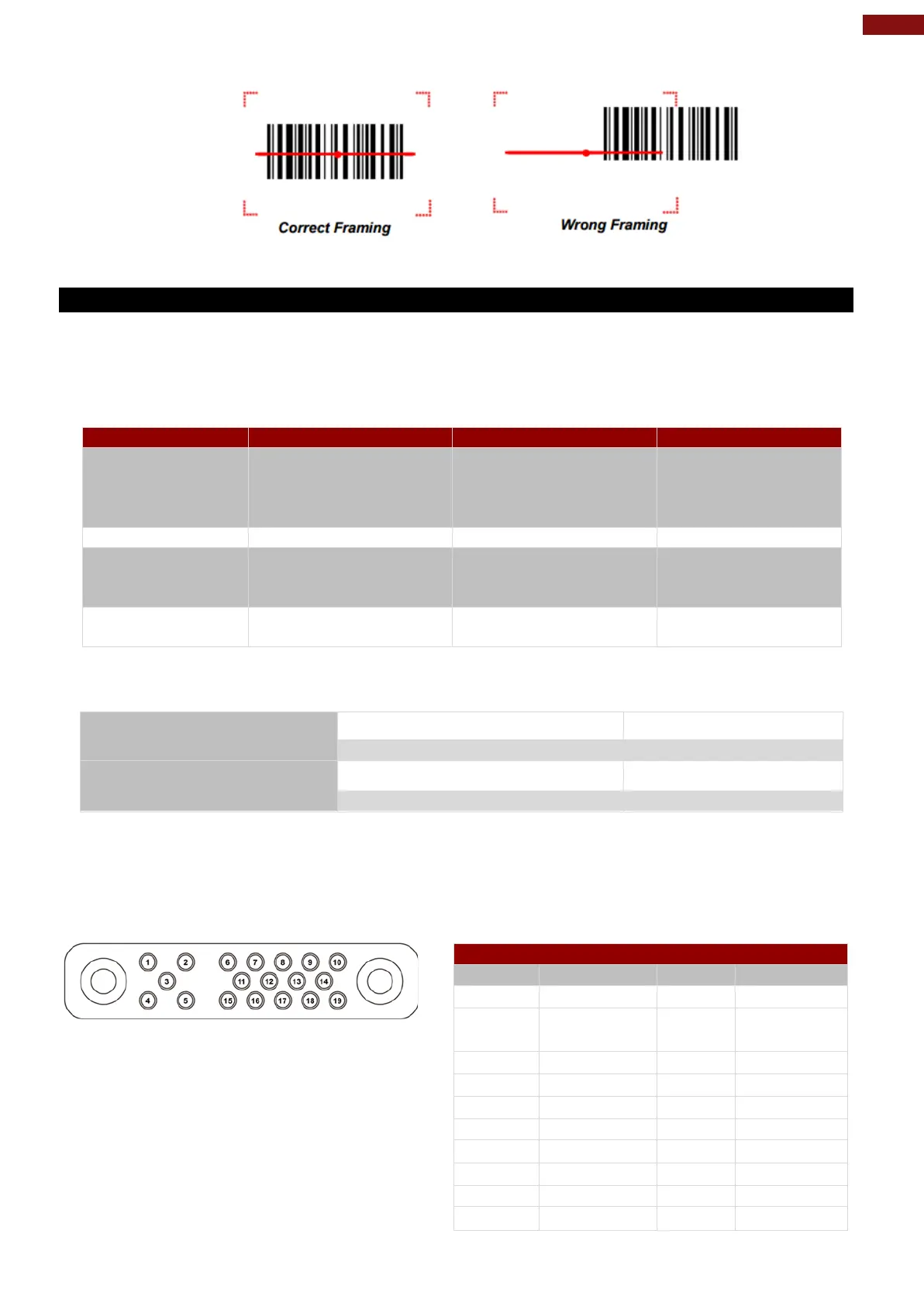
3. Ensure the entire barcode is within the rectangular area formed by the brackets in the laser
framing.
4. Release the trigger.
6.1.11 Scanning Tips and Considerations
Distance
Scanning device will decode perfectly over a certain working range, there are minimum and maximum
distance from the barcode. To specify the appropriate working range per barcode type is through a table
as follows.
Symbology
Density
Min Distance
Max Distance
Code 39
0.100 mm
0.125 mm
0.500 mm
1.000 mm
9.5 cm
8.0 cm
6.5 cm
9.5 cm
11.5 cm
14.5 cm
50 cm
75 cm
EAN / UPS 100%
0.33 mm
6 cm
34 cm
DataMatrix
0.18 mm
0.25 mm
0.38 mm
7.5 cm
6.0 cm
5.5 cm
16.5 cm
23.0 cm
34.5 cm
PDF417
0.25 mm
0.38 mm
5.5 cm
6.5 cm
26 cm
37 cm
Angle
Scanning angle is important for promoting quick decodes.
Scanning Angle
Horizontal 34.4°
34.4°
Vertical
22.2°
Framing Angle
Horizontal
30°
Vertical
20°
6.2 Docking Connector Pin Definition
M101M8 tablet computer supports one 19-pin docking connector at the bottom side. The pin definition is
listed as the following table.
19 Pin Docking Connector
Pin No.
Description
Pin No.
Description
1
RF_GND
11
NC
2
DOCK_DET
#
12
NC
3
GPS ANT
13
GND
4
RF_GND
14
Power
5
RF_GND
15
USB+
6
NC
16
USB-
7
NC
17
GND
8
DETECT+
18
GND
9
Power
19
DETECT-
10
Power

Table of Contents

Other manuals for Winmate M101M8

Related product manuals